What Professional Email Offers Beyond a Regular Account

Published: October 26, 2026
Email often becomes the main place for exchanging business documents. You send quotations, receive purchase orders, and keep written confirmations of the terms you’ve agreed on. Some of those messages may be needed again long after the original exchange.
Those emails may also be needed after the deal is agreed upon. Accounting may need to check the payment terms, while purchasing may need to confirm the final order details. If those records are hard to find or the company can’t access the accounts holding them, even routine follow-up work can become complicated.
A business email setup helps keep this communication within the company’s own system. Business addresses and correspondence can be managed as part of everyday operations rather than depending entirely on individual employees and their personal inboxes.
When employees use personal email accounts for company business, those addresses remain outside your administration. Your company can’t change the settings of these accounts or manage access to them directly. Account settings and access permissions remain under the employee’s control rather than the company’s.
The limitations become more visible when responsibilities change. A supplier may still send new orders to a sales manager’s personal address, even though purchasing now handles them. Updating the supplier’s contact records takes another exchange, and the original address remains outside your control.
With professional email, you can create individual and department addresses under your company domain. If purchasing takes over order processing, you can update who receives messages at the existing address. Suppliers won’t need to change where they send their orders.

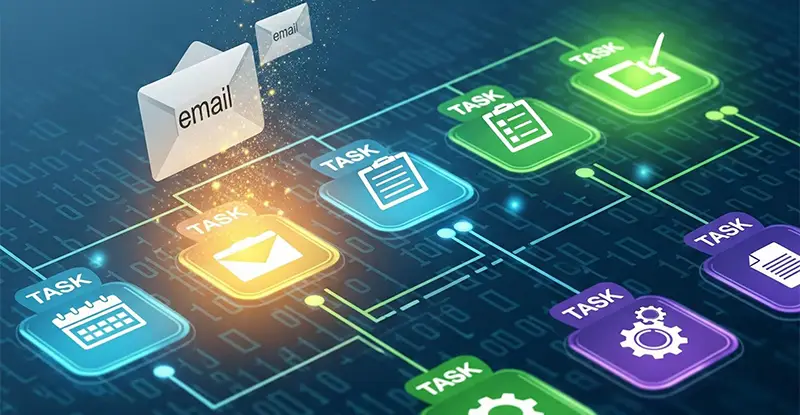
Centralized email addresses improve communication continuity, yet crucial data can remain buried in attachments. docAlpha uses intelligent document processing and workflow routing to turn incoming business documents into structured information.
Reduce manual handoffs between email, finance, and operational systems.
When you contact a new business customer, your email address is part of the information they use to identify your company. A quotation sent from a personal Gmail or Outlook account may contain all the right details, but the address itself doesn’t show which business it belongs to.
Using your company domain gives the recipient a few things to check:
The purchasing team can check the contact information against its records and follow up through an established address if anything looks unusual. A company email doesn’t remove the need to verify sensitive requests, but it gives both sides more information to work with.
Recommended reading: Learn How CRM and ERP Systems Manage Business Contacts and Records
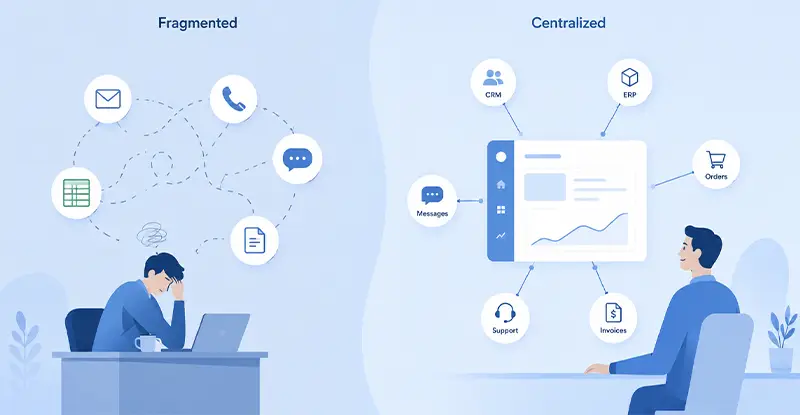
Your CRM may show an active deal with a customer, but it doesn’t necessarily include the latest email exchange. A customer might reply with a new request, while the sales record still shows the previous stage of the discussion. Without email integration, your team has to add that information manually.
Connecting your business email to the CRM can reduce that extra work. Many platforms support mailbox integration, allowing messages to be linked to existing contacts and active deals. Depending on the system, your team can see recent emails alongside sales activity without switching between the two services.
You should also check which emails the CRM adds to customer records. Some systems sync both incoming and outgoing messages automatically, including emails that aren’t linked to an existing contact. Some platforms let you exclude certain conversations from syncing, which is useful when a mailbox contains information that shouldn’t appear in shared customer records.

Teams exchange quotations, supplier records, and supporting documents by email every day. docAlpha automates document recognition, data extraction, validation, and exception review from incoming business files.
Help staff act on document information faster rather than repeatedly copying it.
Your sales team may need more mailbox storage or access to a feature that your current plan doesn’t include. Upgrading the entire company to a higher tier would mean paying more for accounts that don’t need those extras.
Some professional email providers allow different plans within the same company. You can upgrade the accounts that need additional resources while keeping the others on their existing plans. This gives you more choice over what you pay for.
The differences between plans are worth checking:
Not every provider supports mixed plans. Some require the same subscription level for all users, so it’s worth checking these conditions before committing to a service.
Recommended reading: Discover Automation Tools That Extend Microsoft 365
Another advantage of professional email is the ability to use the same mailbox on different devices. Your employees can access their work email from office computers, laptops, or phones, depending on where they’re working. Many providers also support different email applications, so employees aren’t limited to using the provider’s webmail.
This gives your team a few practical options:
Not all email services support the same applications or synchronization features. Check whether messages and folder changes stay updated when employees switch between devices.

Even with professional email and CRM integration, document data may still be copied into business applications by hand. docAlpha prepares validated information from email attachments for connected enterprise workflows.
Improve accuracy and keep routine document processing from slowing business communication.
The move to professional email usually reflects a change in how a company operates. As more business activities depend on email, the limitations of a regular account can become harder to work around. The decision isn’t simply about getting more features. It’s about having an email service that can support the company’s daily requirements without creating extra work. At that point, choosing the right email solution becomes part of planning how the business runs.
Recommended reading: Learn How Digital Technology Supports Modern Business Operations
 Automate Email Workflows & Boost Productivity | Your Guide
  Top 5 Strategies to Enhance Your Business Communication Effectively
  Essential Communication Tools for Efficient Hybrid Work Teams
  Choosing Email Migration Services That Actually Work
  Top Microsoft 365 Security Risks for Small Businesses
  Improve B2B Communication with AI Automation
