How AI-Powered Document Processing Helps Businesses Work More Efficiently

Published: November 25, 2026
Businesses handle a steady flow of documents: invoices, purchase orders, application forms, contracts, customer records and internal reports. When employees process these files manually, routine work can take time away from customer service and more valuable tasks. AI-powered document processing can help teams capture information, organize files and move data into business systems with less repetitive effort. Its benefits are strongest when the technology is chosen carefully and supported by clear workflows.
AI document processing uses technologies such as optical character recognition (OCR), machine learning and natural language processing to interpret information in documents. OCR converts text in scanned pages or images into machine-readable content. AI models can then identify fields, classify document types, extract key details and route files to the appropriate person or system.
For example, an accounts team may receive invoices in different layouts and formats. A document processing system can detect supplier names, invoice numbers, dates, tax amounts and totals, then send the extracted information to an accounting or enterprise resource planning (ERP) platform. Staff can review exceptions instead of retyping every field.

AI extraction can accelerate data capture, but low-confidence fields and inconsistent records need a dependable review process. docAlpha applies configurable validation and routes exceptions to human reviewers before downstream processing.
Improve document data quality without sacrificing accountability.
The value of document automation depends on the work a business needs to improve. In finance, it can support invoice capture, expense review and the organization of supporting records. In healthcare, it may help organize forms and administrative paperwork, provided that privacy, security and applicable regulatory requirements are addressed. In insurance and other financial services, it can assist with sorting applications and identifying information that needs human review.
Document processing can also connect with wider business automation. Once information has been captured, a workflow may send it for approval, update a database, notify a team member or create a record in another application. Integrations matter: a tool that extracts data accurately but cannot pass it reliably to the systems employees already use may create extra work rather than reduce it.
A successful project starts with a clear view of the existing process. List the document types the business receives, where they come from, who checks them and which systems store the final data. Note common variations, such as missing fields, handwritten notes, low-quality scans or different supplier templates. These details help determine whether a solution can handle real operating conditions rather than only clean sample files.
It is also useful to define what should happen when the system is uncertain. Low-confidence results, unreadable pages and unusual values should be sent to a person for review. Human checks are especially important when a mistake could affect a payment, customer record, eligibility decision or regulated process. Automation should make routine work easier without removing accountability.
Recommended reading: Learn How Intelligent Document Processing Automates Business Documents
Before selecting a platform, test it with representative documents and measure field-level accuracy, processing time and the number of items that still require manual correction. Ask how the provider stores data, controls access, encrypts information, handles retention and supports audit trails. Businesses processing personal, financial or health information should assess applicable legal and industry obligations before sending documents to an external service.
Check how the product connects to accounting software, customer relationship management systems, ERP platforms and document repositories. Confirm whether integrations are native, require an API or depend on additional development. A limited pilot with one document type or department can reveal workflow issues before the business commits to a larger rollout.
Technology adoption is not only a software decision. Employees need to understand which tasks the system performs, what they are expected to check and how to handle exceptions. Short demonstrations, step-by-step instructions and clear examples can make a new workflow easier to follow. When a process is complex, a concise explainer video can also help communicate the main steps. Teams estimating this type of content can review Osdire’s guide to freelance explainer video costs as a starting point when planning a suitable format and production budget. The content should reflect the actual workflow and be kept up to date as procedures change.
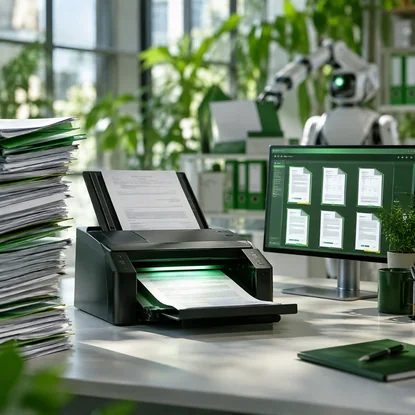
Growing document volumes can overwhelm teams that still classify, capture, and validate each file by hand. docAlpha automates routine document processing while preserving exception review for unusual cases.
Handle more paperwork with consistent workflows and less administrative effort.
After launch, track practical measures such as average processing time, error rates, manual correction volume, turnaround time and the number of documents handled per employee. Compare results with the baseline recorded before implementation. Feedback from employees can identify confusing screens, frequent exceptions or steps that still rely on duplicate data entry.
Review performance regularly as document formats, business rules and software systems change. Update templates and validation rules when needed, and retrain the system only through a controlled process that protects data quality. A measured rollout helps teams understand where automation is working and where human judgment remains essential.
AI-powered document processing can reduce repetitive administration, improve access to information and support connected business workflows. The best results come from starting with a specific problem, testing the technology on real documents, protecting sensitive information and keeping people involved where decisions require judgment. With those foundations in place, businesses can introduce automation gradually and build a process that is both more efficient and easier to manage.
Recommended reading: Discover How AI-Powered OCR Improves Document Processing Accuracy
 AI for Document Processing: How IDP Turns Documents Into Usable Business Data
 Document Workflow Automation: How AI is Transforming Intellectual Content Creation
 How Advanced AI Models Are Expanding the Capabilities of Intelligent Document Processing
 Why Intelligent Document Automation Still Needs Humans in the Loop
 Intelligent Document Processing for Back-Office
 AI Automation for Finance & Ops: From Document Intake to End-to-End Workflows

