AI for Document Processing: How IDP Turns Documents Into Usable Business Data

Published: February 25, 2026
AI for document processing is changing how organisations handle document processing at scale. Instead of relying on manual effort to read, sort and key information from incoming documents, businesses are using intelligent document processing to extract data, reduce processing costs and improve operational efficiency. This matters because so much business data still lives inside unstructured documents, scanned documents and paper documents, where human errors are easy to introduce and data accuracy is hard to maintain. If you’re planning an idp solution that fits your business needs and integrates with existing systems, working with pulsion's ai consultants can help you design intelligent document processing solutions with robust security, flexible deployment and a clear path to business process automation.

When invoices, delivery notes, tax forms, and compliance records arrive in inconsistent formats, docAlpha uses AI-based intelligent document processing to classify, extract, validate, and route document data automatically. Reduce manual effort, improve data accuracy, and accelerate business process automation at scale.
Intelligent document processing (also written as intelligent document processing idp) combines several ai technologies to process documents end to end. It goes beyond basic optical character recognition by using machine learning, natural language processing, computer vision and, increasingly, large language models to understand document data in context.
Where traditional OCR could extract text, modern document ai can:
That is why ai document processing is often positioned as intelligent automation rather than a standalone OCR add-on.
Recommended reading: How Intelligent Document Processing Reduces Errors And Rework
Most organisations don’t just deal with clean structured data. They deal with unstructured data and semi structured files coming from multiple sources: emails, portals, scanners, mobile photos and legacy systems. Typical document types include:
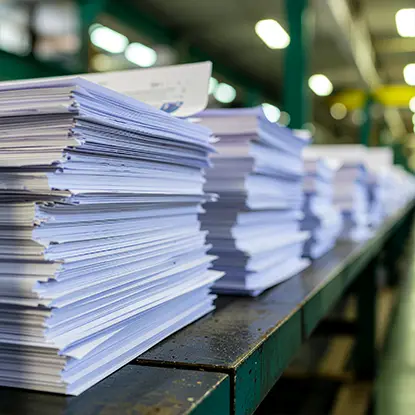
These unstructured documents often contain valuable data but in formats that don’t map neatly to business systems. This forces business users into manual effort: copy, paste, rekey, double check, then fix downstream exceptions. That increases processing costs and slows business process improvement.
Automate Invoice Processing With AI And Built-In Controls
When invoice volumes rise and formats vary, InvoiceAction uses AI-based intelligent document processing to capture, validate, and route invoices with high accuracy. Reduce processing costs, cut manual effort, and improve AP efficiency at scale.
Book a demo now
Most intelligent document processing solutions follow a repeatable pipeline that turns new documents into structured outputs.
The first stage is data capture. For scanned documents and paper documents, optical character recognition OCR is used to extract text. Higher-performing systems combine optical character recognition ocr with advanced optical character recognition and computer vision to handle:
You’ll often see this described as advanced ocr or advanced OCR.
Next comes document classification. The platform learns to classify documents into categories like invoices, tax forms, delivery notes or other specific documents. This is essential for document workflows because the extraction rules, validations and destinations differ by type.
When document classification is accurate, teams can process documents automatically rather than manually sorting incoming documents.
Once the system knows the document type, it can extract data from the document data layer: names, dates, totals, line items, reference numbers and other relevant information. Natural language processing is used for free-text interpretation, and machine learning supports pattern recognition and field mapping.
A strong IDP solution also checks extracted values against master data. For example, matching supplier names, product codes or customer IDs helps ensure data accuracy and reduces exceptions in downstream business systems.
When teams still rely on copy-paste workflows and manual checks, docAlpha combines AI document processing, validation rules, and workflow automation to turn incoming documents into structured outputs. Lower processing costs and improve operational efficiency with measurable results.
Even the best AI models need guardrails. Human review steps catch edge cases, protect sensitive data handling and improve trust in automated systems. Where review is needed, business users can approve, correct or reject outputs.
Those user corrections should feed feedback loops so the system improves over time. This continuous learning approach reduces manual effort month by month.
Finally, the extracted outputs are pushed into existing systems using seamless integration. That might include:
This is where intelligent automation meets business process automation. Instead of documents stored in inboxes, you get structured outputs ready for business decisions.
Recommended reading: A Practical Guide to Automated Document Processing Software
AI for document processing is not only about speed. It’s about improving business process outcomes and unlocking actionable insights from documents.
Invoice processing is one of the clearest wins because volumes are high and formats vary. Intelligent document processing solutions can process invoices by extracting supplier details, invoice numbers, dates, tax values and line items, then validating against purchase orders or master data.
This improves data accuracy, reduces human errors and cuts processing costs.
Delivery notes and scanned documents from warehouses can be processed to update stock receipts, confirm quantities and reconcile orders. This supports operational efficiency and better business performance reporting.
Tax forms often include strict field requirements. An idp solution can extract relevant information, apply validation rules, and route outputs into enterprise resource planning or enterprise content management systems with audit trails.
Convert Customer Order Documents Into ERP-Ready Data
When purchase orders, delivery confirmations, and related documents arrive in mixed formats, OrderAction uses AI-based intelligent document processing to capture, validate, and route order data automatically. Reduce manual entry, improve accuracy, and speed order processing across teams.
Book a demo now
Because many documents contain sensitive data, intelligent document processing must include robust security by default. Key controls should include:
Security should be treated as part of the business process design, not an afterthought. If the platform connects to business systems, it must follow your governance standards and protect document data across the full document workflows lifecycle.
Recommended reading: 7 Benefits of Document Processing Automation
Generative ai and large language models are increasingly used to enhance document ai. They can help interpret messy unstructured documents, summarise sections, and extract text when documents do not follow predictable patterns.
That said, they need careful controls when dealing with sensitive data, and the outputs should still be validated using machine learning confidence scoring, business rules and human review where required. Used properly, generative ai strengthens intelligent automation without compromising data accuracy.
Most organisations need flexible deployment. Depending on constraints, an idp solution can run:
Whatever the model, seamless integration matters. IDP should connect into enterprise resource planning, enterprise content management, and automation layers like robotic process automation so that document processing becomes part of the wider business process automation strategy.

When sensitive data and compliance requirements slow automation projects, docAlpha delivers intelligent process automation with controlled document workflows, human review options, and integration-ready outputs. Improve trust, strengthen governance, and scale document automation with confidence.
To make intelligent document processing IDP successful over time, focus on:
Done well, ai automation turns unstructured data into structured data that supports business decisions, improves business performance and reduces the drag of manual processes across teams.
 What Is Intelligent Document Processing (IDP)
 Document Automation: Which Documents Can You Automate?
 Data Engineering for IDP: Why Document AI Needs Infrastructure
 How Reliable Is Your Business Data Today?
 The AI Revolution in Document Workflow Automation
 AI-Powered Bookkeeping & Document Automation for Finance
