The Document Trail: How Legal Teams Manage Workers' Comp Paperwork Without Losing the Case

Published: October 06, 2026
A single Arizona injury claim can generate more paper than a small business produces in a year. First reports, wage statements, treatment notes, denial letters, hearing notices, lien filings. I've watched a paralegal spend an entire Tuesday hunting down one missing physician signature on a form that was scanned upside down. The claim didn't fail because the facts were weak. It failed because the file was a mess.
Here's what I'd promise you up front: organized files settle faster, and messy ones cost everyone money. That's true whether you're running a shared service desk for an insurer or a boutique firm that handles a handful of claims a month. The mechanics of document flow decide more outcomes than most people admit. If you want a sense of how the whole system fits together for injured workers, the workers' compensation attorneys at Sargon Law Group walk through the process in plain terms on their site.
Below, I'll cover where claims actually stall, how to build an intake standard your team will follow, and the document categories most operations groups forget until a deadline is already breathing down their neck.

Workers’ comp files can contain medical records, wage statements, incident reports, notices, correspondence, and other documents arriving through multiple channels. docAlpha automatically captures, classifies, extracts, and validates document information so it can move into the appropriate workflow.
Reduce manual filing work and help teams keep high-volume document processes organized from intake forward.
Almost never at the point of legal argument. It breaks at intake.
A claim arrives as an email attachment, a fax (yes, still), a portal upload, and a phone call from a supervisor who swears the paperwork went out last week. Three versions of the same incident report exist by Friday, and none of them match. I've seen a treatment record logged under the wrong claimant because two people shared the same last name and the intake clerk was moving fast. That error sat in the file for six weeks.
The fix isn't more diligence. It's a standard nobody has to interpret. Every document gets typed, dated, and matched to a claim number before it touches a folder. If a page can't be matched, it goes to a holding queue with a flag on it. That single rule kills most of the confusion I've seen over the years.
Legal operations teams that treat filing as a discipline instead of an afterthought tend to catch problems while they're still cheap to fix. The ones that don't end up paying for it later, often in ways nobody billed for.
Recommended reading: Discover How Document Processing Helps Legal Teams Manage Complex Case Files
Most intake standards fail because they were written for a perfect day. Real days have backlogs, callouts, and a supervisor who needs something by noon. So build for the bad day, not the good one.
Start with a fixed set of document types. Most workers' comp files move through the same handful of categories, and having a name for each one stops the "miscellaneous" folder from swallowing everything:
Then decide who owns each category. One person. Not a team, not a department. When two people own a document type, nobody owns it.
Next, set a rule for naming files that a stranger could follow. Claim number, document type, date. That's it. I'd argue against clever naming conventions here, because clever breaks the moment someone new joins and guesses at the pattern.
Finally, run a five minute audit every Friday. Pull ten documents at random and check them against your standard. You'll learn more from those ten than from any training session.
If your operation touches court filings at all, it helps to know the filing channels and formatting expectations on the other end. Arizona's judiciary publishes its own guidance on court records and filing procedures through the Arizona Judicial Branch, and reading it once will save your team a dozen corrections later.
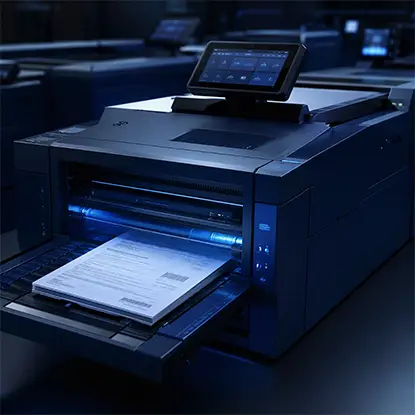
Claims can become difficult to manage when documents arrive through email, scans, portals, and other channels and must be manually identified and routed. docAlpha uses intelligent document processing to classify incoming documents, extract relevant information, validate data, and route it through automated workflows.
Create a more consistent intake process while reducing the repetitive work behind every claim file.
Capture and classification are the easy wins. Software can pull text off a scanned form, sort it by document type, and route it to the right folder without anyone clicking through a stack of PDFs. If your team handles volume, this is where the hours come back.
Judgment calls are different. Deciding whether a treatment note matters to the claim, or whether an inconsistent wage statement needs escalation, that's a person's job. Automation that tries to make those calls usually creates more cleanup than it saves.
Here's the tradeoff I'd take: automate routing, keep humans on interpretation. Every time. The teams that get this backwards end up with fast filing and slow thinking, which is a bad combination in a claim file.
One more thing worth knowing. Injured workers sometimes file for Social Security disability benefits alongside a workers' comp claim, and those systems don't talk to each other the way people assume. The Social Security Administration spells out its own eligibility framework if you ever need to explain the overlap to a client or a claims adjuster.
Recommended reading: Learn How Humans and Intelligent Automation Can Work Together
Wage documentation is the big one. Everyone remembers the medical records. Almost nobody chases the earnings statements until a settlement conversation is already underway, and then the whole timeline stretches out while someone reconstructs months of pay history.
Return to work correspondence is another. Light duty offers, modified schedules, and the employer's response to both. These documents shape the claim, and they tend to live in email threads instead of files.
Third is anything involving multiple parties. Subrogation notes, lien correspondence, communication with another carrier. Files like this get complicated fast, and a clean document trail is the only thing that keeps the versions straight.
Broad employment patterns matter here too. Workplace injury and illness reporting has been a long standing concern across industries, and the U.S. Department of Labor oversees the reporting standards most employers follow. Knowing those baselines exist helps you spot a document that should have been in the file and wasn't.

Not every decision in a workers’ comp file should be automated. docAlpha handles repetitive document capture, classification, extraction, validation, and routing while allowing exceptions and decisions requiring judgment to remain with people.
Let automation handle document processing so legal professionals can concentrate on the information that actually requires their expertise.
A clean document trail isn't glamorous work. Nobody gets credit for a well named PDF. But the file is the case. When a deadline hits and everything is where it should be, the team moves. When it isn't, everyone scrambles and the client pays for it in time.
Pick your intake rules, stick to them for a month, and audit honestly. You'll find your own weak spots faster than any consultant will. What's the one document type that always goes missing in your files? Find it, and you've found your next fix.
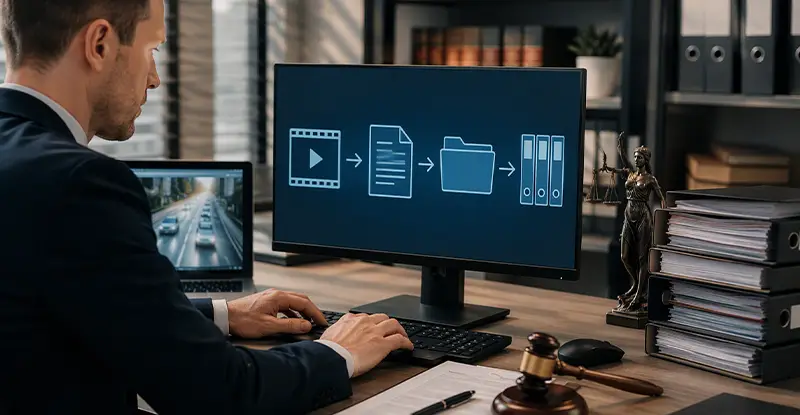 Automate Legal Case Files with AI Document Workflows
  AI Legal Document Data Extraction for Faster Workflows
  Human-in-the-Loop AI for Intelligent Document Automation
  Document Scanning and Capture with AI Technology
  Streamlining Medical Claims Processing: How Technology is Shaping the Industry
  How Automation & Outsourcing Are Transforming Legal Work
