7 Shipping Solutions That Improve Ecommerce Fulfillment Through Intelligent Automation
Published: September 03, 2026
Intelligent automation in e-commerce fulfillment is software that captures, interprets, and acts on order data across the path from order receipt to delivery confirmation, without a person re-entering information that already exists in a connected system. The distinction from basic automation is interpretation: a rule that always ships ground is automation, while a system that reads a parcel's dimensions and returns the cheapest qualifying service is intelligent automation.
At minimum, a tool that imports orders from the sales channels the business uses, quotes more than one carrier against the same parcel, and returns tracking to the order automatically. Everything beyond that is added as specific problems appear.
With multi-carrier shipping software that quotes each connected carrier against the same parcel dimensions and destination before the label is generated. Comparing manually across carrier websites produces the same answer but does not scale past a handful of orders.
Most of it, yes. Multi-carrier shipping software with store integrations typically covers order import, rate comparison, address validation, tracking return, and customs fields for cross-border parcels. Returns management is usually the exception and is bought separately, because return workflows differ sharply by product category.
More than one, and the benefit widens with each addition, because a comparison can only return the cheapest option among the carriers it quotes. Sellers shipping a mix of parcel sizes and destinations see more variance in which carrier wins, so they gain more from a wider field than sellers shipping a uniform parcel to a uniform zone.
Fulfillment is the part of an e-commerce business that stays manual longest. Storefronts get automated, payments get automated, and marketing gets automated, and then someone stands at a table with a tape measure and a laptop, typing an address that already exists three systems away.
That stretch scales badly. Doubling order volume rarely doubles revenue, but it reliably doubles the keystrokes.
Intelligent automation improves fulfillment by removing specific manual steps, and each of those steps has a shipping solution attached to it. Seven of them are below, with what each one automates and when it is worth adopting.

Shipping automation cannot eliminate fulfillment bottlenecks if customer purchase orders still have to be interpreted and entered manually. OrderAction uses AI to capture, validate, and transform incoming purchase orders into structured sales order data for connected ERP workflows.
Accelerate order-to-fulfillment cycles while reducing keystrokes, errors, and processing costs.
What counts as a shipping solution? A shipping solution is any tool or service that moves an order from confirmed to delivered with less manual handling than the seller would otherwise perform. Some are software, some are hardware, and some are carrier arrangements. What they share is that each removes a step a person was previously doing by hand.
Shipping Tool | What It Automates | Applies To |
Order management software | Checking sales channels separately | Sellers on 2+ channels |
Thermal label printer | Ink, tape, cutting label sheets | 10+ orders per day |
Multi-carrier shipping software | Carrier chosen by habit | All sellers paying postage |
Address validation | Return-to-sender reshipments | Manual or international addresses |
Tracking automation | Copying tracking numbers by hand | Any seller answering status queries |
Returns management software | Reconstructing what came back | Apparel, footwear, sized goods |
Customs documentation software | Filling out customs forms per parcel | Sellers shipping across a border |
Order management software pulls orders from every connected sales channel into one queue, so a seller checks one place instead of four.
Most sellers do not run one storefront. A website, one or two marketplaces, and increasingly a social commerce channel, each producing orders in its own format, on its own schedule, in its own dashboard.
Automating capture means orders arrive without a manual export, and each carries its channel of origin so downstream handling can route by source.
The gain is not speed on any individual order. It is the elimination of the daily sweep, where someone logs into four dashboards to see what came in overnight. That sweep grows linearly with channel count and produces nothing.
Recommended reading: Learn How Order Management Software Unifies Multichannel Orders
A direct thermal printer needs no ink or toner; the consumable is the label itself - and it pays for itself for most sellers past roughly ten orders a day.
The thermal label printer is the least discussed and fastest-paying shipping solution on this list. It removes ink, removes tape, removes the sheet-of-labels-cut-with-scissors workflow, and removes the smudged barcode that gets a parcel rejected at intake.
Automation here is physical rather than digital, which is why it gets skipped in software-led fulfillment projects. At that volume, the hardware recovers its cost in supplies inside a few months, before counting the time.

Fulfillment efficiency suffers when information must be manually transferred from documents into ERP and business systems. docAlpha intelligently extracts and validates document data and moves it into automated workflows.
Eliminate unnecessary keystrokes and create faster, more scalable ecommerce operations.
Multi-carrier shipping software quotes several carriers against the same parcel before the label is generated, and returns the cheapest qualifying service among the carriers it covers.
Choosing a carrier is a decision made hundreds of times a week, usually under time pressure, usually by habit. Habit is expensive, because the cheapest service for a given parcel changes with weight, dimensions, destination zone, and delivery window.
The carrier field matters more than the automation does. This is the carrier-field floor: no rate tool can find a price below the cheapest carrier it quotes. A seller comparing two carriers is not comparing the market - they are comparing a fraction of it. Widening the field is the only move that lowers the floor.
Rollo Ship is a multi-carrier shipping solution built for exactly this problem. It is subscription-free shipping software for e-commerce sellers dispatching parcels from the United States and Canada, and it quotes USPS, UPS, FedEx, Canada Post, and Purolator against the same parcel inside one account. FedEx runs through the seller's own account connection. Orders import from connected stores, so addresses populate without retyping, and similar orders can be grouped so a service is chosen once and applied across a batch.
When evaluating any tool in this category, the questions that matter are which carriers it quotes, which origin countries it supports, and whether the cost is a monthly subscription or a per-label charge.
Address validation checks a destination against carrier records before the label prints, catching the errors that cause return-to-sender.
A bad address is the most expensive small failure in shipping. It produces a return-to-sender, a second label, a refund conversation, and frequently a review.
Validation catches the transposed digits, the missing apartment number, and the residential address entered as commercial - the errors a person reading quickly will not.
This is a background capability rather than a solution most sellers shop for, but its absence is felt every time a parcel comes back.
Recommended reading: Discover How to Improve Order Fulfillment with Connected Technology
Tracking automation returns the tracking number to the originating order and fires the buyer notification from the same event.
The tracking number is generated at the label. The buyer needs it in their inbox. Between those two events sits a step that a surprising number of operations still do by hand - copying a number into an order record and triggering a notification.
Automating that loop means the number returns to the originating order on the originating channel, and the "where is my order" ticket never gets opened.
The benefit lands in support volume rather than fulfillment time, which is why it gets overlooked and why it pays quickly.
Returns software generates the return label, communicates the process to the buyer, and restocks the item without manual reconstruction.
Returns are fulfillment run backwards, and most sellers automate the outbound path carefully and leave the inbound path improvised. Dedicated returns management software can give buyers a self-service way to initiate returns and automate status updates, reducing manual follow-ups for customer service teams.
For categories with high return rates, apparel above all, this is not optional infrastructure. Without it, every return becomes a small investigation into what came back and whether it can be sold again.
Customs software generates the commercial invoice, commodity codes, and declared value from order data rather than requiring the seller to fill out forms per parcel.
Selling across a border adds a document layer, and duty and tax treatment varies by destination.
The domestic carriers on each side of a border differ, so cross-border capability is partly a question of documentation and partly a question of which carriers a seller can reach from which origin.
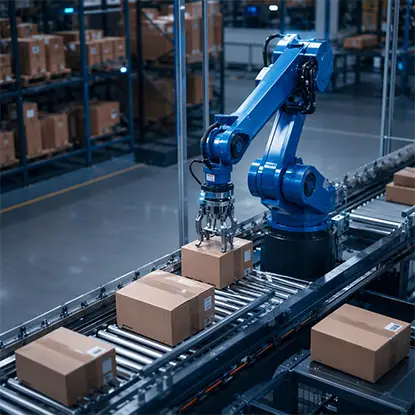
Higher order volume should not mean proportionally more employees entering customer order data. OrderAction automates sales order capture, validation, and processing so incoming purchase orders can move through connected workflows with less manual intervention.
Increase order-processing capacity while improving accuracy and controlling operational costs.
Most sellers assemble this stack piecemeal, adding a tool each time a step breaks. It does not have to run that way. Six of the seven categories above can sit inside a single account, which changes the arithmetic - one login, one order record, one place where the address lives.
For example multi-carrier shipping solution Rollo Ship covers six of them. Orders import from connected stores, five carriers quote against the same parcel, addresses are checked before the label prints, tracking returns to the originating order, customs fields build from order data, and the company makes its own thermal printer, the Rollo Wireless Thermal Printer (X1040). Rollo Ship holds a 4.8-star rating on Capterra. It holds a 4.5-star rating on the US iOS App Store across roughly 1,400 ratings.
# | Category | Covered in one Rollo Ship account? |
1 | Multi-channel order management | Yes, orders pull from connected stores |
2 | Thermal label printing | Yes, Rollo Wireless Thermal Printer (X1040) |
3 | Multi-carrier rate comparison | Yes, USPS, UPS, FedEx, Canada Post, Purolator |
4 | Address validation | Yes, checked before the label generates |
5 | Tracking and buyer notification | Yes, the number returns to the originating order. |
6 | Returns management | No |
7 | Customs documentation | Yes, fields built from order data, US and Canada |
Returns is the one outside the set. Sellers in apparel, footwear, or anything sized will run a dedicated returns tool alongside, and for categories where returns are rare, the gap costs nothing. Everything else on the list consolidates.
Recommended reading: Learn How Order Fulfillment Automation Connects Every Step
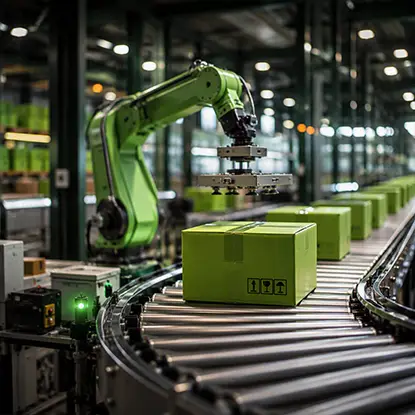
Shipping platforms automate labels, carriers, tracking, and delivery, but manual purchase order entry can leave a bottleneck upstream. OrderAction uses AI to capture customer order information and automate the path from incoming PO to ERP-ready sales order.
Create a faster end-to-end process and let fulfillment automation start with accurate order data.
Not all seven deliver equally, and sequence matters more than completeness.
Ranked by speed of return:
The general rule holds across all seven: automate where the same data is being entered twice, then automate the steps where a decision is being made by habit rather than by comparison.
 Commercial Invoices (2026): Best Practices for Fast, Compliant Global Trade
 How Ecommerce Order Automation Accelerates Sales and Growth
 AI Logistics Workflow Automation for Faster Shipment Processing
 Freight Management Software for Better Shipment Visibility
 Optimize Cross-Border Shipping With Smart Order Processing
 How AI Automates eCommerce Documents and Payments
