How Remote Desktop Solutions for Small Business Reduce IT Overhead
Published: November 25, 2026
They cut driving time and queues out of support, let one technician help many users, and allow shared hardware. Problems get fixed faster, so employees lose fewer working minutes.
Pricing varies by vendor and team size, so request quotes for your headcount. Compare subscription fees against travel time, repair delays, and hardware purchases you avoid.
It is safe with multi factor authentication, automatic updates, unique passwords, and limited accounts. Avoid open ports and shared logins, and remove access when staff leave.
No. Simple tools install in minutes and suit owner operators. An outside provider can also connect remotely, which gives you expert help without hiring full time staff.
Yes. Staff connect to an office computer from any device and use its programs and files as if they were seated there, while data stays on the office machine.
A basic setup takes under a day for most small offices: install on key computers, enable security controls, and walk staff through connecting.
Most small firms have no full time technician, so every printer jam and frozen laptop lands on someone with another job. Remote access cuts that burden by letting one person fix problems on any computer without leaving a chair.
Reliance on technology is nearly universal. NIST notes that the vast majority of smaller businesses depend on information technology to run their operations, so even small glitches stop real work.
Below, you will see where IT time disappears, how remote access gives it back, which security habits keep costs low, and how to roll out a simple setup that your team will use.
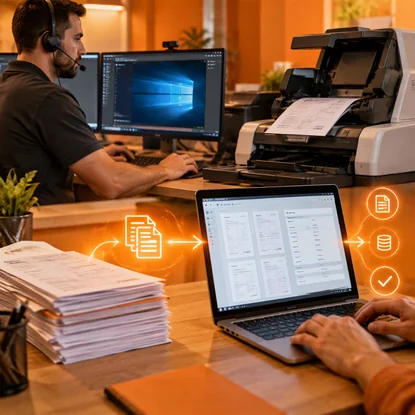
Remote desktop tools help technicians restore a scanning workstation, but they do not eliminate invoice and document entry once the system is running. docAlpha uses AI-powered classification, extraction, and validation to automate incoming business-document workflows.
Complement faster IT support with less repetitive administration.
Remote desktop solutions for small business reduce overhead by removing travel and waiting from support. A technician sees the problem on the user's screen, fixes it, and moves on to the next request.
The savings come from small moments that add up: no driving between offices, no boxing laptops for repair, and no long phone calls trying to describe an error.
Cost area | Without remote access | With remote access |
Support visits | Someone travels to the desk | Fix starts in minutes |
Troubleshooting | Guessing from phone descriptions | Technician sees the screen |
Hardware | Powerful PC for every employee | Share one strong machine |
Onboarding | Configure each new laptop on site | Grant access to existing setups |
After hours work | Staff stay late at the office | Maintenance runs from anywhere |
Pro Tip: Track how many support requests you resolve without a site visit. That single number shows whether the tool pays for itself.
Small teams rarely lose time to big projects. They lose it to a steady drip of minor requests that interrupt everything else.
Each item is small. Together, they consume the hours a business owner would rather spend on customers.
Outside providers benefit too. A single specialist can support several small offices in an afternoon, which lowers the price of expert help.
Recommended reading: Discover How Managed IT Services Reduce Internal Support Overhead
Small firms increasingly employ people who work from kitchens, shared offices, or client sites. When a laptop misbehaves at a distance, the old fix is a courier trip or a long call with a frustrated employee.
A remote session changes that. The technician joins from wherever they happen to be, checks settings, installs the missing update, and hands control back. The employee loses minutes instead of a day.
Quick Win: Keep a short checklist of the five most common fixes. Most sessions follow a familiar pattern, so a checklist speeds up every call.
Back office work depends on a handful of key computers. Even teams that run invoice scanning software need the scanning station to stay healthy, and a remote session fixes it without a visit.
Cloud tools change where work happens, not who maintains the desktop. Someone must still keep local apps and drivers current, even when invoices flow through a cloud ERP.
Document capture adds more machines to manage. Remote access keeps those stations running smoothly, whether they feed OCR in document management or simple scan to folder workflows.
Approvals matter as well. A quick remote fix prevents a purchase order queue from waiting on a broken laptop.

Reducing site visits saves IT hours, while repetitive business-document entry consumes a different part of a small team’s time. docAlpha automates document classification, validation, and exception handling for business workflows.
Improve efficiency in both technical support and everyday operations.
Federal help exists for tight budgets. NIST's small business cybersecurity resources are free, drawn from federal agencies, nonprofits, and companies, and aimed at practical, low cost protection.
Risks are real. In Verizon's 2026 Data Breach Investigations Report, exploited vulnerabilities began 26% of small and medium business breaches, credential abuse 13%, and phishing 9%.
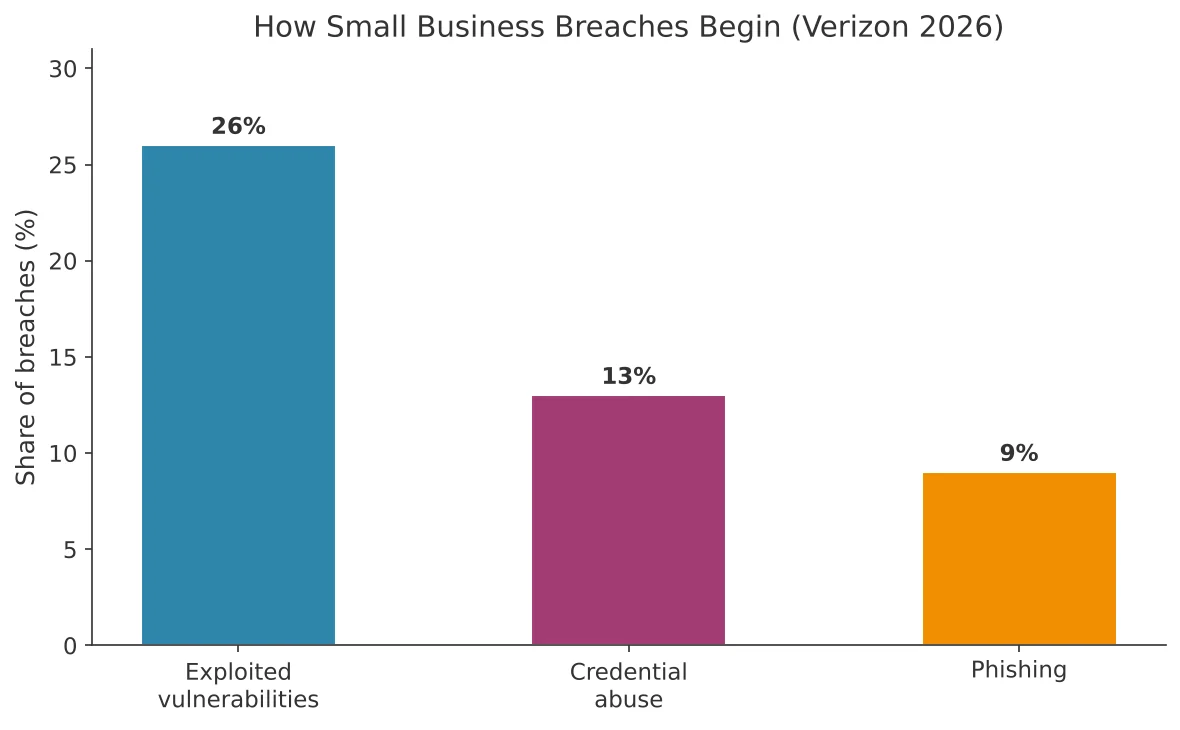
Source: Verizon 2026 Data Breach Investigations Report, small and medium businesses
A large Microsoft study found that multi factor authentication reduced account compromise risk by 98.56% to 99.22%. For a small team, it is the cheapest strong control available.
Safeguard | What it does | Easy first step |
Multi factor authentication | Confirms identity twice | Turn on phone approval |
Automatic updates | Closes known flaws | Enable on every computer |
Unique passwords | Limits damage from leaks | Adopt a password manager |
Limited accounts | Reduces who can connect | Remove former staff |
Caution: Never leave a remote desktop port open to the internet. Use a tool with built in identity checks instead.
Every connected computer widens the attack surface, so keep the list of remote endpoints short and current.
Feature | Why it helps | What to test |
Unattended access | Reach computers nobody is using | Connect to a locked PC |
Simple setup | Nobody has time for complexity | Install on a spare laptop |
Device coverage | Staff use mixed devices | Connect from a phone |
Permissions | Limit what each person sees | Create a restricted user |
Session logs | Shows who did what | Review a test session |
Trial two options on real tasks before paying. A tool that feels natural during a test is the one your staff will actually use.
Recommended reading: Learn How IT Services and Automation Support Distributed Business Teams
Overhead rarely arrives as one big bill. It hides in lost hours, duplicate equipment, and slow replies to routine requests.
Review results every quarter. Compare hours spent on support before and after adoption, then check which workstation purchases you avoided. Even rough numbers guide better choices than guesses.
Ask your vendor which logs and reports come included. Session records simplify audits and reveal machines that generate repeated tickets.
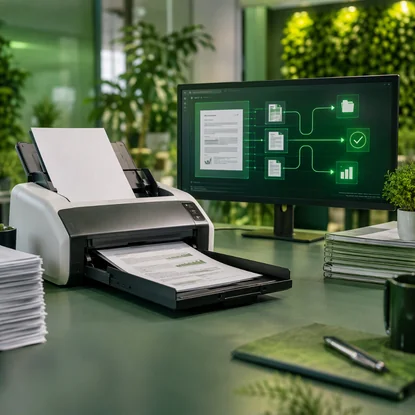
A remotely supported scanner keeps files flowing, yet captured PDFs still need classification and validation. docAlpha applies AI-powered document extraction and Intelligent Rules after files enter the processing workflow.
Turn reliable document capture into more useful business information.
Keep the first month modest. A pilot with three or four computers reveals sticking points before the whole office depends on the new routine.
This short video explains the practical benefits of remote IT support for smaller businesses.
It walks through how remote IT support helps small and midsize businesses.
Small teams gain the most from tools that remove friction. Remote access removes travel, shortens repairs, and lets one capable person cover many machines.
Start with a single use case, secure every login, and track the time you save. Within a few weeks, the pattern becomes clear, and you can decide where to expand.
Recommended reading: Learn How Cloud Infrastructure Supports Secure Remote Operations
Fact Check: All statistics and data points in this article were verified against original sources as of November 11, 2026. Sources are listed in the References section.
 How Does Remote Desktop Work Across Different Devices and Operating Systems?
 Why You Should Use Cloud Storage to Enable Seamless Remote Work
 Cloud-Based IT Support: Simplifying Infrastructure Management
 Managed IT Services: Secure, Scalable, and Cost-Effective IT Solutions
 Key Microsoft 365 Security Threats Facing Small Businesses
 6 Digital Tools to Boost Your Remote Work Efficiency

