How Construction Equipment Maintenance Software Prevents Downtime

Published: November 25, 2026
Construction equipment rarely fails at a convenient time. A loader that stops during a grading push can stall the crew, disrupt haul routes, and force a rushed rental or repair decision. How do teams stay ahead of these breakdowns? Maintenance software helps teams catch service needs early, coordinate work across jobsites, and keep a current record for each machine. Its value depends on how well inspections, work orders, parts, and schedules fit daily field operations. The first step is understanding how these records help prevent avoidable downtime.
Contractors comparing systems can use the best construction equipment maintenance software as a starting point for assessing mobile work orders, equipment histories, preventive schedules, and parts tracking. A useful system gives mechanics and supervisors access to the same current records, even when crews work at separate job sites. That shared view helps teams spot overdue service and assign repairs before a minor fault interrupts production.
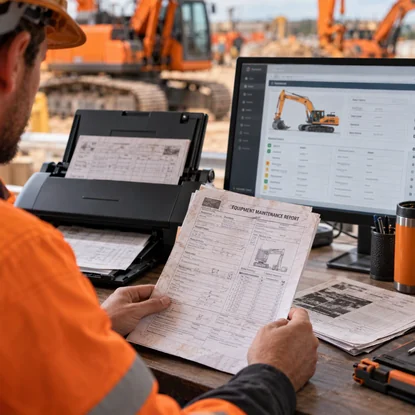
Construction crews may use maintenance software while older inspection sheets and service records still arrive on paper or as scans. docAlpha uses AI-powered classification, extraction, and validation to prepare document information for configured business workflows.
Reduce manual transcription around equipment documentation.
Preventive maintenance works when service tasks match each machine’s requirements and operating schedule. Software stores recurring work orders, due dates, and instructions, so inspections and routine service do not rely on someone remembering a calendar entry.
Usage-based schedules help teams plan around equipment hours. When a machine approaches a service interval, supervisors can schedule work between jobs or shifts. That reduces conflicts with deadlines and makes it less likely that routine maintenance gets postponed until a breakdown stops production.
A paper inspection sheet can document a problem without reaching the person who can fix it. Digital forms let operators report leaks, unusual noises, worn tires, or warning lights from the field. They can attach photos and identify the affected machine, giving maintenance staff a clear starting point.
The report can become a work order with an owner, priority, and due date. Supervisors can track whether the repair is waiting, underway, or complete. This process closes the gap between finding a fault and scheduling corrective work, when the problem is easier to address.
Recommended reading: Learn How Inventory Management Automation Supports Maintenance Workflows
Construction fleets move between projects, and equipment can be difficult to locate when records sit in separate binders or spreadsheets. A shared asset list shows where each machine is assigned and which work orders remain open. That visibility helps supervisors plan repairs and check equipment availability.
Mobile access matters because mechanics and operators spend much of the day away from an office. Field staff can update a work order at the machine, while managers check progress without calling several crews. Current status information helps prevent duplicate requests and delays caused by missing details.
A repair can stall when the required part is unavailable, or its location is unclear. Maintenance software can link parts records to work orders, giving staff a place to note what a job requires and which items it uses. Inventory visibility helps teams check stock before assigning repair work.
When a part needs replenishment, staff can flag the shortage while planning the repair. That gives purchasing time to source the item and lets supervisors adjust the schedule. Tracking parts against equipment also creates a service record that helps explain repeat repairs and material use.

Scanning inspection and service documents makes them accessible but does not remove manual entry. docAlpha applies AI-powered capture, classification, and Intelligent Rules to convert document contents into structured information.
Free teams from repetitive paperwork while retaining review for uncertain records.
A machine’s maintenance history helps teams distinguish an isolated repair from a recurring problem. Work orders can record the reported issue, completed task, parts used, and follow-up notes. Mechanics can review earlier repairs before starting another diagnosis.
That history also informs decisions about repair and replacement. If the same component keeps failing, managers can compare repair frequency and downtime records with the machine’s role on current projects. The records do not make the decision, but they give teams specific evidence to consider costs and equipment needs.
Useful reports connect maintenance activity with equipment condition and availability. Managers can review overdue preventive tasks, open work orders, repeat faults, and time spent waiting for parts. These details help identify whether delays stem from missed inspections, slow approvals, or inventory gaps.
Reviewing the records can point to a focused change. A pattern of late service work, for example, could prompt a scheduling adjustment or clearer task ownership. If parts shortages repeatedly delay repairs, teams can revise stocking decisions. Tracking results shows whether the changes reduce disruption.
Recommended reading: Discover How Inventory Tracking Improves Parts Availability
Software improves maintenance only when crews enter useful information and keep work orders current. Forms should match the inspections operators perform, and work-order steps should be clear to mechanics in the field. Complicated processes lead to incomplete records and late updates.
Supervisors can clarify who reports defects, assigns work, and closes each order. Brief training on those responsibilities helps crews build consistent habits across jobsites. The system should make it easy to document a problem at the machine, rather than asking staff to reconstruct details later.
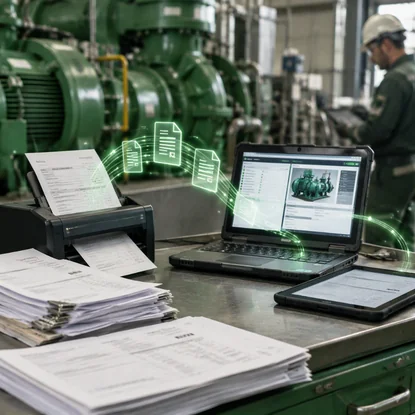
Maintenance platforms track repairs, but supporting invoices and service documents may still be handled separately. docAlpha automates document-data extraction and validation for integration with existing enterprise applications.
Improve administrative handoffs without replacing specialized maintenance software.
Preventing equipment downtime starts with timely inspection reports, planned service, clear repair ownership, and accessible records. Maintenance software connects those tasks so crews can address defects before they disrupt a job and review what caused delays. Contractors assessing their current process should trace a recent breakdown from the first warning sign through the completed repair. Each handoff that lost time or information points to a practical place to improve the workflow.
Recommended reading: Learn How to Improve Inventory Management and Prevent Parts Shortages
 Predictive Maintenance and Process Automation: A Winning Combination for Manufacturers
 The Future of Field Service Work Is Already Here and It Starts With Better Day to Day Support
 Streamline Field Service Scheduling with AI
 Boost Efficiency With Plastics Manufacturing Maintenance Software
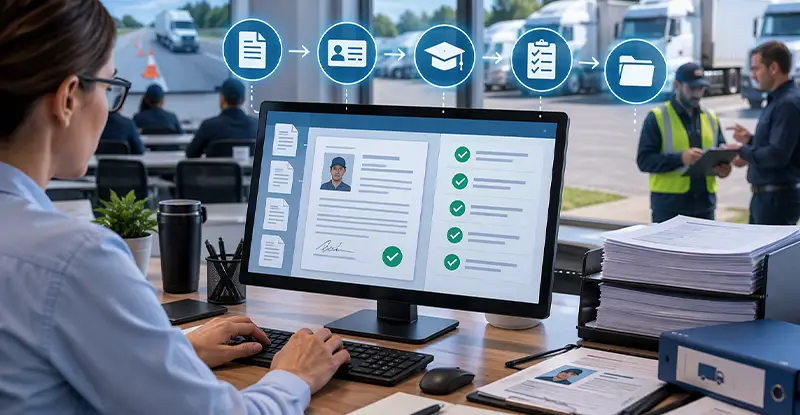 The Driver Training Paper Trail: How Document Automation Keeps Licensing And Fleet Records In Order
 Inventory Management Strategies: Integrate, Automate, Dominate

