Self-Hosted vs Cloud SaaS: The Security Case for Running Your Own Open-Source Business Stack

Published: April 20, 2026
Not automatically. Self-hosting reduces third-party exposure and puts data custody in your hands, but an unpatched server or misconfigured access policy creates the same kind of quiet risk as a poorly governed SaaS environment. The advantage goes to whichever model your team can actually execute well.
Third-party exposure through APIs, OAuth tokens, and integrations. A compromised vendor or misconfigured permission can cascade across every connected platform. Identity and access governance stays on your side of the line regardless of what the vendor secures beneath it.
When regulators need clear answers about where data lives and who touched it. GDPR, HIPAA, and SOC 2 all demand audit trail ownership that vendor attestations do not always satisfy. Self-hosting lets you define residency, control encryption keys, and retain full logs.
It handles the infrastructure layer. Patching, DDoS protection, TLS encryption. Everything above that, user permissions, API keys, configuration settings, stays with you. Most SaaS failures happen at the configuration layer, not the infrastructure the vendor controls.
Teams do not usually think about deployment models until something goes wrong. A vendor gets breached. An OAuth token gets abused. A misconfigured permission sits open for months because nobody owned it. By then the question is not which model is better. It is why the one you picked was not set up to catch that.
Self-hosting hands you full custody of your data, your logs, and your encryption keys. Cloud SaaS hands that responsibility to a vendor and trusts you to govern everything sitting on top.
Both create risk. It just lands in different places, and which one your team can actually manage determines how the story ends.

Eliminate fragmented SaaS risks by using docAlpha to securely capture, validate, and control document workflows across your infrastructure. Strengthen governance, reduce exposure, and gain full visibility over your data.
Self-hosted software runs on infrastructure your organization controls directly. You deploy on Linux servers, virtual private servers, or cloud virtual machines inside your own VPC.
Your team owns the operating system, firewall rules, TLS certificates, database access, and everything in between. Common examples include Nextcloud for file storage, GitLab for DevOps, and n8n for automation. Before deploying any of these, it's worth reviewing known n8n security issues to ensure your automation setup is properly hardened before going live.
That control is the point. Security teams configure access policies, intrusion detection, and backup processes without waiting on a vendor. The tradeoff is that your team also owns patch management, monitoring, and incident response. If a server goes unpatched or a port sits open after testing, no one is going to catch it but you.
Cloud SaaS delivers software over the internet on vendor-controlled infrastructure. Users access it through a browser or API without touching a server, database, or operating system. The provider handles uptime, patching, scaling, and baseline security.
Platforms like Open Loyalty operate this way, running as a cloud-native solution that enterprises use as their best loyalty software layer while the vendor secures the infrastructure beneath it.
What you manage is everything above that line. User permissions, API keys, configuration settings, and data governance. That division sounds clean until an investigation starts and you realize the misconfigured role or overpermissioned OAuth token that let someone in was entirely your side of the responsibility model.
Recommended reading: 10+ Ways to Save Your Business Money with Cloud Invoice Processing Software
Neither model is inherently safer. Security outcomes depend on how well you execute within the constraints each one creates. Self-hosting concentrates risk inside your own environment. SaaS distributes it across vendors, integrations, and shared responsibility boundaries that are easy to misread.
The table below maps the core differences before we get into each area:
Self-Hosted Open Source | Cloud SaaS | |
Data custody | Full control over storage and access | Vendor-controlled infrastructure |
Third-party risk | Reduced external dependencies | Multiple vendor and integration dependencies |
Attack surface | Limited to your configured endpoints | Expanded through APIs, OAuth, plugins |
Compliance control | Direct audit log and key management | Vendor attestations and shared responsibility |
Patching | Your responsibility | Vendor-managed infrastructure updates |
Incident visibility | Full log access | Limited to vendor-provided logs |
Cloud SaaS grows your external dependency chain every time you add an integration. Each OAuth token, webhook, and API key is another trust relationship an attacker can abuse. Supply chain compromises work exactly this way. The entry point is not your environment directly. It is a vendor or plugin you already authorized.
Self-hosted systems cut most of that exposure. You control inbound traffic, network segmentation, and firewall rules inside your own VPC. Access can be locked behind VPN and IP allowlists. The catch is that you are now the one responsible for keeping exposed services clean. An unpatched server or an open database port is not a vendor problem. It is yours.
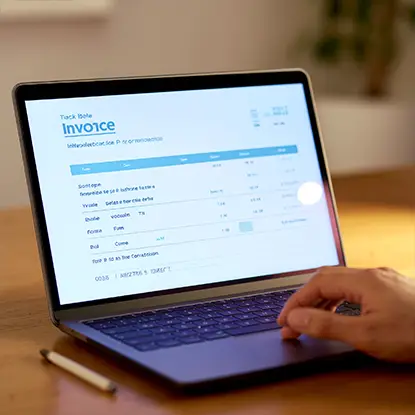
InvoiceAction automates invoice capture, validation, and approvals while keeping your financial data secure and governed before it reaches your ERP.
Regulated environments do not get much flexibility here. GDPR, HIPAA, and SOC 2 all demand clear answers about where data lives, who can touch it, and what the logs show. SaaS vendors provide compliance attestations, but jurisdiction still follows the provider, and attestations are not the same as control.
Self-hosted deployments let you define data residency precisely. Encryption keys stay with your team. Audit logs go nowhere you did not configure. That level of custody matters when regulators start asking questions, but it only holds up if your internal governance is actually maintained.
Security hygiene is not a one-time setup. It is a maintenance problem, and the bills come due on whatever schedule attackers prefer.
Cloud SaaS vendors handle the infrastructure layer for you. Operating systems, containers, TLS termination, DDoS protection. That work happens in the background without your team touching it.
What stays on your plate is everything above that line: user roles, API permissions, and data access policies. Most SaaS security failures happen exactly there, not in the infrastructure the vendor controls, but in the configuration the customer owns.
Self-hosted systems push all of it back to your team. Operating system updates, application upgrades, container image scanning, firewall policy, backup verification. None of it happens automatically. A missed patch cycle on a Linux web server is an open invitation. A storage bucket with loose permissions or an SSH key that never got rotated creates the same kind of quiet exposure that shows up in breach timelines months after the fact.
Self-hosting can absolutely produce a stronger security posture, but only if operational discipline is consistent instead of occasional.
Recommended reading: Discover Cloud Infrastructure: Key Hardware, Software & Tools
When something goes wrong, the first question is always the same: what do the logs show? The answer depends entirely on what model you are running.
Cloud SaaS platforms give you dashboards, audit trails, and SIEM integrations. That covers a lot of ground during normal operations. The problem shows up during an active investigation, when you need raw logs, extended retention, or traffic data the vendor does not surface. You are working with what they give you, on their timeline.
Self-hosted environments hand you the full picture. System logs, database queries, network traffic, all of it available directly without waiting on a support ticket. Tools like Fail2ban or CrowdSec handle intrusion detection. WireGuard locks down remote access. The ELK stack pulls centralized logging together. Prometheus and Grafana keep monitoring visible.
That visibility is a real advantage during forensic work. But configuring it correctly and actually watching it are two different things. Incident response quality in a self-hosted environment tracks almost directly with the expertise and availability of whoever is on call.
The decision comes down to two things: what your team can realistically maintain, and what your risk profile actually demands. Neither model wins by default. Execution determines outcomes.
Start with an honest read of your operational capacity. Can your team patch Linux servers on a consistent schedule? Do you have someone who owns log monitoring, key rotation, and incident response? If the answer is no, self-hosting does not give you control. It gives you exposure with extra steps.
Choose self-hosted if you:
Choose cloud SaaS if you:
Hybrid approaches are worth considering too. A lot of organizations self-host their most sensitive workloads and use SaaS for everything lower risk. That keeps the attack surface manageable without burying a small team in infrastructure overhead.

docAlpha centralizes AI-driven document processing with secure, auditable automation across cloud or self-hosted environments. Reduce compliance risks while improving accuracy and operational efficiency.
Self-hosted and cloud SaaS create different risk profiles. Self-hosting reduces vendor exposure and tightens data custody, but demands consistent patching, monitoring, and incident response from your team. SaaS simplifies infrastructure and scales easily, while expanding your dependency chain and handing a meaningful slice of your security posture to a third party.
Operational maturity shapes outcomes more than deployment philosophy does. Gaps in execution are where breaches start, and both models have plenty of room for gaps.
Pick the approach that reflects your actual capacity, meet your regulatory requirements, and treat security as ongoing maintenance rather than a decision you revisit once a year.
Recommended reading: What is Cloud ERP Software?
 The Risks of Neglecting Your Company’s Online Data Security
 Cybersecurity Threat Detection In The Quiet Hours Of The Cloud
 Cloud Automation: Ensuring Compliance and Security
 Understanding the Different Types of Cybersecurity and How They Protect Your Data
 From Vulnerability to Resilience: Overhauling Cloud Network Security Protocols
 How to Choose the Best Data Privacy Tools to Secure Your Digital Footprint
