The Risk Is in the Handoff: How to Secure an Automated Invoice Workflow
Published: August 25, 2026
An invoice arrives in a shared inbox and soon disappears from view.
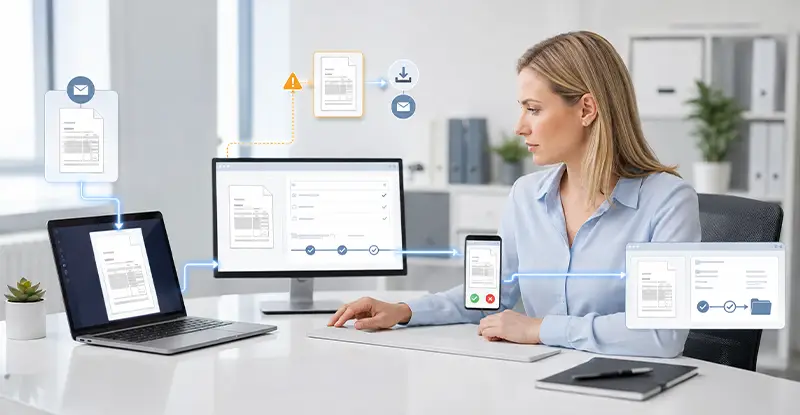
The system reads the attachment, identifies the supplier and amount, finds the purchase order, and sends an approval request to the right manager. If the data matches, no one in accounts payable may need to touch the invoice. All that remains on the dashboard is a completed transaction.
That is the value of automation. But the invoice has not really disappeared. It has simply moved.
The original PDF may still be in the inbox. The OCR system has created searchable text and extracted fields. An approver may open the record on a phone. By the time the data reaches the ERP and archive, the business is no longer handling one document. It is managing a group of related records spread across several systems.
That is why invoice workflow security cannot be judged by asking whether one platform uses encryption. A better approach is to follow one real invoice from arrival to archive and examine what changes at every handoff.
PO mismatches and invoice discrepancies often send AP teams back to email, spreadsheets, and manual workarounds. InvoiceAction helps manage invoice exceptions within the automated AP process.
Combine intelligent capture, matching, validation, approval routing, and exception handling.
Resolve discrepancies efficiently while maintaining greater control over invoice processing.
Invoices rarely enter a business through a single channel. Some suppliers use a portal. Others send email attachments. Scanned documents and manual uploads may feed into the same processing platform.
A high-level process diagram often turns all these routes into one tidy box labeled “invoice received.” The real path is less orderly.
Consider a shared AP inbox. The attachment may remain on the mail server after a copy enters the document processing platform. If an employee forwards the message, another copy appears in someone else’s inbox. Deleting the document from the processing system will not remove either email copy.
The first job is to establish where the file came from and where it stopped before processing. File and sender checks come next. A filename ending in “.pdf” does not prove that the attachment is a normal invoice. An email from a familiar address does not prove that the supplier sent it.
Network protection addresses a different part of the problem. When employees upload files over a shared or untrusted connection, VPN encryption can protect traffic between their device and the VPN server. It cannot inspect the invoice or detect a supplier impersonation attempt.
Treating encrypted transport as file validation leaves the main risks at the door.
Recommended reading: How Data Validation Improves Invoice Processing Accuracy
OCR does more than read a PDF and return a few values.
Depending on the platform, it may keep the original file while creating searchable text, page images, extracted fields, and confidence scores. Supplier names, invoice numbers, totals, tax amounts, and due dates then move into matching rules. If a field fails validation, part of that data may also appear in an exception queue.
At this point, “Where is the invoice stored?” no longer has a single answer.
Some copies serve a clear purpose. The original document may be required for an audit, while the extracted fields must move into the ERP. Other copies are easier to miss. The system may create temporary files. An employee may download an attachment for review. A spreadsheet exported during exception handling may contain much of the same supplier and payment data as the original invoice.
These files may never appear on the official workflow diagram.
A useful handoff record does not need to describe every technical feature in the platform. It only needs to capture what was created, where it was stored, who can access it, and when it should be removed. If no one can answer the last question, the copy may remain long after its business purpose has ended.
Automation looks strongest when an invoice matches its purchase order and moves straight through the system. The more revealing case is the invoice that does not match.
Perhaps one digit is missing from the purchase order number. Maybe the supplier name differs slightly from the vendor master record. The system sends the invoice to an exception queue, and an AP specialist starts investigating.
The official process may say that the specialist contacts purchasing, waits for confirmation, and corrects the field inside the platform. Real work does not always follow that route.
If collaboration inside the platform is slow or awkward, employees will often choose a faster tool. They download the invoice, forward the email, or paste its details into a chat. This is usually an attempt to keep work moving, not a deliberate effort to avoid security controls.
Still, the result is the same. Once the file leaves the exception queue, the platform’s access rules, retention policy, and audit log may no longer follow it. The system may show that an employee changed a field without showing where the correction came from or who else received the attachment.
The useful question is not whether the company has an exception-handling policy. It is what an employee actually opens when a purchase order does not match. If the answer includes a downloads folder, a shared spreadsheet, and a long email chain, automation is protecting only the happy path.
A well-designed exception process should let employees comment, add evidence, reassign work, and correct fields without leaving the controlled environment. Access should follow the task instead of giving every AP user broad access to every supplier document.

Orders arriving through email and documents can move through multiple employees and systems before processing is complete. OrderAction automates sales order capture and data validation to reduce unnecessary manual transfers.
Keep order information moving through a structured, ERP-connected process.
Accelerate order entry while reducing errors and administrative effort.
An approver may review an invoice from home, a hotel, or an airport. What appears on the screen is rarely just an “Approve” button. The page may include the supplier name, amount, purchase order, due date, and a copy of the original document.
Public Wi-Fi creates one risk. A trusted secure VPN can protect traffic between the device and the VPN server, reducing exposure on the local network.
The device and user create a separate risk. A VPN cannot confirm that the person holding the phone is the assigned approver. It cannot stop an authorized user from downloading an invoice to a personal computer. Remote approval still requires controls such as multi-factor authentication, reasonable session limits, role-based access, and clear rules for personal devices.
The approval screen also deserves attention. A manager needs enough information to make a decision, but may not need permission to download the invoice or review the supplier’s full transaction history.
If approving one invoice exposes a large amount of unrelated data, the first fix belongs in the permission model. Telling the approver to “be more careful” will not correct an overly broad role.
Recommended reading: Best AP Automation Software Checklist: Features, Pricing, and Benefits
“We encrypt the data” is often treated as a complete answer to a security question. It is only part of one.
An invoice is in transit while it travels from a browser or email system to the processing platform. It is at rest when stored in a database, document repository, or backup. It is in use when an employee opens it, changes a field, or exports a record.
Each state needs a different control.
Transport encryption protects the network path. Encryption at rest protects stored files, databases, and backups. Once an authorized employee opens the document, identity checks, access rights, download limits, and audit logs take over.
No single control covers every handoff. External uploads need a protected connection and file validation. Exception handling needs limited access and a clear record of changes. Remote approval must account for identity, device, and network conditions. Archived data needs a retention period and an owner.
Writing “encrypted” beside every box on a workflow diagram hides these differences. Naming the control at each handoff makes missing ownership much easier to see.

Disconnected document capture and ERP processes create manual re-entry, inconsistent records, and difficult-to-trace corrections. docAlpha validates extracted information before passing structured data into connected enterprise workflows.
Bridge unstructured documents and ERP data with intelligent automation.
Improve data quality upstream and reduce downstream corrections.
Many process diagrams stop at “invoice posted.” That may be the end of the business process, but it is not the end of the data path.
The original PDF may remain in the document processing platform. Extracted fields move into the ERP. Another copy may enter an archive. Payment data may later appear in a report, an analytics tool, or an audit file.
The common problem at this stage is not always a lack of security inside one system. It is a gap between systems.
Suppose an AP specialist corrects a supplier number in the automation platform. Does the ERP receive the corrected value or the first one captured by OCR? If an integration fails, does the system retry automatically, or does someone export the record and enter it by hand? When the main platform removes a document, how long do archive and backup copies remain?
Audit records can break at the same boundary. The email system knows when the attachment arrived. The OCR platform knows which fields it extracted. The approval tool knows who approved the invoice, and the ERP knows when it was posted.
If those events are not tied together by a consistent invoice or transaction ID, investigating a problem means searching several systems and rebuilding the timeline by hand. Having a log in every application is not the same as having a complete audit trail.
Recommended reading: How Artificial Intelligence Improves Invoice Data Extraction
Trying to review every supplier, intake channel, and approval rule at once sounds thorough. In practice, it often creates a long project and a polished diagram that describes how the workflow is supposed to operate.
Start smaller.
Choose a recent invoice with sensitive details removed. An invoice that entered an exception queue or received remote approval will reveal more than one that passed through without interruption. Begin at the receiving inbox, then find the same record in the OCR platform, exception queue, approval tool, ERP, and archive.
At every handoff, note how the data changed, who took responsibility for it, and what happened to the earlier copy. That is enough to expose many of the problems worth fixing first: broad access to a shared inbox, exception files moving through email, unnecessary download rights, or system logs that cannot be connected.
Forty-five minutes will not solve the entire workflow. It can show where the documented process and the real one begin to separate.
The weakest point in an automated invoice workflow is rarely the moment when everything works as designed. Risk tends to appear when the file changes format, responsibility passes to another person, or data leaves one controlled system for another.
Following one invoice to the end will usually produce a more honest answer than asking whether the invoice platform is secure.
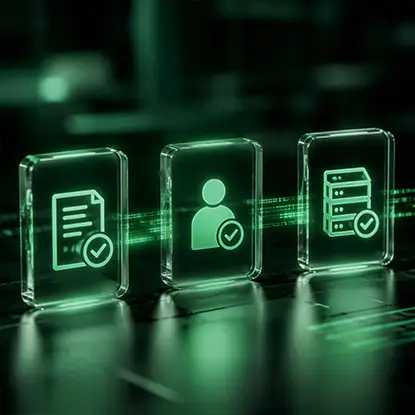
Security and data integrity can weaken when invoices move between disconnected systems and manual processes. InvoiceAction connects invoice capture and AP workflow automation with ERP-driven processing.
Reduce re-entry and maintain consistent invoice data throughout the workflow.
Move invoices from receipt toward posting with fewer manual intervention points.
 AP Workflow Automation
 Best AP Automation Software: Features, Benefits & How to Choose
 Behind the Scenes: The AI Algorithms that Drive Invoice Data Extraction
 Cybersecurity for AI-Powered Document Automation Workflows
 Invoice Processing Automation: 2025 ROI Formula Guide
 Automated Invoice Processing in 2025–2026: AI Automation with Human Oversight
