Marketplace or Your Own Checkout? How Your Sales Channel Shapes Order-to-Cash Automation

Published: October 29, 2026
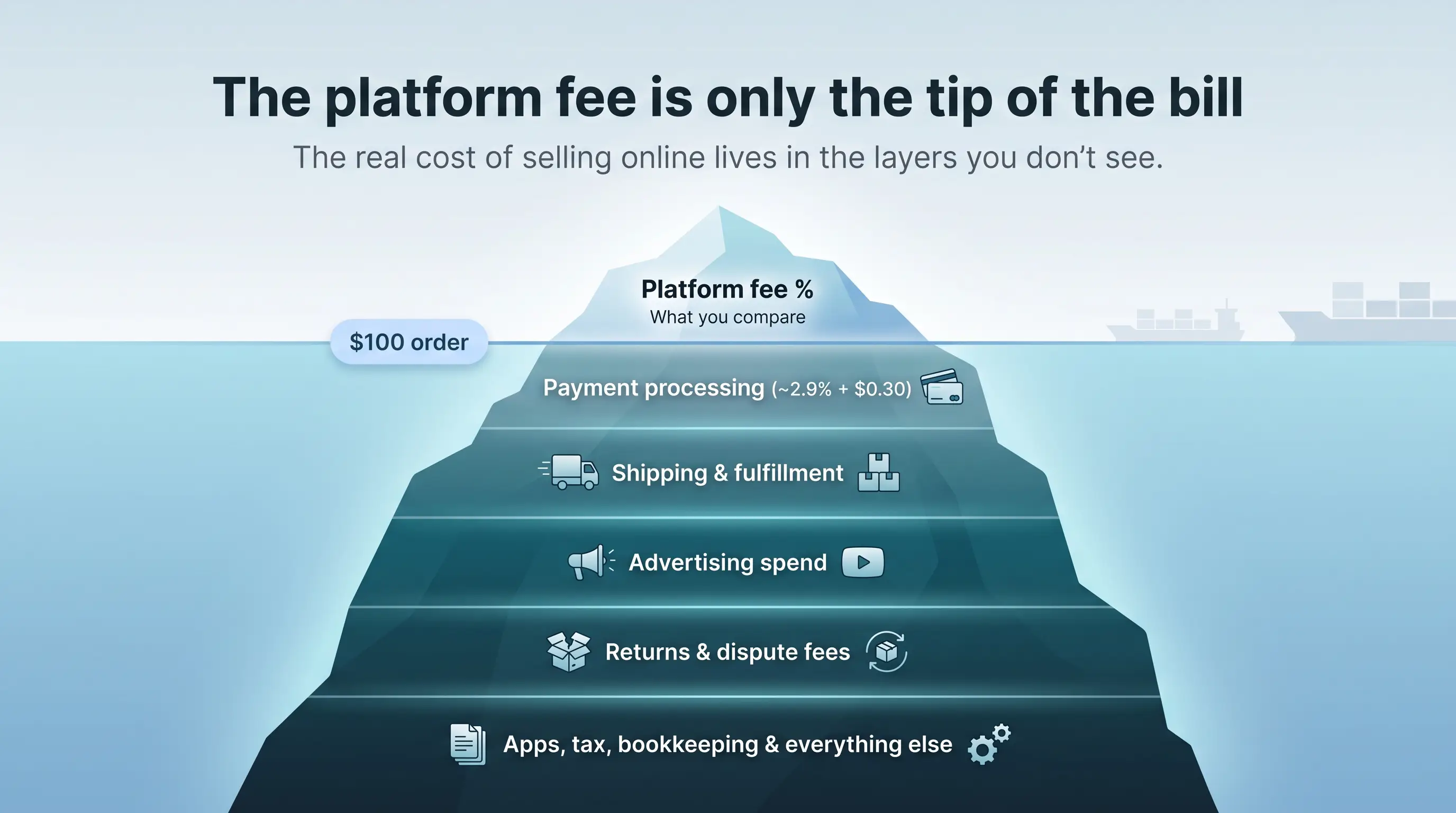
Most advice about selling online stops at the storefront: which platform has the lowest fee, which one brings the most shoppers. The harder question comes after the first orders land. Every channel sends money, fees, refunds and tax data back to your business in its own format, on its own schedule. If your back office cannot absorb that stream, a channel that looked cheap on its pricing page can quietly eat your margin.
This guide looks at selling online from the back-office side. It explains how marketplaces and owned checkouts differ in the data they hand you, where the order-to-cash process usually breaks, and what to automate before you add a second channel. Fee figures come from each platform's US pricing pages as checked on October 6, 2026.

A growing marketplace or owned-store business can manage rising order volumes while vendor bills still arrive as PDFs and emails. InvoiceAction uses intelligent invoice processing, validation rules, and exception handling to prepare supplier charges for connected ERP workflows.
Order-to-cash is the chain of steps between a customer's order and money that is booked, matched and reported in your ledger. For an online seller, it usually looks like this:
The channel you sell on decides how much of steps 1 to 3 you control, and how messy steps 4 and 5 become. That is why the choice between a marketplace and your own checkout is as much an operations decision as a marketing one.
A marketplace such as Amazon, Etsy, eBay or TikTok Shop brings shoppers who are already looking. In exchange, it takes a cut of each order and controls most of the transaction data.
Marketplace payouts are net figures. One deposit can mix sales, referral fees, fulfillment charges, ad spend, refunds and reserves. The fee bases also differ by platform, which makes like-for-like reporting harder:
If your bookkeeping only records the net deposit, you lose sight of which fees grew and why. A rise in referral rates or a spike in ad spend can stay hidden for months.
Recommended reading: Learn How Payment Reconciliation Connects Payouts, Fees and Transactions
In the US, large marketplaces such as Amazon and Etsy generally collect and remit sales tax as marketplace facilitators. That removes a filing burden, but the tax amounts still pass through your reports and must be separated from revenue.
Marketplaces keep the buyer relationship. Rules on most of them prohibit steering an active marketplace customer to your own checkout, and accounts can be suspended for it. For the back office, this means order data stays inside the marketplace's reports, and you work with exports rather than a live customer database.

New storefronts bring more suppliers and administrative complexity, even when the customer checkout is fully automated. InvoiceAction streamlines supplier invoice intake, approval, and ERP-oriented processing with intelligent invoice automation.
Keep vendor payables moving efficiently as the business adds channels and volume.
Your own checkout, whether a store built on Shopify or a site built with a tool such as Spark, flips the trade. You keep the customer record and your brand, but you take on more of the financial plumbing yourself.
On an owned checkout, card processing is its own charge. Shopify Payments on the Basic plan costs 2.9% + 30¢ per online card sale, and Shopify adds a 2% fee if you use another payment provider on that plan. Stripe's standard pricing for a domestic US card is also 2.9% + 30¢. That makes fees easier to see per order, but it adds one more data source to reconcile.
An owned checkout is not always the cheapest per order. Spark, for example, lets you describe a website or web app in a chat and builds it with hosting, customer accounts and payments included, so you can sell subscriptions or one-time purchases without writing code. Its Starter plan costs $25 a month with a 10% fee on sales, and its Pro plan costs $200 a month with a 5% fee, with Starter cheaper until monthly sales pass about $3,500. Spark's fee is separate from Stripe's processing fees, and refunds and payouts are managed in your own connected Stripe account.

From a back-office view, that structure has a clear benefit: every order, fee and refund sits in one payment processor account that you control, with customer data attached. The trade-off is that sales tax on your own site is usually your responsibility, and you have to bring visitors yourself.
Recommended reading: Discover How Stripe Payments Work for Online Businesses
Many sellers end up using both models: a marketplace to find buyers and an owned site for repeat orders. That mix is sensible, but it multiplies the points where money can slip through. The most common breaks are:

Marketplace reports, supplier bills, and platform statements may arrive in different file formats, leaving teams to retype information before analysis. docAlpha automates document classification, extraction, and validation to prepare structured data for connected business applications.
Reduce repetitive document preparation and improve the consistency of operational records.
Before you open another storefront, test whether your books can keep up with the one you have. Five questions help:
If you hesitate on any of them, fix that gap first. Three areas usually give the biggest return:
Import settlement reports from each marketplace and your payment processor, and match them to orders by order ID rather than by total amount. Treat any unmatched line as an exception to review, not a rounding difference.
Supplier bills, freight invoices and platform statements arrive as PDFs, emails and portal downloads. Tools for invoice capture read these documents, extract the fields your ledger needs and route them for approval, so payables keep pace with sales volume instead of piling up at month end.
Most orders reconcile cleanly. The value of automation is in surfacing the ones that do not: a refund without a matching sale, a fee that does not fit the published rate, a payout that is short. Route these to a person with the context attached, and the close gets faster without losing control.
The usual rule still holds. If you already have an audience that buys, such as an email list or an active social following, an owned checkout lets you keep every customer detail and avoid a marketplace commission on repeat orders. If you are still proving demand, a marketplace gives you traffic for a cut of each sale.
The back-office lens adds one more test. Pick the channel whose data you can handle today, then add the second channel once payouts, fees, refunds and supplier invoices flow into your books without manual rework. A store that sells well but cannot be reconciled is not yet a profitable store.
Recommended reading: Learn How AI-Enabled Order-to-Cash Automation Connects Orders and Payments
The storefront is the visible part of selling online, but profit is decided in order-to-cash. Marketplaces deliver buyers and bundle your fees into net payouts; owned checkouts give you the customer record and clearer per-order data, but add processing, tax and traffic work. Whichever you start with, automate reconciliation, invoice capture and exception handling before you scale, so every new channel adds revenue instead of month-end clean-up.
 Payment Reconciliation: What Is It?
  Payments with Stripe
  Automated Invoice Matching for Multi-Channel Commerce
  AI Order Management: The Complete 2026 Guide to Intelligent Order Processing
  How Ecommerce Order Automation Accelerates Sales and Growth
  How AI Automates eCommerce Documents and Payments
