How to Keep Your Computer Performing Well as Files and Applications Become More Demanding
Published: October 06, 2026
A computer that felt fast on the first day rarely feels that way two years later. Nothing dramatic has usually gone wrong. The files have simply grown heavier, the programs have grown hungrier, and the machine is being asked to do more work than it was doing when you first set it up.
Photos arrive at higher resolutions, video projects run longer, game installs take up space that would once have held an entire year of work, and ordinary applications now reserve far more room than they used to. The good news is that most of the slowdown people live with is not permanent damage. It comes from a handful of habits that have quietly gone unattended, and almost all of them can be corrected in an afternoon.
As businesses generate and receive more digital files, the challenge is not only storing them - it is processing the information they contain efficiently. docAlpha automates document capture, classification, data extraction, validation, and downstream workflows.
Handle growing document volumes without allowing manual processing work to grow at the same pace.
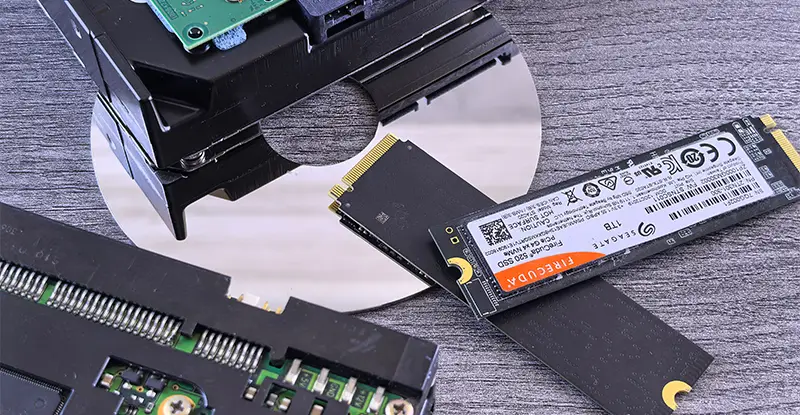
Most computers feel quick when they are new, and that impression holds right up until the day it quietly stops being true. A large part of the reason is TRIM, a background housekeeping routine that tells your storage which blocks of deleted data no longer need to be preserved, because when it is switched off or unsupported, those blocks are treated as occupied, and every fresh write has to work around them. Keeping that routine enabled is one of the simplest pieces of drive maintenance available, and it costs nothing beyond checking a setting once.
Hardware makers give the same advice, which is why Lexar recommends TRIM to maintain SSD health and speed on both internal and portable drives. A few minutes spent confirming it is active can spare you months of sluggish file transfers and long save times.
Free space is not just somewhere to put new files. Your operating system borrows unused space constantly, as a staging area for updates, as temporary room while applications write and rewrite their working files, and as overflow when physical memory runs short. When that cushion disappears, everything the machine does becomes more awkward. Updates fail partway through. Programs that used to open instantly sit there thinking. Large exports stall near the end for no obvious reason.
As a working rule, try to leave a meaningful portion of your storage genuinely empty rather than filling it to the last corner. A drive that is nearly full is doing extra work on every single operation, and you feel that work as delay.
Recommended reading: Discover How Better Data Management Keeps Digital Information Under Control
It helps to understand why your storage filled up in the first place, because the answer is rarely carelessness. Camera files have grown several times larger within a single decade. Video has moved to formats that capture far more detail and therefore occupy far more room. Applications now ship with libraries, cached assets, and offline content that earlier versions never included. Games in particular have become enormous, and many of them download additional content quietly in the background.
None of this is something you can reverse. What you can do is stop treating storage as something that manages itself, and start treating it as a resource you actively look after.
Begin with the obvious material. Downloads folders are usually full of installers, attachments, and one-time files that were never meant to be kept. Duplicate copies of the same project accumulate every time someone saves a second version to be safe. Old application caches sit untouched for years.
Work through these in order of size rather than in order of age. Sorting your folders by file size will show you in a few seconds where the bulk of your storage actually went, and it is almost never where people assume. One forgotten video export can take up more room than thousands of documents.
Be deliberate rather than aggressive. Delete what you can clearly identify, and move anything uncertain to a holding folder you review later.
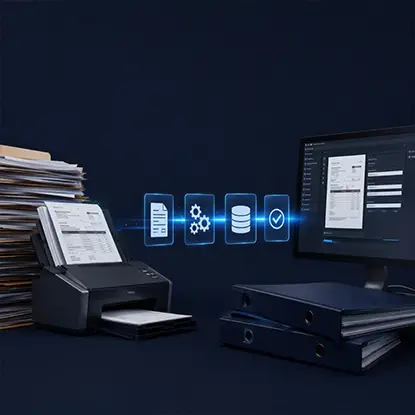
Larger digital workloads can create more than storage demands. Business documents still need to be identified, reviewed, processed, and entered into downstream systems. docAlpha transforms incoming documents into structured, validated data for automated business workflows.
Reduce repetitive document handling as digital information continues to grow.
Updates have a poor reputation, largely because they arrive at inconvenient moments. They are still one of the most reliable ways to recover lost performance. Storage controllers, graphics components, and the operating system itself all receive refinements that affect how efficiently your machine handles demanding work.
Firmware updates for your storage hardware deserve particular attention, since they are easy to overlook entirely. Check the manufacturer's support pages once or twice a year rather than waiting for a problem to force the issue.
Maintenance and protection belong together. Every step above involves deleting, moving, or reorganizing material, and all of it goes more comfortably when you know a copy exists somewhere else.
Keep at least one backup that lives apart from your main machine, and make sure it runs often enough to be worth having. A backup from last year will not help you much. Test it occasionally too, because a backup nobody has ever restored from is only a hopeful assumption.
Recommended reading: Learn How to Choose Between SharePoint and OneDrive for File Storage and Sharing
Sometimes the honest answer is that the machine has reached the end of what it can do. If you have cleared space, trimmed startup programs, updated everything, and the system still struggles with the work you need from it, the constraint is physical rather than habitual.
Adding storage or memory is often far cheaper than replacing the whole computer, and it frequently buys several more useful years. Work out which part is actually holding you back before you spend anything, because people regularly replace the wrong component and feel no improvement at all.
Digital files are becoming larger and more numerous, while business teams are expected to process information faster. docAlpha automates repetitive document capture, classification, extraction, and validation to support high-volume workflows.
Increase processing capacity without increasing manual document work at the same rate.
The difference between a machine that ages gracefully and one that becomes unbearable is rarely technical skill. It is attention paid at intervals rather than attention paid in a panic.
Set aside a short session every few months. Clear what you no longer need, check that your updates have gone through, review what loads at startup, and confirm your backup is still running. None of it takes long, and none of it requires expertise. Done consistently, it keeps a computer feeling capable long after the point where most people have quietly given up and started shopping for a replacement.
 OneDrive vs SharePoint – Which is the Best File Sharing Platform?
  How Storage VPS Helps Businesses Control Cloud Storage Costs
  Effortless Digital Asset Management for Modern Teams
  Cloud Data Lakes for Scalable Business Data Analytics
  Cloud Infrastructure: Hardware, Software, Technologies
  How Legacy Business Software Increases Costs and Operational Risk
