How Compliance Training Software Can Simplify Employee Training Management

Published: October 16, 2026
Ask an operations manager what compliance training looks like in practice and you will often hear about a spreadsheet. One tab per policy, one column per employee, color coding only its author understands, and a quarterly scramble to find who still has not signed the harassment acknowledgment. It works until it does not, and the failure tends to surface the moment an auditor asks for evidence.
Mandatory training is not busywork. It sits at the center of how regulators judge whether a company means what its policy manual says. The federal sentencing guidelines require organizations to communicate standards by conducting effective training programs, and the HHS Office of Inspector General takes the same line in its general compliance program guidance. The expectation is not that training happened, but that you can show who, when, and with what result.
That is a documentation problem as much as a learning one, and it is where dedicated tooling earns its keep. Good software will not make your policies smarter. It makes administering them boring, predictable, and provable, which for most teams matters more than it sounds.

Manual document handling can create the same administrative challenges as tracking employee training through spreadsheets and emails. docAlpha uses intelligent document processing, data validation, intelligent rules, and automated workflows to streamline repetitive business processes.
Reduce manual processing and improve consistency across document-intensive operations where accurate records and traceability matter.
Manual programs fail in a repeatable order. The enrollment list drifts first, because new hires arrive mid-cycle and nobody updates the roster. Then reminders stop, because chasing people by email is miserable work that loses to anything more urgent. Finally the records go stale, and reconstructing history for a client questionnaire costs a week of forensic email archaeology.
The underlying issue is that a recurring obligation gets handled with tools built for one-off tasks. Annual refreshers, role-specific modules, state-by-state variations, and contractor onboarding all run on different clocks. Track four overlapping clocks across three hundred people by hand and you will miss something, and the miss will not be random.
The first thing a platform takes off your plate is assignment logic. You define rules once, usually tied to job title, department, location, or hire date, and the system enrolls people as they arrive or move. A new warehouse supervisor in California picks up the forklift safety module and the state-specific harassment prevention course without anyone touching a roster. When somebody transfers, their training obligations transfer with them.
Reminders follow the same logic. Instead of a manager drafting nag emails, the system escalates on a schedule you set: a notice two weeks out, another at three days, then a flag to the line manager once a deadline passes. It sounds small, and it transforms completion rates. Most people are not resisting training, they have forgotten it exists.
Recommended reading: Discover How Business Process Automation Connects Rules, Deadlines, and Actions
Completion is a weak signal, since clicking through a slide deck proves attendance and nothing more. Assessment tracking turns a record into evidence of understanding. Scores, attempts, and question-level results answer a regulator asking whether staff absorbed the policy, and they expose confusing content rather than careless people. If most of a team fails the same question, the problem is your module.
Centralized records matter just as much. Certificates, acknowledgments, sign-offs, and version histories live in one searchable place with timestamps, so an audit request becomes a report you run rather than a project you staff. Teams that already modernized adjacent record keeping, such as handling regulated files in document-heavy legal operations, know the feeling: the value is retrieval under pressure, not storage.
Policies change, and regulations move faster than most training libraries. A platform helps by separating content from delivery. You update a module once, flag it as a new version, and push it to everyone or only the roles affected, while preserving the record of who completed the old one. That distinction protects you, because an auditor reviewing a 2024 incident wants to know what the 2024 training said.
Version control also surfaces decay. Dashboards showing module age, last review date, and owner make it obvious when the data privacy course has not been touched since before the last regulatory update. Give every module a named owner with an annual review date, and the library stops quietly rotting while everyone assumes somebody else is watching.

Preparing for an audit becomes more difficult when important business information is scattered across documents, emails, and disconnected systems. docAlpha automates document processing, applies intelligent validation rules, and supports workflow monitoring and audit trails.
Reduce repetitive document handling and improve visibility into how business information is processed.
Buying decisions here go wrong when teams shop feature lists instead of friction. The practical questions are narrow: does it sync with your HRIS so enrollment rules fire on real employment data, does it work on a phone for staff who never sit at a desk, and can a non-technical admin pull a report without filing a ticket. A system that needs a consultant for every roster change drifts back toward the spreadsheet within a year.
Pay attention to the learner experience, because completion rates are a design outcome. Short modules, clear progress indicators, and the ability to resume mid-course beat an hour-long mandatory video every time. Platforms that let subject matter experts update content directly stay fresher than those where every edit routes through a vendor, which is one reason buyers increasingly judge compliance training software on authoring speed rather than catalog size.
None of this removes judgment from compliance work. Somebody still decides what the policy says, which roles carry which risk, and how to respond when failed assessments point at a cultural problem rather than a scheduling one. Software does not supply that, and a vendor claiming otherwise is selling you something.
What it does remove is administrative drag from a function that generates an enormous amount of it. No reconstructing completion history from inboxes, no discovering a lapsed certification during an audit, no quarterly reconciliation that eats a week nobody budgeted.
Start narrow rather than comprehensive. Pick the single training obligation that causes the most chasing, usually annual security awareness or a role-specific safety requirement, and run it through a platform for one full cycle. Twelve weeks of real completion data will teach you more about what your organization needs than six months of comparing feature matrices.
Recommended reading: Learn How to Use a Proof of Concept Before Expanding Automation
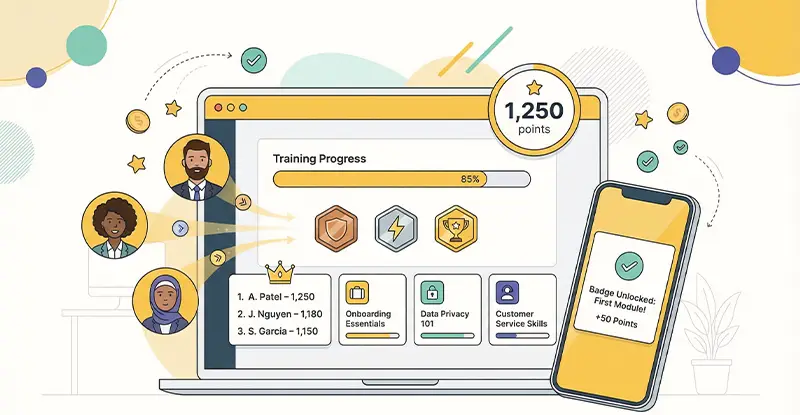 How Gamification and Automation Improve Workforce Training
  How Blended Learning Platforms Improve Training and Engagement
  Boost Learning Retention with LMS in Your Organization
  Automation Tools That Simplify Compliance Across Sectors
  Scale Compliance Efficiently with a Growth-Ready Framework
  Automate HR Workflows with AI for Faster, Smarter Teams
