How Automation and Gamification Can Improve Employee Training and Operational Readiness
Published: October 15, 2026
In many companies, training and operations run on separate tracks. Courses are assigned once a year, completion is tracked in a spreadsheet, and the real work of processing invoices, orders, and claims carries on without any link to what people learned. Yet six in ten workers will need training before 2027, while only half have access to adequate training opportunities today, according to the World Economic Forum's Future of Jobs Report 2023. Closing that gap takes more than extra courses. It takes training that responds to what happens inside your business processes. This article explains how automation connects training to daily operations, and where gamification fits as one part of that strategy.
Most training programmes are built around a calendar, not around the work. HR schedules onboarding for the first week, compliance modules for the end of the quarter, and product refreshers when someone remembers to ask. Meanwhile, the systems that run the business, such as ERP, CRM, and document management platforms, record every exception, rework loop, and missed deadline. That data rarely reaches the people who plan training.
The result is a familiar pattern. Employees complete courses that do not match the problems they face, managers chase certificates by email, and the same errors return month after month. Operational readiness, meaning the ability of a team to run a process correctly from day one and to adapt when the process changes, suffers.
Automation changes this by letting business events decide when training happens and who receives it. Gamification then helps keep people engaged once the right training reaches them.

Operational readiness depends on understanding where workflows break down and improving the processes employees use every day. docAlpha combines intelligent document processing, validation, exception handling, and workflow automation to streamline document-intensive operations.
Reduce manual work and create more consistent processes that support ongoing operational improvement.
The simplest step is to stop assigning training by hand. When your workflow platform already knows what is happening in a process, it can start the right learning activity at the right moment.
Common triggers include:
Event-based training is more useful because it arrives when the knowledge is needed. It also removes the delay between a process change and the moment employees learn about it.
Recommended reading: Discover How Business Process Automation Connects Events With Actions
Onboarding is often the first place where training and operations collide. A new hire may finish a welcome course on day one but still wait a week for system access, or receive access to an ERP module before they have learned how to use it.
An automated onboarding workflow links these steps together:
This sequence protects the business and gives new employees a clear path. They know what to learn first, and managers can see where each person is in the process without chasing updates. It also creates an audit trail that shows each user was trained before receiving access, which is valuable for internal controls and external audits.

Employee training is most effective when people can apply their knowledge to real operational challenges. InvoiceAction automates routine invoice capture, validation, matching, and approvals while directing exceptions to finance professionals for review.
Let automation handle repetitive processing so employees can focus on resolving discrepancies and applying their expertise.
Document-heavy processes, such as accounts payable, order entry, and claims handling, produce clear signals when something goes wrong. Duplicate invoices, mismatched purchase orders, incorrect coding, missing attachments, and claims returned for more information all leave a record in the system.
Intelligent document processing and workflow tools already flag these exceptions so they can be corrected. The same data can drive training. For example:
The key is to set thresholds, so one mistake does not trigger a course, but a pattern does. Targeted training of this kind respects employees' time because it addresses the specific errors they make, instead of sending everyone through the same general course.
None of this works if the learning management system (LMS) sits in isolation. The LMS needs to exchange data with the systems where work happens.
In practice, that means:
When choosing a platform, look for one that keeps course assignment, progress tracking, and reporting in a single place, so automated triggers have a reliable destination. The GoSkills online learning management system for teams, for example, lets managers assign bite-size courses, follow learner progress, and see who needs support without exporting spreadsheets. Its built-in points, badges, and leaderboards also give teams a light layer of motivation on top of the structured training.
Integration does not have to happen all at once. Many teams start with one high-volume process, such as invoice processing, prove the value, and then connect further systems.
Recommended reading: Learn How to Select Automation Tools for Connected Business Processes
Training administration consumes a surprising amount of time. Someone has to assign courses, send reminders, track expiry dates, collect manager approvals for external programmes, and build reports for audits. Each of these tasks is repetitive and rule-based, which makes it a good candidate for automation.
Automated workflows can:
This frees L&D and HR teams to focus on course quality and coaching rather than on chasing completions. It also reduces the risk of a missed renewal or an employee working in a regulated process without current training.
Individual triggers handle single errors. Aggregated operational data shows the bigger picture.
Review process metrics by team, location, or process step. Look for exception rates, rework volumes, cycle times, and first-pass accuracy. If one office takes twice as long to approve invoices, or one team has a higher rate of returned claims, that is a strong sign that refresher training is needed, or that the process itself needs attention.
Then measure the effect. Compare error rates and cycle times before and after a training intervention. When you can show leadership that a refresher course reduced invoice exceptions in one team, training becomes a clear operational investment instead of a cost centre.

A well-trained team also needs efficient processes that support accurate, consistent execution. docAlpha automates document capture, data extraction, validation, and workflow routing while directing exceptions to employees for review.
Combine employee expertise with intelligent automation to improve operational consistency and reduce unnecessary administrative work.
Automation makes sure the right training reaches the right person at the right time. Gamification helps people engage with it once it arrives.
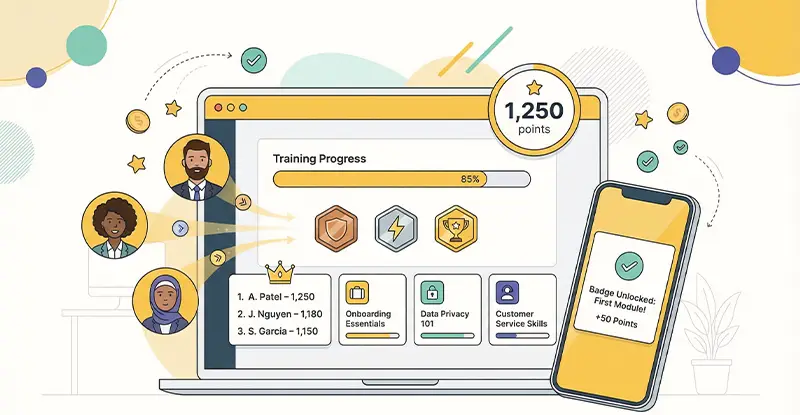
Used well, game elements make progress visible and give employees a reason to return:
The strongest programmes tie these rewards to operational results, not just course completions. For example, a team that reduces invoice exceptions for a full month can earn recognition alongside the team with the highest course completion rate. This links engagement to the outcomes that matter to the business. For milestones tied to tangible rewards, a gift card API can automate digital gift delivery when employees earn certifications, achieve defined performance goals, or reach other recognised milestones, reducing manual work for HR.
Keep the design simple. Too many contests overwhelm people, and leaderboards that always show the same names at the bottom do more harm than good. Reset boards regularly, highlight personal improvement, and make sure every lesson is useful on its own. Points cannot rescue weak content.
Recommended reading: Boost Employee Engagement and Productivity with Workplace Gamification

When invoice errors occur repeatedly, the problem may be an inefficient process rather than a lack of employee knowledge. InvoiceAction automates invoice capture, validation, matching, and exception handling to reduce repetitive manual steps.
Address operational inefficiencies at their source and give employees more time to focus on issues that genuinely require their expertise.
Employee training works best when it is part of how the business operates, not a separate activity on the calendar. Automation connects the two: workflow events and exceptions trigger the right lessons, onboarding links training to approvals and system access, integrations share data between the LMS and operational systems, and routine administration runs in the background.
Gamification adds the final layer. When learners can see their progress and earn recognition for real improvement, they are more likely to take part because they want to. Game mechanics raise engagement most effectively when they sit on top of training that is already relevant and well timed.
Start with one document-heavy process, connect its exception data to your training platform, and measure the results. A well-trained team is a ready team, and readiness is what keeps operations running smoothly when processes, regulations, and systems change.
 Boost Employee Engagement and Productivity with Workplace Gamification
  How Blended Learning Platforms Improve Training and Engagement
  Boost Learning Retention with LMS in Your Organization
  Streamline HR Onboarding with Workforce Management Tools Now
  How Data and Automation Improve Modern Learning Platforms
  Automate HR Workflows with AI for Faster, Smarter Teams
