How Document Automation Keeps Caribbean Freight Paperwork Moving
Published: October 19, 2026
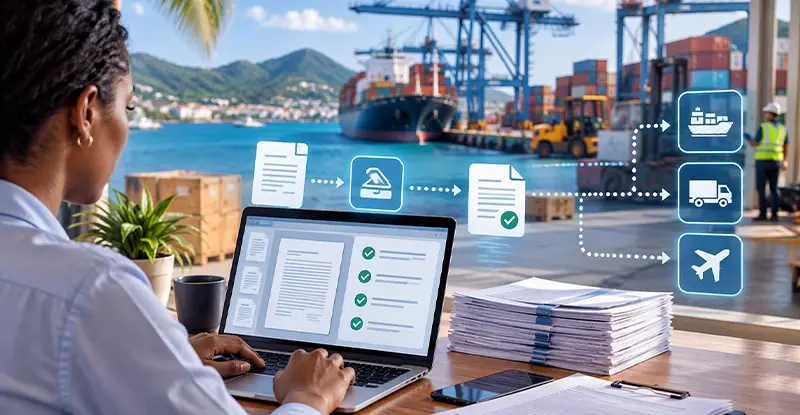
Five documents stand between a loaded container and a paying customer. Not customs. Not the vessel. The paperwork. I have watched operations managers in South Florida rebuild the same shipment file three times in one afternoon because a corrected bill of lading arrived after the invoice had already gone out, and the customer had already disputed it.
That is the real cost of freight, and it has almost nothing to do with the ocean. The water crossing is predictable. Your document flow is not. If your team handles shipping to the Caribbean, you already know the pattern: a strong booking process followed by a week of email threads, PDFs, and manual data entry that no one budgeted for.
So here is the plan. You'll see where the paperwork actually breaks for Caribbean lanes, what automation can and can't fix, and the checklist I'd run before buying any tool. One opinion up front: most freight teams don't need new software. They need to stop retyping the same eleven fields into four different systems.
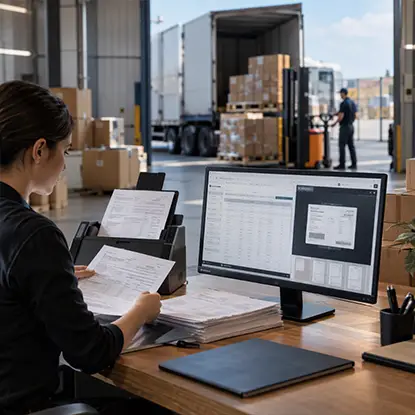
Freight teams shouldn't have to re-enter the same shipment information across invoices, bills of lading, and logistics systems. docAlpha uses intelligent document processing to capture incoming documents, extract critical shipment data, validate information against business rules, and support automated downstream workflows.
Reduce manual data entry, minimize document discrepancies, and keep freight operations moving with greater accuracy.
Caribbean shipping isn't one destination. It's dozens of island nations, each with its own customs authority, its own port fees, and its own preferred document format. A shipment to Trinidad and a shipment to St. Lucia can leave the same dock on the same vessel and still require completely different paperwork.
That variety is what kills manual processes. A domestic truckload move repeats the same document set thousands of times, so your team gets fast through repetition. An island lane might touch a new combination of forms every few weeks. Speed through repetition never arrives.
Volume makes it worse in a good way. According to the U.S. Census Bureau, the United States runs a trade deficit with most of its trading partners, and that gap means heavier inbound documentation loads for the brokers and forwarders who handle the island traffic. More volume plus more document variety equals a bottleneck that shows up exactly when you can least afford it.
Here's the part operators usually miss. Your bottleneck isn't a slow step. It's the handoffs.
Picture a Tuesday. A customer emails a commercial invoice as a phone photo. Your coordinator retypes the shipper name, consignee, weight, and commodity description into your TMS. The bill of lading gets generated, corrected twice, and resent. Then the invoice goes out with the wrong freight class, and the customer calls.
Nobody in that chain was lazy. The data just entered the system four times, and each entry was a chance to drift.
Typical leak points on a Caribbean shipment:
Every one of those is a data re-entry problem wearing a different costume.
Recommended reading: Discover How Bill of Lading Automation Improves Logistics Workflows
Automation won't clear customs for you, and it won't fix a badly written quote. What it does well is narrower and genuinely useful: it reads the documents you already receive and moves structured data out of them without a human retyping it.
Concretely, that means an invoice photo gets scanned, the key fields get extracted, and those fields land in your system of record. Your coordinator reviews instead of types. That's the whole trick, and it compounds fast when you're running dozens of island lanes at once.
The payoff isn't headcount. It's fewer corrections. A correction costs you the original touch, the rework, and the customer's patience. If you ship to multiple islands, your correction rate is probably your single biggest hidden expense, and most teams never measure it.
One caution from someone who has watched too many software rollouts: don't automate your mess. If your team currently handles three different versions of the same form, pick one first. Automating chaos just produces faster chaos. I'd rather see a forwarder map its document types on a whiteboard for a week than sign a license agreement in a day.
Here's the framework I use with freight teams, and you can run it this week without buying anything. It's called Paper Lane, because the goal is to treat every shipment like a lane with fixed stops instead of a pile of email.
Lane one: capture. Every document enters through one channel. No exceptions. If a customer texts a photo to a rep's personal phone, it gets forwarded into the system that day. One door means one place to look.
Lane two: extract. Pull the handful of fields that matter for your business, usually shipper, consignee, weight, piece count, commodity, and declared value. Nothing else. Teams that try to extract everything stall out in month two.
Lane three: validate. Match extracted data against the booking. Weights that disagree, commodity descriptions that changed, a consignee spelling that shifted by one letter. Catch it here, not at the port.
Lane four: release. Once validated, the data flows into the bill of lading, the invoice, and the customer notification from a single source. One change updates all three.
Lane five: archive. Filed, searchable, and tied to the shipment record. Six months later, when a customer asks about a charge, you find it in under a minute.
The order matters. Most teams try to start at lane four with a new invoicing platform and wonder why nothing improved.
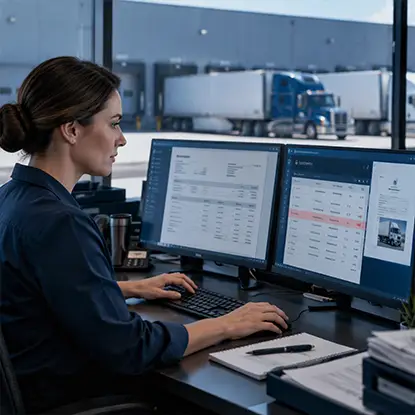
Transportation and logistics invoices may include multiple charges, service details, and supporting documentation that require careful review. InvoiceAction automates supplier invoice extraction, applies configurable validation rules, and routes exceptions for review.
Reduce repetitive invoice checks and help AP teams concentrate on discrepancies that require attention.
If you want to know where the industry is heading on documentation, look at the rulebooks. The Federal Maritime Commission governs how ocean carriers and forwarders handle rates, service contracts, and the documentation that supports them, and its rules shape what your paperwork must contain on any given lane.
That's actually good news for automation. Regulated documentation is standardized documentation, and standardized documents are the easiest kind for software to read. A form that looks the same every time is a form a machine can handle. Your job is to keep the format stable long enough for the system to learn it, which is another reason to kill the rogue versions hiding in people's inboxes.
Caribbean lanes carry a risk that inland freight never does: the season. Weather systems roll through the region every year, and when they do, schedules shift, ports close, and customers want answers right now.
During those stretches, your document system becomes a customer service tool. Knowing instantly which shipments are affected and where each one's paperwork stands is the difference between a calm phone call and a frantic one. The National Oceanic and Atmospheric Administration tracks these systems and publishes seasonal outlooks, and any forwarder with island lanes should have those outlooks bookmarked long before the season starts.
You can't stop a storm. You can absolutely avoid digging through email at 9 p.m. trying to figure out whether a container was released.
Recommended reading: Learn How Automated Data Extraction Improves Freight Management
Before you evaluate a single vendor, answer these questions honestly. First, what are the five documents your team touches most? Second, how many separate systems does one shipment's data enter? Third, what's your current correction rate, and who tracks it? Fourth, which customer still sends photos instead of PDFs? Fifth, if your best coordinator quit tomorrow, would the process survive?
If you can't answer questions three and five, fix that first. Software won't tell you what you don't measure.
My take on tool choice: start with capture and extraction, the boring front end, before you touch invoicing. Teams that automate billing first often automate the wrong numbers faster. The front end is where accuracy is won or lost, and it's the cheapest place to start.
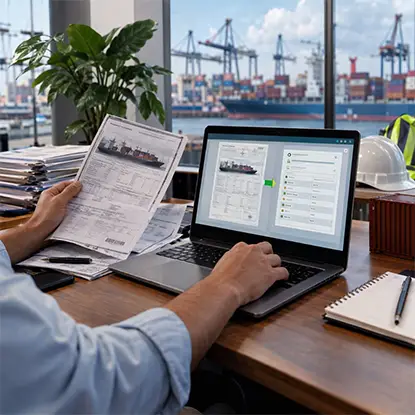
Shipping documents often arrive as scanned PDFs, emailed attachments, and photographs, forcing logistics teams to manually transfer information into business systems. docAlpha automates document classification, data extraction, validation, and workflow routing to transform incoming freight paperwork into structured information.
Reduce repetitive processing and help logistics teams spend less time correcting documents and more time managing shipments.
This isn't a story about technology. It's about what your team does with the hours they get back. Caribbean freight rewards operators who are fast on corrections, clear about charges, and calm when a schedule moves. Automation buys you exactly that, and not much else.
Pick one lane. Map it on paper. Run the five steps for a month and count your corrections before and after. If the number doesn't move, you learned something cheap.
What's the one document on your Caribbean lanes that still arrives as a photo from someone's phone?
 Bill of Lading Automation: Perfect Your Logistics Workflows
  AI Document Processing for Smarter Freight Forwarding
  Smarter Document Workflows for Logistics & Manufacturing
  Reduce Freight Paperwork with Logistics Automation
  AI Logistics Workflow Automation for Faster Shipment Processing
  Freight Management Software for Better Shipment Visibility
