How To Automate Invoice Downloads From Supplier Portals
Published: November 18, 2026
Accounts payable automation has come a long way. Intelligent document processing can now read invoices, extract data, match it to purchase orders and route it for approval with very little human effort. Yet in many AP departments, a surprising amount of manual work still happens before any of that begins: someone has to go and get the invoices.
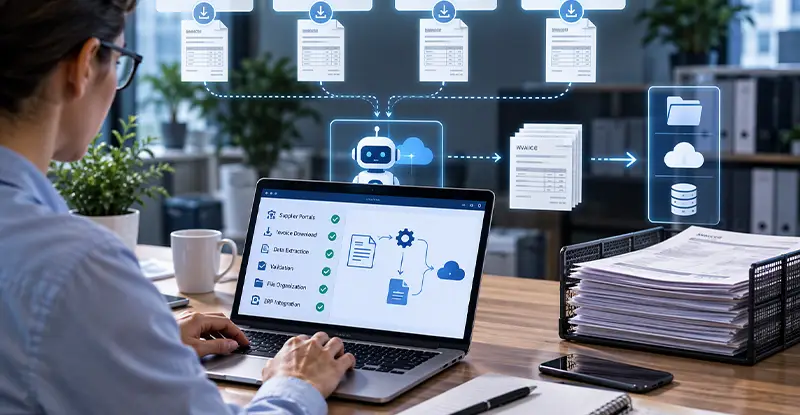
For a growing share of suppliers, invoices no longer arrive by email or post. They sit in online portals, waiting to be downloaded. This article looks at why portal invoices are a blind spot in many AP processes and how browser-based automation can close the gap.
Utilities, telecom providers, logistics companies, cloud vendors and large suppliers increasingly publish invoices and statements in customer portals rather than sending them directly. For a single supplier, logging in once a month is a minor task. For an organization with dozens or hundreds of such accounts, it becomes a real workload.
A typical AP clerk might spend several hours each month:
The work is repetitive, easy to forget and hard to audit. A missed portal means a missed invoice, which can lead to late payments, lost early-payment discounts or service interruptions. Some teams already keep each portal in its own profile of an antidetect browser, so sessions and trusted-device status stay stable between logins. The next step is to automate the downloading itself, so nobody has to work through the portals by hand.
Even when browser RPA retrieves every invoice on schedule, inaccurate or incomplete invoice data can disrupt ERP posting. InvoiceAction captures key invoice fields, applies validation rules, and routes issues for review before further processing.
Improve the quality of payable information moving from supplier portals into financial systems.
Most AP automation is built around documents that arrive on their own: scanned mail, email attachments or EDI feeds. Capture tools are excellent once a document is in the pipeline, but they cannot log into a supplier’s website to fetch it.
Some suppliers offer email notifications or APIs, but many only provide a web interface. Others send a notification without the invoice itself, so someone still needs to log in. The result is a gap at the very start of the process: a manual collection step that sits outside the automated workflow and outside its controls.
Robotic process automation was designed for exactly this kind of task: repetitive, rules-based work in applications that don’t offer an integration. A browser-based bot can follow the same steps an AP clerk would, such as signing in, opening the billing page, downloading new invoices and saving them in the right place, on a schedule and without fatigue.
The barrier used to be complexity. Traditional RPA platforms often required specialist developers and dedicated infrastructure. Today, no-code browser RPA lets operations teams build these routines themselves, using visual steps rather than code. For portal downloads, which follow a predictable pattern, this is often enough to automate most of the work.
Recommended reading: Learn How Robotic Process Automation Eliminates Repetitive Manual Tasks
Automating logins to financial portals raises fair questions about security and reliability. A few principles keep both under control:
These controls matter for audits. Automation should make the collection step more transparent than the manual process it replaces, not less.
Browser automation can fetch invoices from supplier websites, but those files still contain data that needs to be understood and checked. docAlpha uses AI-powered document classification, extraction, Intelligent Rules, and exception handling to process downloaded files once they enter the document workflow.
Convert collected PDFs into useful business information without another round of manual transcription.
Downloading invoices is only useful if they flow straight into processing. The goal is a hand-off with no manual step in between:
For larger setups, it helps when the browser automation tool can be triggered and monitored by other systems. A local automation API makes it possible to start portal runs from a scheduler or workflow engine, check their status and pass results on, so portal collection becomes one more step in the AP pipeline rather than a separate manual chore.
Recommended reading: Discover How AP Automation Integrates With ERP Systems
You don’t need to automate every portal at once. A phased approach keeps risk low and shows results quickly:
To justify the effort and spot problems early, track a few simple metrics before and after automation:
Reviewing these numbers each quarter keeps the automation honest and shows finance leaders exactly what the investment returns.
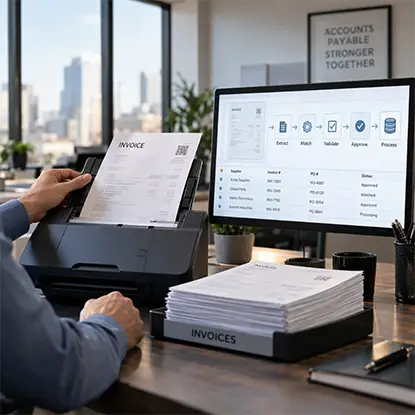
Collecting invoices from supplier portals is only the first step; finance teams still need to capture, verify, and approve the documents. InvoiceAction uses intelligent invoice extraction, purchase order matching, validation, and exception routing once portal files reach the AP intake workflow.
Reduce manual handling after download and move supplier invoices toward ERP processing more.
AP automation is only as strong as its first step. When invoices sit in supplier portals, a manual collection task quietly undermines the speed, accuracy and visibility that the rest of the process delivers. Browser-based RPA closes that gap by fetching portal invoices on a schedule, under proper security controls, and passing them straight into intelligent document processing.
For finance teams, the result is simple: fewer missed invoices, fewer late payments, a cleaner audit trail and more time for the work that actually needs human judgment.
Recommended reading: Learn How Zero-Touch Invoice Processing Connects the Entire AP Workflow
 Supplier Invoice Management Software
 Automated Invoice Processing in 2025–2026: AI Automation with Human Oversight
 How to Integrate Invoice Automation with ERP Systems
 Embedding Intelligence in Robotic Process Automation
 Email APIs for AI Agents: Choosing the Best Integration Path
 Basics of Accounts Payable Workflow Automation

