7 Best AI Business Process Automation Tools in 2026

Published: October 27, 2026
Which tools should you use for AI business process automation in 2026? For most organizations, the answer is several tools, one per layer: an intelligent document processing tool that turns invoices, orders and claims into validated data, a workflow or RPA tool that moves that data between systems, and a writing tool that edits the AI-drafted reports and messages people still send.
Each layer removes a different kind of manual work, from keying invoice data and chasing approvals to copying records between systems and fixing templated AI drafts. To choose, start with the process that costs your team the most hours and pick a tool built for the layer where that work sits.
We compared the seven tools on the eight criteria below, using vendor documentation and the tools themselves (checked in October 2026), and grouped them into four automation layers.

AI process automation works only when source documents are accurately interpreted and exceptions are handled. docAlpha uses intelligent document processing, configurable business rules, and human verification for complex document workflows.
Reduce processing errors and build confidence before scaling automation.
Tool | Best for | Pricing |
Artsyl docAlpha | High-volume invoice, order and claims workflows | Quote-based |
Humanize Max | Adapting one AI draft for different readers | Free at the time of writing |
Microsoft Power Automate | Approvals and data movement in Microsoft 365 | From $15 per user a month, paid yearly |
GPTinf | Editing and checking AI drafts | Free tier; paid from $9.99 a month |
UiPath | Large programs across legacy systems | Basic from $25 a month; higher plans quoted |
Humanize AI | One house style across writers | Free tier; paid from $9.99 a month |
Undetectable AI | Quick rewrites of routine drafts | Free tier; paid from $9.99 a month |
A task’s layer tells you which kind of tool to shortlist, and it shows why companies are moving from isolated AI tools to connected workflows: a chatbot can summarize an invoice, but it can’t validate it, post it to the ERP or send it for approval.
Layer | What it does | Where it fits | Tools in this list |
AI assistance | Helps a person draft or refine one text at a time | Internal documentation, customer communication, content operations | Humanize Max, GPTinf, Humanize AI, Undetectable AI |
Intelligent document processing (IDP) | Captures, classifies, extracts and validates document data | Document processing, data extraction, invoice workflows, data validation | Artsyl docAlpha |
Workflow automation | Connects applications through APIs and triggers | Approvals, data movement, reporting | Microsoft Power Automate |
Robotic process automation (RPA) | Software robots that work through an app’s interface like a person | Data entry in legacy systems without an API | UiPath, Power Automate |
Artsyl’s overview of how AI technologies are reshaping business process automation covers OCR and IDP in more detail.
If a process starts with a document, start with IDP. If it runs between applications with APIs, a workflow tool is usually enough, with RPA for legacy screens. AI writing tools belong wherever a person reviews what goes out.
We compared the tools on these questions, which also work well in vendor demos:
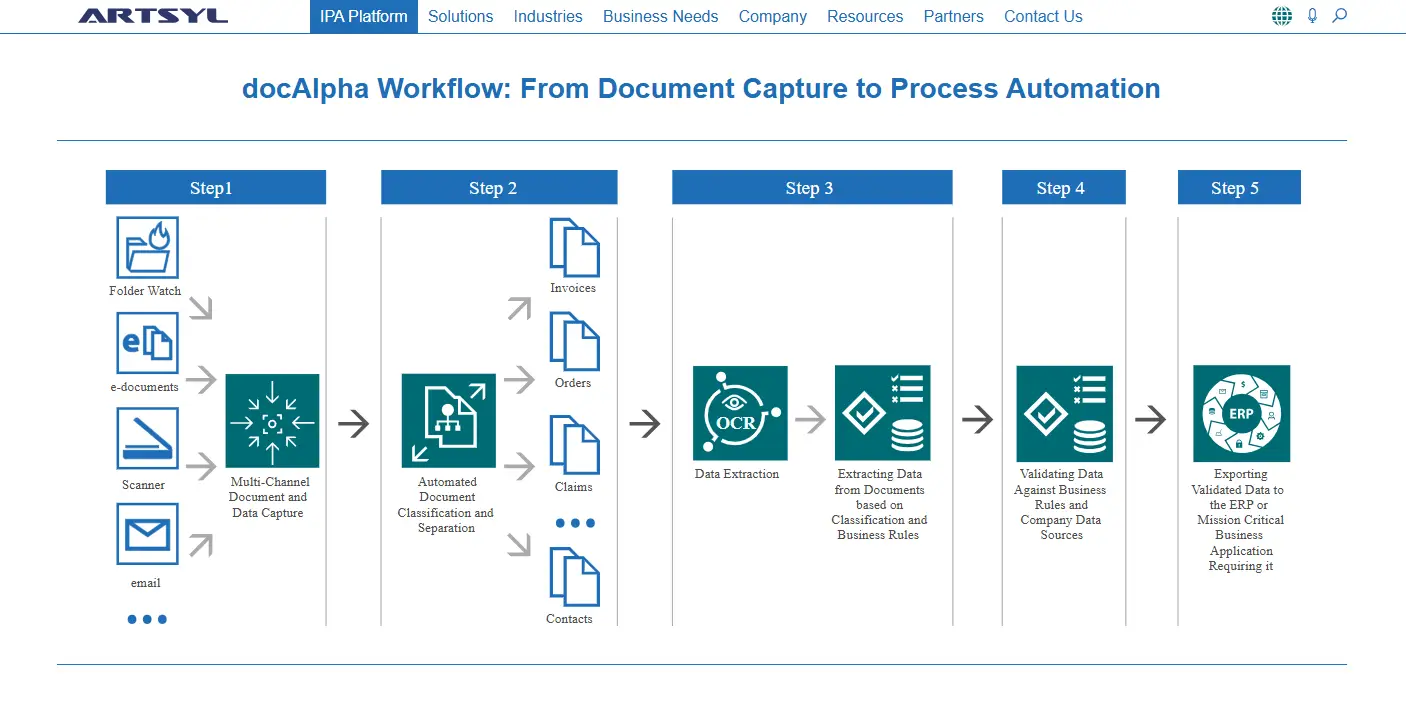
Best for: enterprises with high-volume, document-dependent workflows.
docAlpha is Artsyl’s intelligent process automation platform, combining AI, machine learning and RPA for processes that start with a document. It captures files from email, scanners and watched folders, then classifies and separates them so each one reaches the right workflow. OCR, ICR and OMR read printed text, handwriting and checkmarks, alongside barcode recognition.
docAlpha then checks extracted values against business rules and your ERP data, so a mismatched PO number or unknown vendor is caught before posting, and routes documents for verification and approval by rules set in a low-code designer. Validated data goes to ERPs such as Microsoft Dynamics 365, SAP Business One, SAP S/4HANA, Oracle NetSuite and Acumatica, and the Auto-Find module learns a new layout when a user clicks on the fields to capture.
Document-heavy processes are strong candidates for automation because the work is repetitive, the rules are known and every error has a cost, from a duplicate payment to a rejected claim. Artsyl packages that logic into pre-built solutions such as InvoiceAction for accounts payable, OrderAction for sales and purchase orders, ClaimAction for medical claims and RemittanceAction for remittances.
Key capabilities
Watch out for: docAlpha is built around documents, so a process that runs entirely between applications may only need a workflow tool. Plan validation rules and the ERP integration before rollout.
Pricing: quote-based. Artsyl offers a cloud subscription or an on-premise license, priced by volume, users and the modules you need.

A generic AI tool may read an invoice or purchase order without validating the result or connecting it to a business workflow. docAlpha combines AI-powered capture, classification, extraction, validation, and routing in an intelligent document process automation platform.
Convert unstructured documents into trusted data ready for enterprise operations.
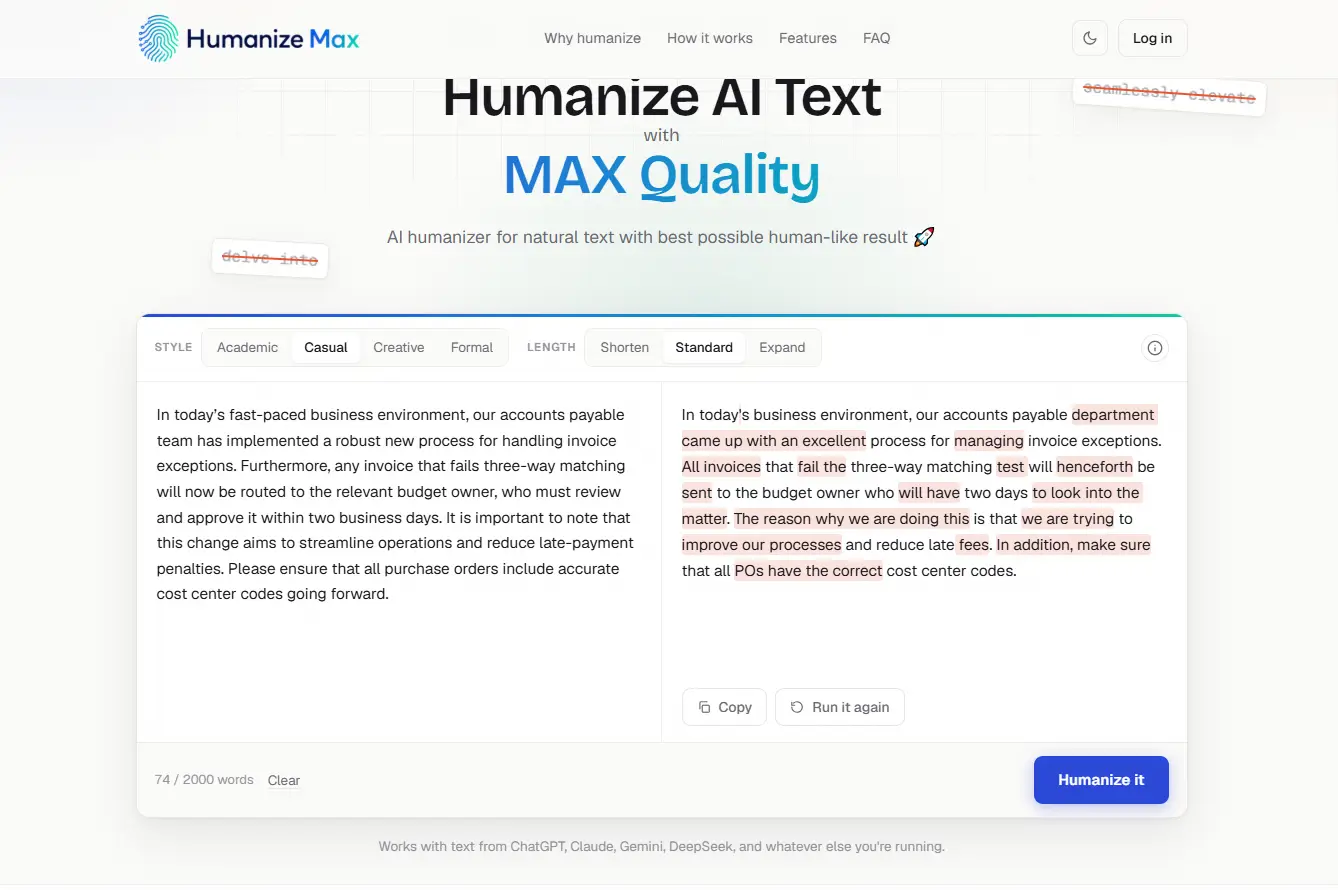
Best for: marketing, documentation and operations teams.
Humanize Max rewrites AI-drafted text so it reads more naturally, which suits reports, documentation, customer emails and knowledge-base articles. You paste a draft or upload a file and pick one of four styles (Academic, Casual, Creative or Formal) and one of three lengths (Shorten, Standard or Expand).
Those settings let one draft serve different readers, such as a Formal supplier notice and a shorter internal summary. Changes are highlighted in the result, and Run it again gives you another version.
Key capabilities
Watch out for: it only rewrites, and nothing locks key terms in place, so check product names, codes and figures after each run.
Pricing: free at the time of writing. Plans are still settling, so check the site for current limits.
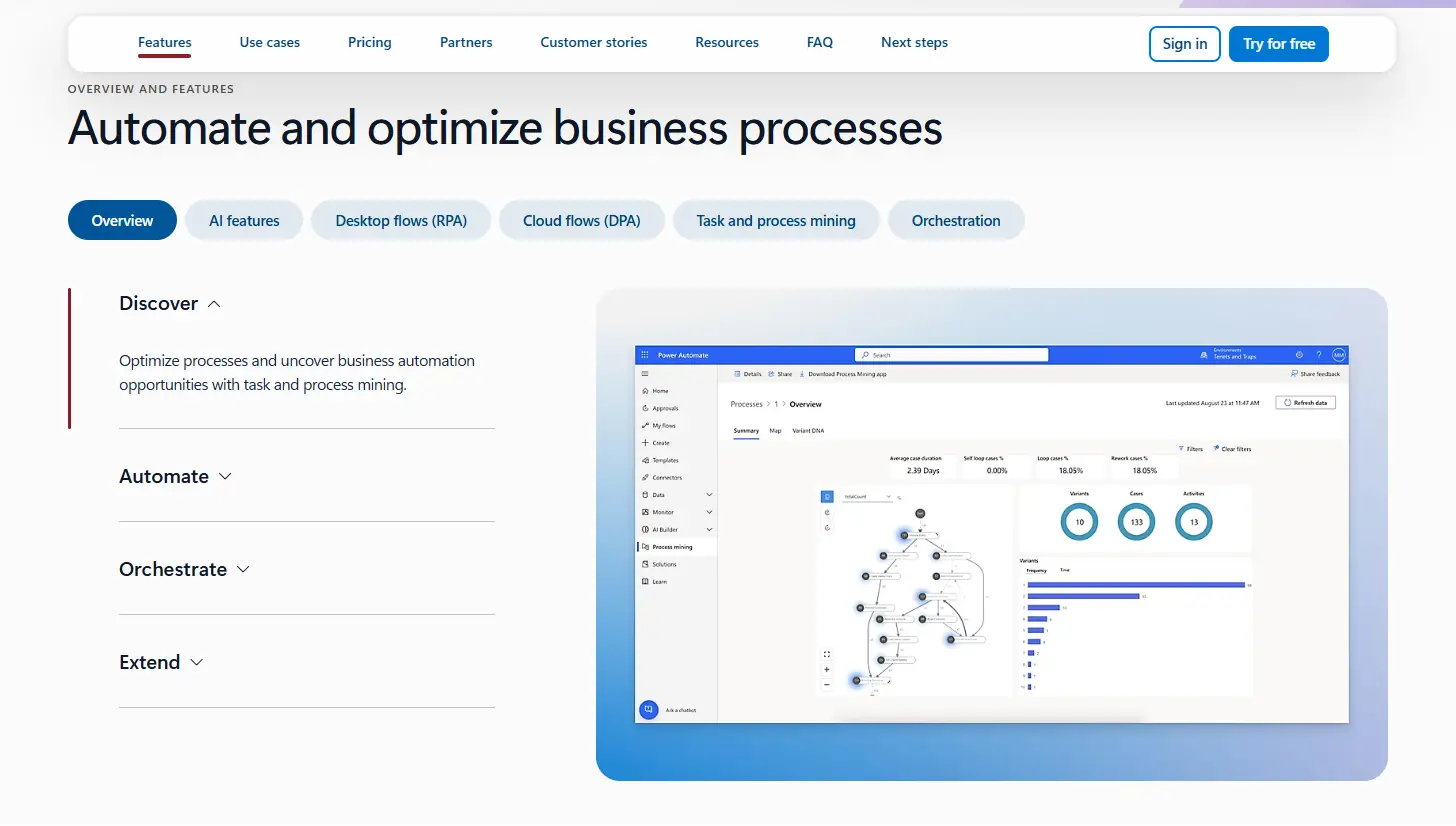
Best for: organizations already working in Microsoft 365.
Power Automate is Microsoft’s workflow automation platform. Cloud flows connect applications through more than 1,000 API connectors, so a new SharePoint file can trigger approvals and data updates elsewhere, and Microsoft’s guide to approval flows shows how approvers respond from Outlook or Teams.
Desktop flows add RPA for older applications, and Copilot builds flows from plain language. Power Automate complements document processing rather than replacing it: once an IDP tool has produced validated data, cloud flows carry it into approvals, records and reports.
Key capabilities
Watch out for: unattended bots, premium connectors and process mining need paid plans, and licensing gets complex at scale.
Pricing: Premium costs $15 per user a month and Process costs $150 per bot a month, both paid yearly, with a 30-day free trial.
Recommended reading: Discover How AI Algorithms Transform Intelligent Process Automation
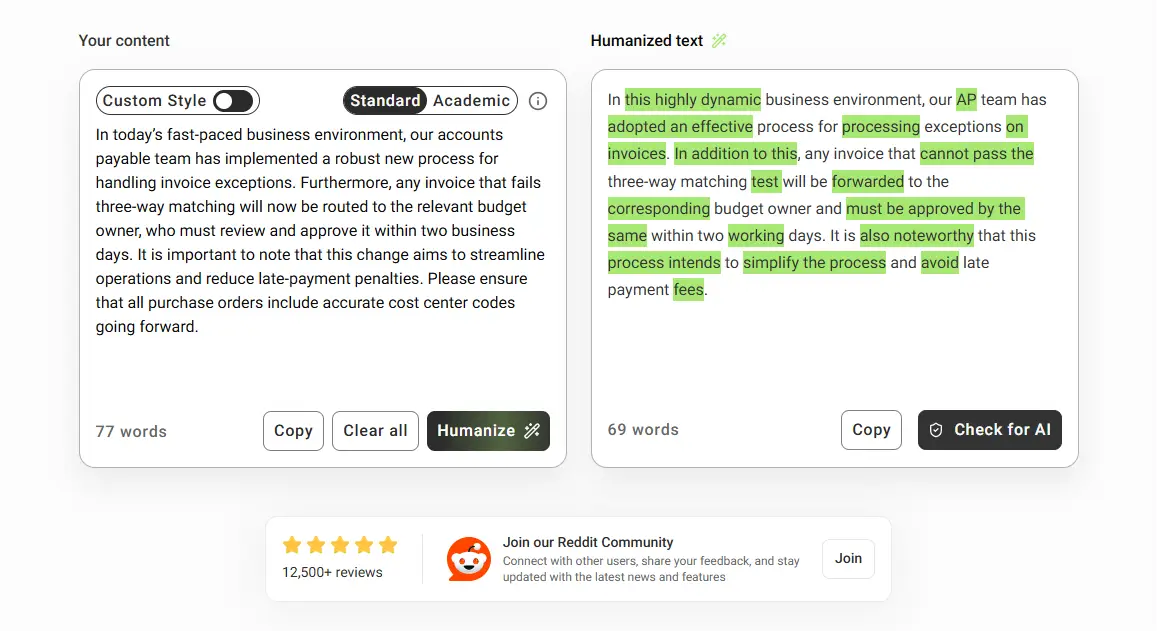
Best for: marketing teams, content operations and agencies.
GPTinf is an AI writing toolkit that puts an AI Humanizer, AI Detector, Plagiarism Checker, Grammar Checker, Paraphraser, and Readability Checker under one account, so a content team can rewrite, check, and score a draft in one place.
Custom Style learns from 150 to 1,200 words of your writing and shapes later rewrites to match, and File-to-File returns PDF, DOCX, TXT or MD files in their original format. Treat the AI-likelihood score under each result as an estimate, not evidence of authorship.
Key capabilities
Watch out for: the humanizer has two modes (Standard and Academic), and free use has a daily cap.
Pricing: free for up to 300 words per request. Paid plans start at $9.99 a month for Lite (5,000 humanizer words), with Pro at $24.99 and Unlimited at $59.99.

Standalone AI extraction does not guarantee that supplier invoices are ready for posting. InvoiceAction captures invoice details, checks information against available purchasing data, and supports connected approval and ERP workflows.
Improve accuracy and reduce handoffs between document intake and financial systems.

Best for: larger organizations with complex automation needs.
UiPath is an enterprise automation platform that grew out of RPA. Its software robots enter data, move records between applications and repeat back-office steps through the user interface, often the only way into a legacy system, and the platform now adds API workflows, AI agents and orchestration.
RPA follows fixed rules well but breaks when the input changes, such as an invoice in a new layout, where intelligent document processing fits better. Artsyl’s comparison of intelligent automation and RPA in manufacturing shows which workflows suit each approach.
Key capabilities
Watch out for: most of the platform sits on quoted plans, so expect a sales-led pilot.
Pricing: Community is free and Basic starts at $25 a month with limited scale, while Standard (with a 60-day free trial) and Enterprise are quoted.

Customer purchase orders may include special pricing, delivery instructions, or other details requiring validation. OrderAction combines AI-assisted extraction with configurable intelligent rules and exception review for incoming customer orders.
Improve accuracy without forcing every order through manual entry.
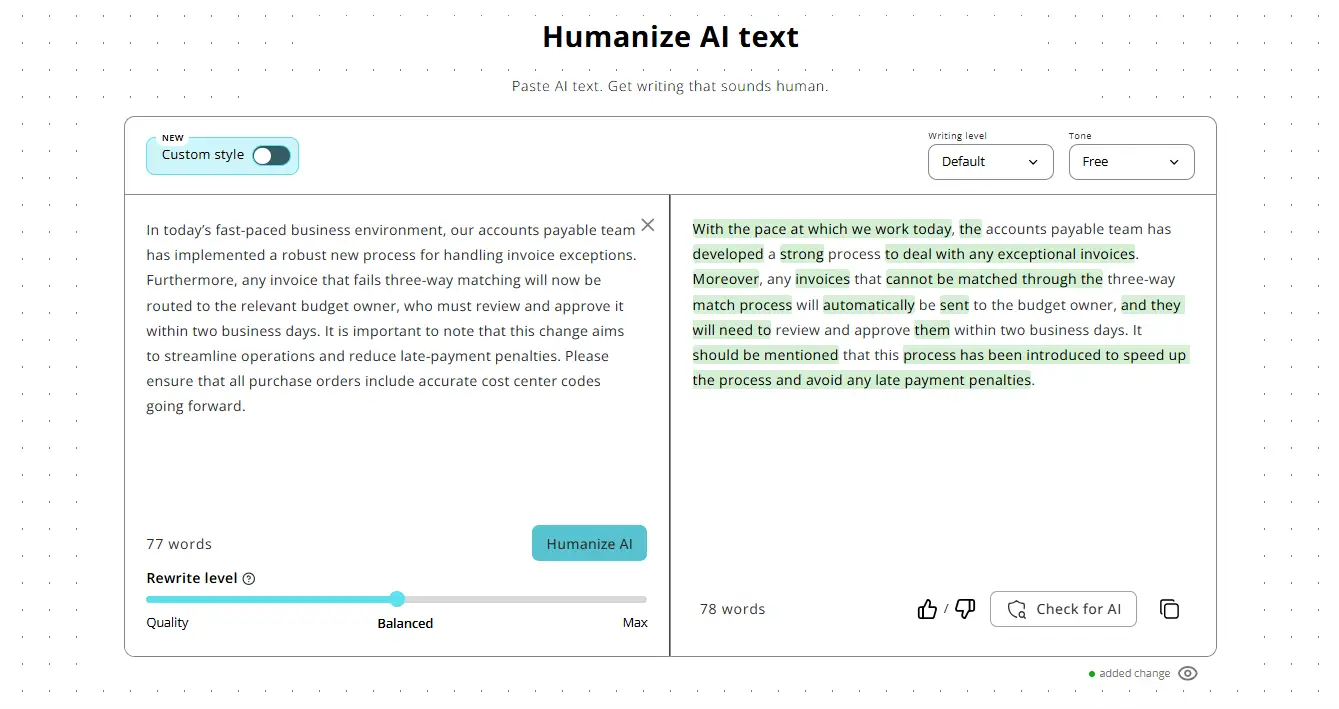
Best for: documentation, research and business content teams.
Humanize AI restructures AI-assisted text at the sentence level while keeping its meaning and register, so formal writing stays formal. Modes include Standard, Formal, Simple and Shorten, and a Rewrite level slider runs from Quality (fewer changes) to Max (deepest rewrite).
Custom Style learns your voice from 150 to 1,200 words of your writing and keeps a house style consistent across authors. View changes highlights every edit, the AI Detector explains why each segment got its score, and paid plans include a public API for existing workflows.
Key capabilities
Watch out for: Lite caps each run at 500 words, so long reports need Standard or above.
Pricing: free for 200 words per run (400 with an account). Lite costs $9.99 a month (10,000 humanizer words), Standard $19.99 and Unlimited $59.99.
Recommended reading: Learn How AI Software Supports Different Business Automation Tasks
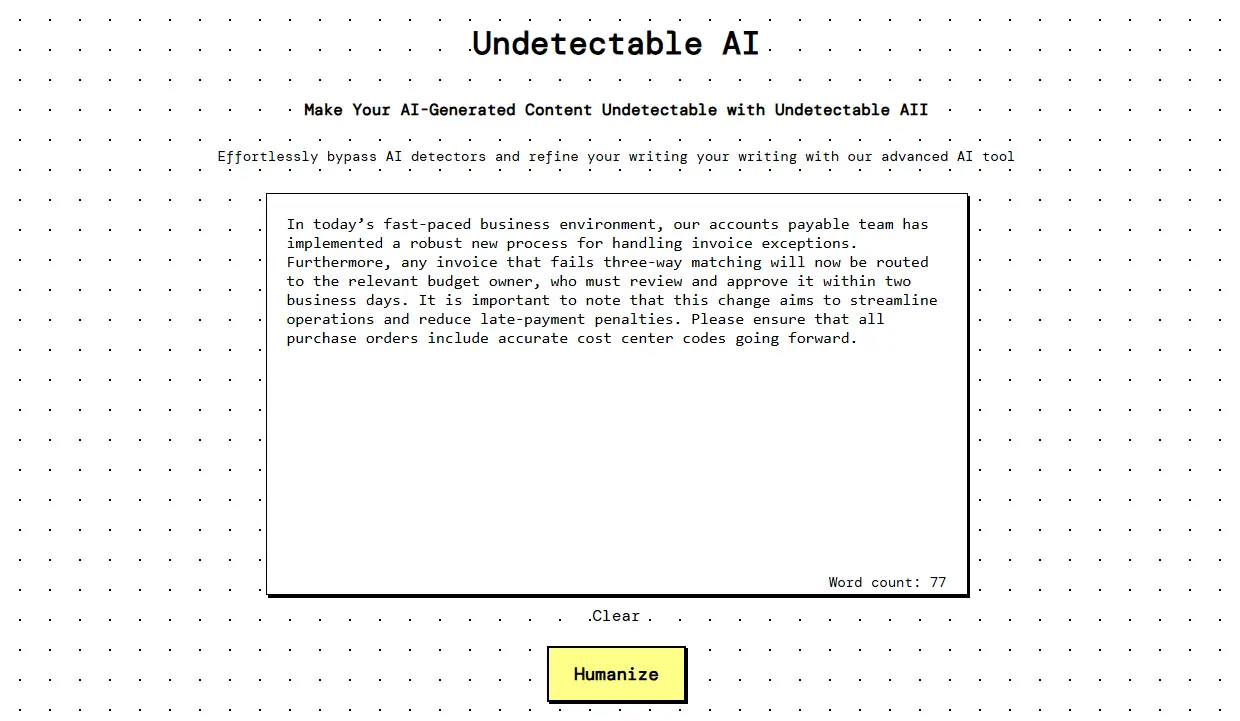
Best for: teams that need a simple way to refine AI text.
Undetectable AI is built for speed rather than control: you paste an AI draft into a single box and get a more natural rewrite in one click. That speed suits blog drafts, marketing copy, email drafts and product descriptions, where a full edit would take longer than the writing itself.
The site also offers a free AI detector with an AI-likelihood score and a plagiarism checker that links to matched sources. Paid plans add all rewrite modes and unlimited plagiarism checks.
Key capabilities
Watch out for: the free tool has no style or length settings, so tailoring the text stays manual.
Pricing: 1,000 free words, plus 1,000 more after sign-up. Lite costs $9.99 a month (5,000 words), Pro $25 (25,000 words) and Unlimited $59 (1,000,000 words).
Automation should remove repetitive work, not accountability, so sensitive and business-critical steps still need a person at four checkpoints:
Artsyl’s guide on why intelligent document automation still needs humans in the loop shows how exception queues become training data, and NIST’s AI Risk Management Framework helps you set governance around them.
Departments automate different work, so one platform rarely fits them all. Match each team to its layer:

Higher invoice, order, and claim volumes can overwhelm teams that depend on manual classification and data entry. docAlpha provides AI-assisted document intake, validation, routing, and exception management across configured workflows.
Handle growing volumes with more consistent processing and less repetitive work.
AI business process automation is a set of layers rather than one technology, and each tool here solves a different problem. Start with the process that costs the most manual hours and choose the tool built for its layer. Before you scale sensitive document workflows, check security, validation, auditability and integrations, and keep a person accountable for what the system can’t verify.
 AI Technologies Powering Smarter Business Automation Today
  AI Algorithms in Intelligent Process Automation (2026 Guide)
  AI vs RPA in Manufacturing: Choosing the Right Automation
  Human-in-the-Loop AI for Intelligent Document Automation
  AI Automation: What It Is and How It Works in 2026
  How Tools and Technology Are Transforming Business Workflows
