How Better Software Management Supports More Efficient Workflows

Published: November 11, 2026
A modern workflow rarely depends on one application. A sales representative may move between email, CRM software, calendars, cloud storage, messaging tools, and reporting dashboards before lunch.
That flexibility has a cost. Okta reported that organizations used an average of 101 applications in 2024, crossing the 100-app mark for the first time. In EMEA, the average reached 74 applications.
The challenge is therefore not simply choosing good software. Companies also need to control how applications interact, who can access them, and whether they still justify their place in the technology stack.
Better software management turns a collection of tools into a working system. Done properly, it removes unnecessary steps, makes information easier to reach, and gives employees fewer technical obstacles to manage.

Managing more applications does not make a workflow efficient when employees still transfer invoice and document details by hand. docAlpha uses intelligent document classification, extraction, validation, and routing to move information from incoming files into connected business processes.
Reduce duplicate data entry and get more value from the systems your teams already use.
Adding another application can seem harmless. Problems usually emerge gradually as different departments adopt their own platforms for similar tasks.
Marketing may use one project tracker while product teams work in another. Sales stores customer notes in a CRM, but key discussions remain buried in email or chat. Finance may then maintain another spreadsheet with overlapping information.
Employees eventually become responsible for connecting these systems themselves.
Microsoft's workplace data illustrates the wider problem. Its 2025 analysis found that employees in the studied group were interrupted by meetings, emails, or chats roughly every two minutes during core working hours.
Software cannot eliminate every interruption. However, poor application management creates extra switching, duplicate notifications, and additional places where employees must search for information.
A useful software audit should therefore look beyond subscription costs. Teams should ask where people lose time while moving between systems.
Typical warning signs include:
An audit may reveal that five applications are actively useful while three others exist mainly because nobody reviewed them. Removing that overlap can make a workflow easier to understand without redesigning the entire business process.
Recommended reading: Discover How SaaS Can Reduce Software and Operating Costs
Software sprawl does not exist only at the company level. Individual laptops often accumulate old utilities, trial applications, plug-ins, menu bar tools, and software installed for projects that ended months ago.
Consider a designer who tests several image utilities during one client project. Afterward, the main applications may be deleted, while support files and background components remain on the device.
MacBook users can simplify this process with the best app uninstallers for MacBook. These tools help remove unwanted applications and their associated files. This keeps devices cleaner and makes software easier to manage.
This kind of maintenance sounds minor compared with enterprise application governance. Yet workstation hygiene affects storage, background activity, troubleshooting, and the time employees spend identifying unfamiliar software.
The same principle applies at both levels: software should remain in the environment because it serves a current purpose, not because someone installed it once.
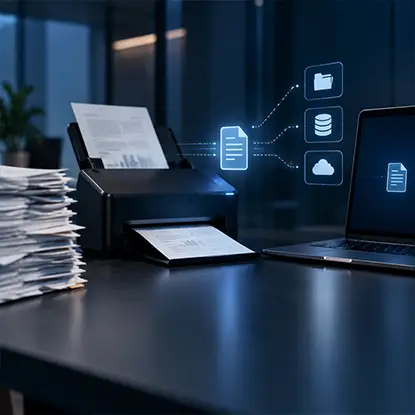
Disconnected tools can leave employees copying the same information between inboxes, spreadsheets, and enterprise systems. docAlpha captures and validates data from business documents, then supports configurable workflows and integration with downstream applications.
Streamline document-intensive work without forcing every department onto the same software.
Application management becomes more valuable when companies examine what happens between tools.
Imagine a small B2B company collecting leads through its website. Without integration, an employee may receive a notification, copy the prospect's details into a CRM, create a follow-up task, and notify the appropriate salesperson.
None of those steps is difficult. Together, however, they create repetitive administrative work every time a lead arrives.
A connected workflow can send form data directly to the CRM, assign the contact according to territory, and create the next task automatically. Employees then handle the part that requires judgment: qualifying and speaking with the prospect.
Asana's 2023 Anatomy of Work research provides useful context. Its survey of 9,615 knowledge workers found that 58% of the working day was spent on "work about work" rather than skilled tasks. Respondents estimated that improved processes could save 4.9 hours each week.
Not every administrative step should be automated. Exceptions, approvals, sensitive decisions, and unusual customer cases may still require human review.
The strongest candidates are usually predictable actions with clear inputs and outputs.
Recommended reading: Learn How Business Process Automation Removes Manual Workflow Steps
Removing duplicate applications does not solve a process when employees still disagree about where final information belongs.
Suppose an account manager changes a customer's delivery date in the CRM. Operations updates its own spreadsheet later, while customer support relies on an older message from a team chat.
Technically, all three departments have access to information. Operationally, they have three different versions of reality.
A better approach assigns a source of truth for important data. Customer status may belong in the CRM, project deadlines in the project management platform, and approved documents in controlled cloud storage.
Other applications can display or reference that information without becoming competing records.
Microsoft reported in its 2023 Work Trend Index that 62% of surveyed respondents struggled with excessive time spent searching for information during the workday. The same study found that 68% lacked enough uninterrupted focus time.
Those numbers highlight why information architecture deserves attention alongside application choice. A powerful platform provides limited value when employees cannot predict where accurate information will be stored.

Software sprawl is especially costly when each application creates new document intake and approval tasks. docAlpha automates classification, extraction, Intelligent Rules, and exception routing for incoming business records.
Lower administrative friction and reserve employee attention for approvals and unusual cases.
Software efficiency is also affected by how quickly people receive and lose access.
A new employee might spend their first morning requesting permission for five separate systems. At the other end of the lifecycle, former employees can remain listed in applications long after leaving the company.
Both situations indicate weak software administration.
Role-based provisioning provides a more structured alternative. Instead of handling every application separately, IT can define access according to responsibilities.
For example, onboarding a new customer support specialist might follow this sequence:
A defined process reduces forgotten accounts and prevents managers from repeatedly deciding which standard tools each new employee needs.
It can also make audits easier because access follows recognizable rules rather than years of individual exceptions.
Recommended reading: Discover How Document Management Systems Improve Information Access and Control
Purchasing software is easy to measure. Actual value is harder.
A department may request 100 licenses because 100 employees could theoretically use a platform. Six months later, usage data may show that only 40 people open it regularly.
That does not automatically mean 60 licenses should disappear. Some applications support seasonal tasks or infrequent but important processes. However, the gap deserves investigation.
Managers can compare several signals:
The decision should follow the evidence rather than the popularity of the product. An expensive specialist application used weekly by ten engineers may create more value than a cheaper tool opened occasionally by 500 employees.
Usage data can also expose training problems. If employees rely on manual spreadsheets despite having access to an automated reporting feature, removing the platform may be the wrong response.
The real issue could be poor implementation.
Complete software uniformity is rarely realistic. Developers, accountants, designers, recruiters, and sales teams have different requirements.
The useful form of standardization happens at shared boundaries.
For example, every department does not need the same specialist software. They may, however, need common rules for storing final documents, requesting approvals, sharing project updates, and managing identities.
This distinction prevents standardization from becoming restrictive.
A design team can retain its professional tools while sending approved assets into the same project workspace used by marketing. Finance can work in specialist accounting software while exporting agreed reporting data into a shared dashboard.
The goal is compatibility rather than forcing every employee into an identical technology stack.

An application audit may eliminate unused tools, but it will not solve repetitive document entry inside essential workflows. docAlpha applies intelligent data extraction, validation rules, and exception handling to documents arriving from different sources.
Improve processing consistency while preserving the software investments that already serve your business.
Organizations often have a detailed process for adopting new software and almost no process for removing old systems.
That creates long-term complexity.
A replacement platform may launch successfully, while employees continue using its predecessor because old links, templates, or habits remain. Before long, both systems require support.
Software lifecycle management should therefore cover retirement as carefully as implementation.
When replacing a tool, teams should identify which records need migration, which integrations must change, when old access will end, and who owns the transition.
A short overlap period may be necessary. An indefinite overlap usually creates two sources of truth and more administrative work.
Updates deserve similar planning. Automatic deployment can be efficient for standard applications, while critical systems may require staged testing before company-wide installation.
The number of applications alone does not determine whether a workplace is efficient. A company with 80 well-integrated tools may operate more smoothly than one with 20 poorly connected systems.
What matters is what happens when an employee tries to complete a task.
Can the person find the correct information? Does data move between systems without unnecessary copying? Are permissions available when needed? Does every application still have a clear owner and purpose?
Those questions move software management beyond routine IT maintenance.
They connect technology decisions with actual working behavior. Instead of asking whether the organization owns the right tools, managers can examine whether those tools create a coherent path from the beginning of a task to its completion.
Recommended reading: Learn How Technology Can Create More Efficient Business Workflows
Efficient workflows rarely come from adding another productivity application. Greater improvements often appear when companies examine the software already in use and remove friction between people, information, and systems.
Application audits can expose unnecessary tools. Integration can eliminate repetitive transfers, while lifecycle and access management keep the digital environment under control.
Most importantly, software decisions should follow real working patterns. When every platform has a defined role and information moves through a predictable process, technology becomes part of the workflow rather than another task employees must manage.
 How Tools and Technology Are Transforming Business Workflows
 SaaS vs On-Premise: Pros, Cons, The Balance
 How AI Agents Expand Automation Beyond Back-Office Workflows
 Why Businesses Need Document Management Systems
 Enhance Business Agility with Automated Document Management Systems
 Boost Efficiency with Smarter Enterprise Task Management

