The Real Reason Businesses Turn Every Receipt Into a JPEG to PDF File
Published: September 29, 2026
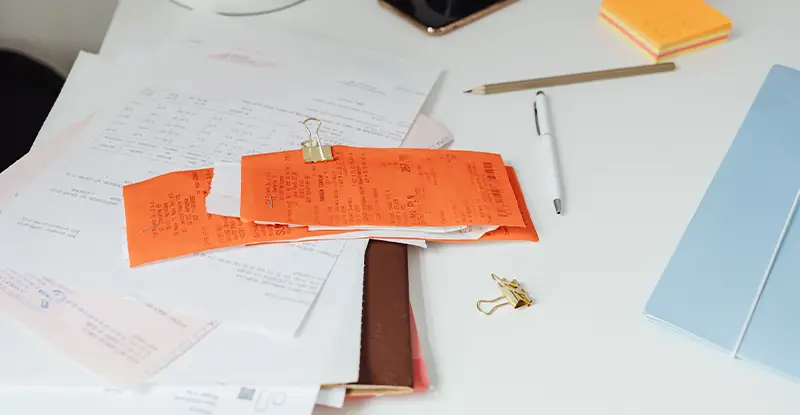
A photo of a receipt looks like proof, right up until someone asks for it in a format their accounting software actually accepts. The image is real, the purchase happened, and none of that matters if the file sitting in your downloads folder gets rejected on sight.
That gap between "I have the photo" and "I have the document" is where most of the frustration around expense reports, signed agreements, and evidence photos comes from. A picture proves something happened. A document is built to be filed, referenced, and trusted later.
Three situations come up again and again. Expense reports usually need every receipt in one file instead of a dozen separate attachments, and a document format handles that far better than a folder of photos. Signed contracts and intake forms often require a fixed layout that will not shift or crop differently depending on the screen someone opens it on.
Evidence photos for insurance claims or disputes benefit from a format built to be filed and referenced later, rather than one more image lost in a camera roll. Once something might get pulled up months later in front of an adjuster or a judge, it needs to look like it was kept deliberately, not just found.
System compatibility plays a role too. Some accounting tools, court filing systems, and HR portals simply will not accept raw image uploads, so the format stops being optional the moment you hit submit.
Sensitive files add one more reason. A document format supports password protection that a plain photo cannot, which matters for a signed agreement, a medical record, or evidence tied to a dispute.
Creating a PDF solves the format problem, but employees may still need to open the document, read it, enter its information, and route it manually. docAlpha automates document capture, data extraction, validation, and workflow processing.
Transform digitized documents from files that are simply stored into data that drives business processes.
Ten receipt photos in a folder means ten separate files to attach, ten chances to send the wrong one, and no guaranteed order once someone else opens them. A single document keeps everything together in the sequence you intended, which matters more than it sounds once you are the one explaining a missing receipt to accounting.
Photos also render differently depending on the device and app used to open them, while a properly built document looks the same on a phone, a laptop, or a printout. That consistency is exactly what a reviewer or auditor expects from something they are being asked to trust.
Recommended reading: Discover How Better Receipt Management Simplifies Business Workflows
Getting from photo to finished file does not take long. JPGtoPDF handles a straightforward JPEG to PDF conversion in the browser, with no account and no software to install first.
If you are dealing with several receipts or pages, a JPEG to PDF converter that accepts multiple files at once saves the extra step of merging them afterward, since each photo lands as its own page in the order you uploaded it. Because it is a free JPEG to PDF converter, there is nothing to buy just to submit an expense report or a signed form on time.
For a single image with no formatting needs, you can also just convert JPG to PDF online, without opening any other software or setting up an account first. Either way, the file that comes out the other end is ready to attach, print, or file away.
Receipts, forms, agreements, and other documents become easier to manage once they are digitized - but digitization alone does not automate what happens next. docAlpha extracts and validates document information and routes it into downstream business workflows.
Reduce the manual work between receiving a document and putting its information to use.
Not everything needs this treatment. A photo shared casually with a friend, a quick reference image for yourself, or anything that will never leave a chat thread is fine staying exactly as it is. There is no reason to convert JPEG to PDF just because you technically can; save that step for a file that needs to be filed, submitted, signed, or kept as proof of something.
A good rule of thumb: if you would print it, attach it to a formal email, or hand it to someone who might question its legitimacy, it belongs in a document format. If it is just for you, or for someone who already trusts you, the photo alone is enough.
The difference between a photo and a document comes down to what happens after you hit send. Receipts, contracts, and evidence photos get taken more seriously, and accepted more often, once they exist as one properly formatted file instead of a loose image. Save the conversion step for anything you might need to reference, prove, or submit later, and skip it for everything else.
Recommended reading: Learn How OCR Extracts Data From Receipts, Forms, and Invoices
 Data Extraction with OCR: Extracting Data from Invoices, Forms, Receipts
  Document Scanning and Capture with AI Technology
  PDF OCR Conversion
  Best PDF Conversion Formats for Accuracy & Quality
  Invoice vs. Receipt: What's the Difference
  Expense Management Software: What Is It and How It Helps
