How Businesses Can Maintain Digital Workflows During Office Expansion and Operational Change

Published: November 12, 2026
The processing of invoices and purchase orders depends on each user accessing the ERP and on each approval reaching the person responsible.
But what happens when an organization needs to relocate a team? Whether the company reshuffles space in the same building or adds temporary spaces like portable office buildings, it is necessary to meet those two conditions.
This article describes what can interrupt digital workflows and what measures can prevent it during a temporary alteration of the physical space.
As a security measure, some organizations configure their ERP to admit logins only from the IP addresses of their offices. If the team sets up in a portable office with its own internet service, the IP address changes and the system treats it as an unauthorized location.
This causes it to reject the login, even if the credentials are correct. In other configurations, the system admits access from an unrecognized location but asks for an additional verification.
In both cases, it is possible to get ahead of this by allowlisting the new public IP address or network range before the team starts operating from the new location.

Office expansion often redistributes duties, making it essential to define who reviews disputed invoices and who approves them. InvoiceAction supports configurable invoice validation, exception routing, and approval steps within connected AP processes.
Reduce processing delays without overlooking the financial checks that still require people.
An authorized address doesn’t guarantee that the team can work. When the ERP and the approval tools work in the cloud, they depend on a stable connection in the new space.
For that reason, it is recommended to check the connection with the applications the team uses daily, before the employees arrive.
A move can separate departments that share a location, like purchasing and goods receiving. While they were together, part of the information could circulate on paper or by word of mouth.
That practice stops working with the departments in different buildings. In a three-way match, for example, the system needs the receiving record to validate the invoice against the purchase order. If that record isn’t entered, the invoice is held.
That’s why it’s worth identifying, before the move, which steps are still done in person and moving them into the system.
Recommended reading: Learn How Three-Way Matching Keeps Invoice Workflows Moving
When a company is expanding, hiring new staff generates a redistribution of tasks among the teams. This means users’ roles and permissions get modified, and it is important to update them in the system to avoid problematic situations.
For example, an accounts payable employee goes on to supervise the team that sets up in the new space. They receive the permission to approve invoices and keep permission to enter them. From that moment they can enter and approve the same document, and the separation of duties stops being met.
That’s why it is important to include in the move plan a review of the roles of those who change function, and to revoke the previous permissions when the new ones are assigned.
The day a team moves, its members can spend hours without an operational workstation. The invoices and purchase orders assigned to an approver from that team don’t advance during that time.
Someone who isn’t moving that day has to cover. For that reason it’s better to organize the move in stages, so that approver and substitute aren’t left without access at the same time. The same criterion also applies to invoices with discrepancies. Whoever usually resolves them must have a designated replacement for the days they aren’t operational.
To keep the process traceable, the temporary approval plan should be documented before the move. The finance or operations team can record who will approve each type of transaction, which exceptions can be escalated, and when the temporary permissions expire. A shared checklist also helps the team identify invoices or purchase orders that remain pending at the end of each moving day. This avoids relying on informal messages and gives managers a clear way to confirm that critical documents are still moving through the workflow.
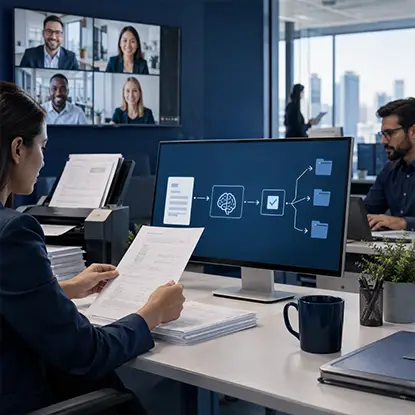
Office expansion creates new collaboration patterns, but business documents still need accurate processing and clear ownership. docAlpha applies AI-powered extraction, validation, and configurable workflow routing to incoming records.
Make document handling more consistent even when reviewers work from different sites.
Some of the previous measures are configured specifically for the new space, like the authorized address in the ERP. If the space is temporary, that configuration should be too.
Once the portable office is removed, that connection stops being used. It’s a good idea to schedule, for the end of the contract, the removal of that address and the review of the permissions of the team that returns.
Recommended reading: Discover How AP Audit Trails Strengthen Workflow Control
The problems show up when the team starts operating from the new location. That’s why it is useful to run a complete test from that space before the move.
If the four steps are completed, the team can move with less risk of interrupting invoice processing.

Moving staff should not mean re-entering supplier invoices or reconstructing approval information in separate systems. InvoiceAction captures and validates invoice data and supports automated processing through connected ERP and accounting workflows.
Streamline invoice administration across locations, provided the underlying systems remain accessible.
An expansion modifies the workplace and, on occasions, people’s roles. The documents the organization must process are still the same.
Verifying the accesses and approvals before the move allows these problems to be detected before they affect the payments.
 Three-Way Match in Invoice Processing
 How to Integrate Invoice Automation with ERP Systems
 Automated Invoice Processing in 2025–2026: AI Automation with Human Oversight
 ERP Integration: Best Practices
 Smarter PO Workflow Automation for Purchasing Teams
 Basics of Accounts Payable Workflow Automation

