9 Best AI presentation tool for sales teams: pitch deck software that closes deals

Published: May 25, 2026
Yes. Tools like Plus AI and Gamma can turn a prompt or PDF into a first-draft deck in under five minutes. You still refine the story, but the blank-slide dread disappears.
Reputable platforms follow strict controls. Plus AI and Beautiful.ai publish SOC 2 reports, while Copilot and Gemini keep everything inside your existing Microsoft or Google tenant. Always review each vendor’s security page before uploading sensitive pricing tables.
Begin with Pitch or Canva. Both offer free tiers with strong core features. You can upgrade later if you need viewer analytics or heavier AI usage.
Beautiful.ai delivers the deepest slide-level analytics. Pitch and Gamma provide lighter view and time-on-slide stats. If you choose an add-in like Plus AI, pair the exported PDF with a link-tracking service to regain visibility.
Yes. Run a side-by-side test during a live deal cycle. Measure deck-creation time, design feedback from stakeholders, and buyer engagement metrics. The numbers will reveal which platform accelerates revenue for your team.
Another prospect demo lands tomorrow, and your slide deck feels stale. Most reps still tweak layouts instead of sharpening the value story, time you can’t spare.
AI deck builders change that. From a short prompt they draft, design, and personalise slides in minutes, pull facts from your docs, lock every font to brand standards, and surface viewer analytics so you can follow up the moment a buyer pauses on pricing.
This guide ranks nine platforms on speed, design quality, personalisation depth, workflow fit, analytics, security, and price, helping you choose the right one for your next deal cycle.

As document volumes increase, manual processing creates delays and operational strain. docAlpha automates document workflows across ERP, cloud, and operational systems with intelligent process automation. Improve scalability while reducing operational bottlenecks and processing costs.
Quarter-end creeps closer. The pipeline looks solid, yet reps still burn two or three hours a week adjusting fonts and nudging icons a single pixel at a time. That drag costs meetings, energy, and focus we would rather spend on discovery calls.
AI removes the time sink. Type a short prompt or drop a discovery doc, and the system returns a clean, on-brand deck in minutes, not evenings. Faster cycles mean you can reply to a hot lead the same day enthusiasm peaks.
Quality rises, too. Auto-layout engines lock every slide to your colour palette and typography so nothing looks off-brand. Consistency builds trust before the first word is spoken.
Personalisation follows. Modern builders pull details from CRM notes, proposals, or a competitor’s RFP. Each prospect sees their own pain points reflected back, which shortens the path to “yes.”
Analytics close the loop. When a buyer opens the link and lingers on the pricing slide, you know. The follow-up email lands while curiosity is still warm, not days later after attention cools.
Security rounds out the checklist. Sales decks can include roadmap hints and confidential pricing. The best platforms pass third-party audits and keep customer data out of public training sets so compliance teams sleep easily.
In short, AI deck builders protect your most precious revenue asset: time in front of buyers armed with insight.
Recommended reading: AI Automation: What It Is and How It Works
We tested each platform the way a quota-bearing rep would: under a ticking clock, using a live sales brief and a locked brand template. We scored every result on seven factors, speed, design quality, personalisation depth, workflow fit, analytics insight, security posture, and price fairness.
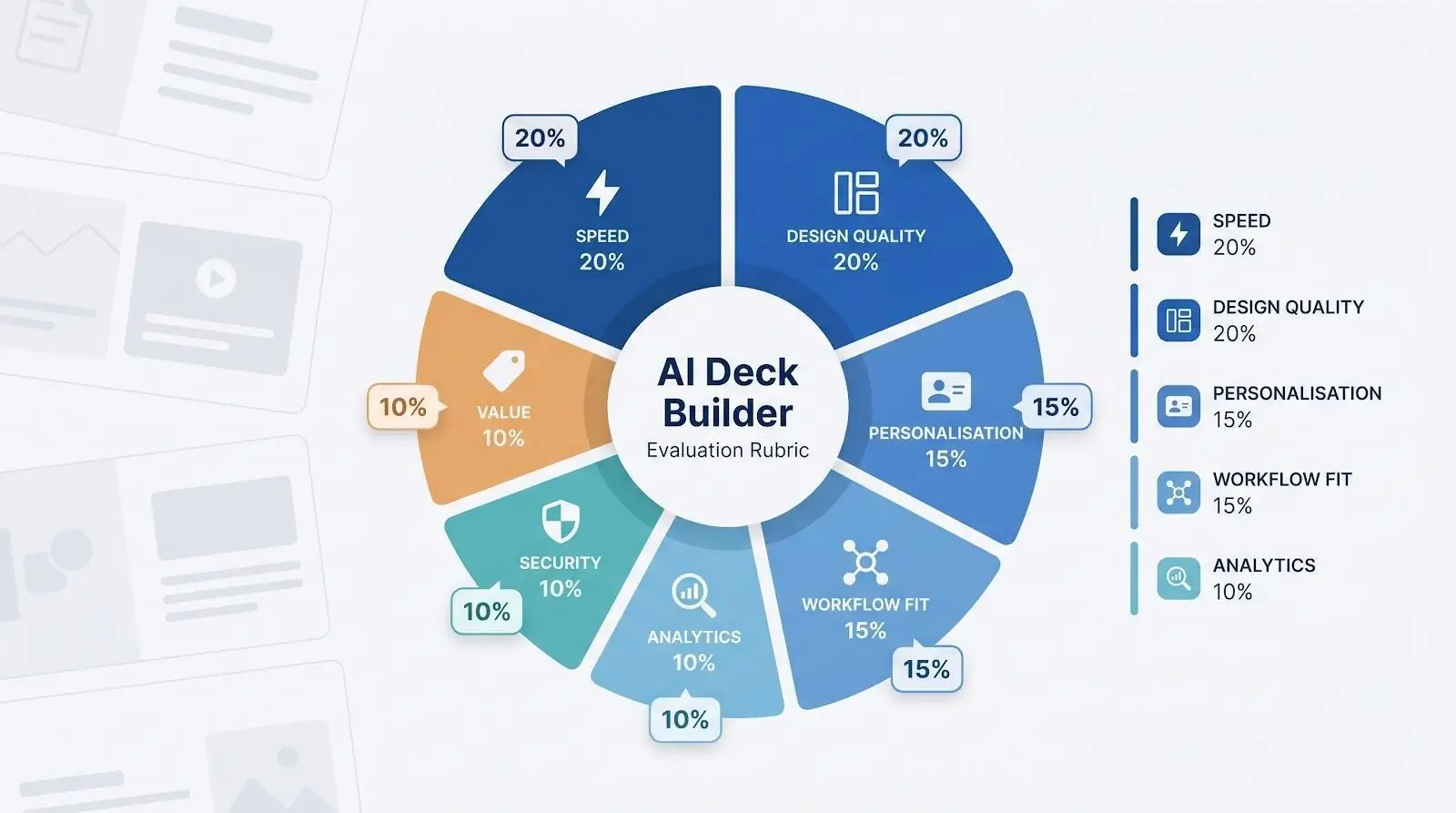
Speed comes first. If a tool could not turn a short prompt into a presentable outline before your latte cooled, we moved on.
Design quality carries equal weight. Buyers judge visuals long before they read the fine print. Auto-layout engines had to keep every slide clean and on brand.
Personalisation is the X-factor. The strongest platforms pull insights from PDFs, call notes, or CRM fields so each prospect feels seen, not mass-marketed.
Workflow fit matters, too. Smooth export to PowerPoint or live collaboration in the cloud prevents yet another “final-final-v3” email thread.
Analytics, security, and price complete the rubric. Viewer heat maps help you follow up at the right moment. SOC 2 or similar audits keep compliance officers calm. And a fair subscription protects margins.
Below is the snapshot of those scores. Five stars equals best in class; one star flags a gap you may need to cover with another tool.
The table below summarises the star ratings for each platform.
Tool | Speed | Design | Personalisation | Workflow | Analytics | Security | Value | Total* |
Plus AI | ★★★★★ | ★★★★☆ | ★★★★☆ | ★★★★★ | ★☆☆☆☆ | ★★★★★ | ★★★★☆ | 40 |
Beautiful.ai | ★★★★☆ | ★★★★★ | ★★★☆☆ | ★★★☆☆ | ★★★★★ | ★★★★☆ | ★★★☆☆ | 38 |
Gamma | ★★★★★ | ★★★★☆ | ★★★★☆ | ★★★★☆ | ★★★☆☆ | ★★★☆☆ | ★★★★★ | 39 |
Pitch | ★★★★☆ | ★★★★☆ | ★★★☆☆ | ★★★★★ | ★★★★☆ | ★★★★☆ | ★★★☆☆ | 37 |
Canva (Magic Design) | ★★★★☆ | ★★★★★ | ★★★☆☆ | ★★★★☆ | ★★☆☆☆ | ★★★☆☆ | ★★★★★ | 36 |
Microsoft Copilot | ★★★☆☆ | ★★★★☆ | ★★★★☆ | ★★★★☆ | ★★☆☆☆ | ★★★★★ | ★★☆☆☆ | 33 |
Slidebean | ★★★☆☆ | ★★★☆☆ | ★★★☆☆ | ★★★☆☆ | ★★★☆☆ | ★★☆☆☆ | ★★★★☆ | 30 |
Gemini for Google Slides | ★★☆☆☆ | ★★★☆☆ | ★★★☆☆ | ★★★★☆ | ★☆☆☆☆ | ★★★★☆ | ★★★★☆ | 29 |
Prezi | ★★★☆☆ | ★★★★☆ | ★★★☆☆ | ★★☆☆☆ | ★★☆☆☆ | ★★★☆☆ | ★★★☆☆ | 28 |
*Total reflects weighted criteria (Speed 20 percent, Design 20 percent, Personalisation 15 percent, Workflow 15 percent, Analytics 10 percent, Security 10 percent, Value 10 percent).
Use this matrix as a quick gut check. In the next sections, we explain what those stars mean in real-world use so you can choose the right platform for your sales stack.
Bring AI Automation Into Accounts Payable Workflows
InvoiceAction processes invoices using machine learning, validation logic, and configurable workflows. Reduce approval bottlenecks and improve AP consistency.
Book a demo now
plusai.com lives where you already build decks, so adoption feels friction-free. The platform now counts more than 2 million installs and holds 4.6-plus star ratings in both the Google Workspace and Microsoft AppSource marketplaces, proof that sales and marketing teams trust the workflow. Install the add-in, open PowerPoint or Google Slides, and a friendly sidebar is ready to draft an entire pitch from a single prompt.

In our test, a ten-slide outline appeared in under two minutes, faster than reheating lunch.
Speed does not sacrifice control. Because Plus works inside your template, every font, colour, and master layout stays locked to brand. Want tweaks? Highlight a clunky bullet and tap “Refine.” The AI rewrites copy, swaps an icon, or proposes a cleaner chart without breaking the slide’s grid.
Personalisation runs deep. Drop a PDF, Word doc, or even last quarter’s proposal into the importer and Plus lifts headlines, stats, and customer quotes into fresh slides. It is priceless when a prospect’s RFP arrives at 4 pm and leadership needs a custom deck before close of business.
Security is enterprise-grade. Plus AI has completed a full SOC 2 Type II audit, so sensitive pricing tables and roadmap hints stay private (see the Plus AI for PowerPoint overview). Larger organisations can toggle advanced admin controls and connect through OAuth for single sign-on peace of mind.
Pricing starts at roughly ten dollars per user per month with a seven-day free trial. That buys unlimited generations and enough credits for even the most presentation-hungry sales pod. The only missing piece is viewer analytics; once exported, tracking is on you. Pair the deck with a link-tracking tool and Plus becomes a stealth productivity engine that cuts deck prep from hours to minutes and lets reps focus on conversations that close.
Recommended reading: AI Automation: What It Is and How It Works
If your team cringes at sloppy spacing or rogue fonts, Beautiful.ai brings design discipline on autopilot. Its Smart Slides engine snaps each element into place the moment you paste text or drop an image. The result feels like you hired an agency, yet the turnaround takes minutes instead of days.
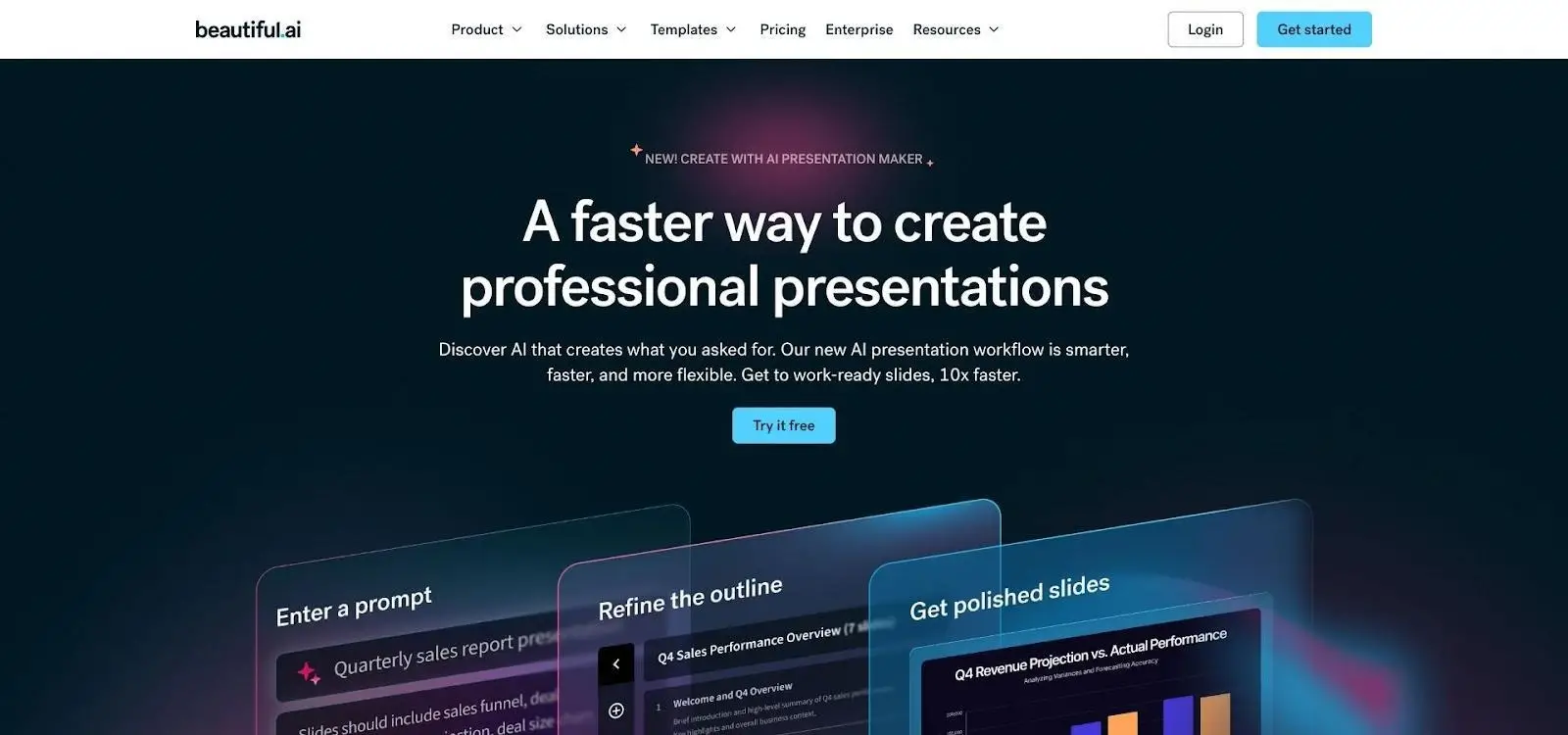
Brand consistency is simple. Upload your logo, set primary colours, and the platform locks those choices across hundreds of layouts. Reps cannot stretch a logo or swap in a random typeface, so every pitch lands with the polished look marketing approved.
Data beats polish when it is time to close. Share a deck through Beautiful.ai’s live link and the system tracks views, time on each slide, and drop-off points. When a prospect lingers on pricing, you know it is time to call. Slide-level analytics surface in a clean dashboard without extra setup.
The content library adds speed. Need a case-study slide, a timeline, or a comparison? Select a pre-built layout and Smart Slides reshapes it to fit your copy. Add charts or infographics without opening another tool; the AI adjusts labels and spacing automatically.
Pricing averages about 40 dollars per user per month on the Team plan, which includes analytics and collaboration. If design headaches slow your sales cycle, that cost is small compared with the hours reclaimed and the confidence of sending a deck that looks polished every time.
Pitch shines when a deal needs multiple brains on the same deck at once. Imagine marketing polishing messaging while a solutions engineer drops fresh screenshots and you tweak the ROI slide, all watching each other’s cursors move in real time. Version chaos disappears, and the final file is always the single live link in the CRM.
The AI side helps early. Type a short brief such as “seven-slide proposal for a mid-market logistics prospect,” and Pitch drafts the outline, suggests headlines, and selects layout styles that feel modern but not gimmicky. Quick “AI actions” then rewrite wordy bullets or swap generic imagery for something sharper.
Shared templates are the unsung hero. Ops leaders set master slides with locked fonts, legal disclaimers, and pricing tables. Reps clone, customise, and ship without risking off-brand experiments. Every deck your team sends looks related, which reinforces credibility across long deal cycles.
Analytics add timely insight. Simple metrics track opens and slide views, enough to time a nudge without drowning you in charts. If you need deeper heat maps, Beautiful.ai covers that, but Pitch balances detail with simplicity.
Cost scales gently. A generous free tier supports small squads, while the Pro plan provides heavier AI usage and advanced permissions for about 20 dollars a month. When collaboration speed matters as much as deck polish, Pitch is the virtual war room you will keep open all quarter.

OrderAction automates order capture, validation, approvals, and ERP posting. Improve customer satisfaction while reducing operational workload.
Traditional slides move left to right. Gamma scrolls instead. Prospects glide through cards that expand, reveal embedded video, and link to live demos. The experience feels less like a deck and more like a curated landing page you build in five minutes.
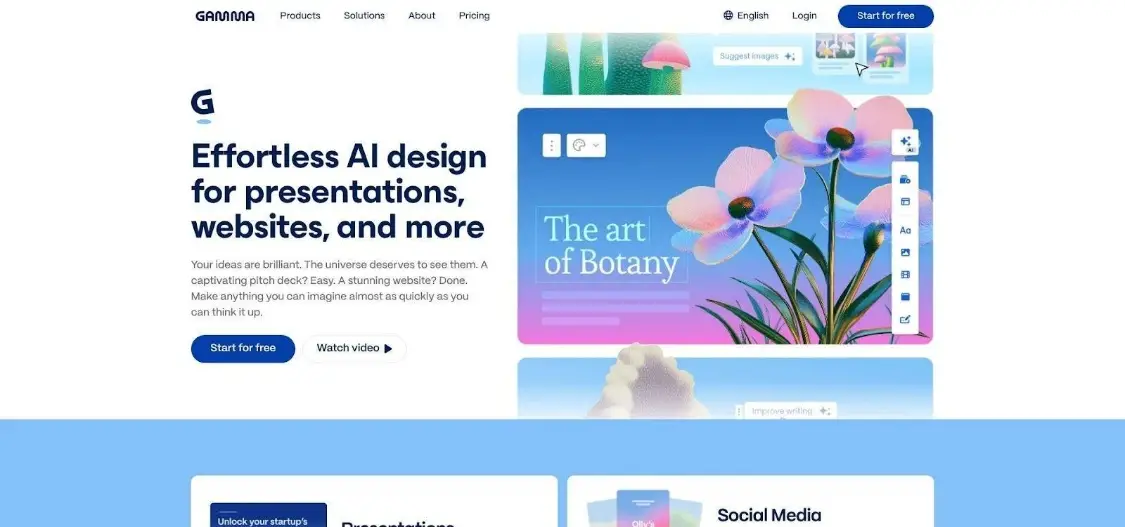
Generation is quick. Paste a product brief or a URL, and Gamma maps headlines, sub-points, and visuals into a themed sequence before you can blink. Switch to a new theme and the entire presentation refreshes instantly, with no manual reformatting.
The importer steals the show. Upload a PDF white paper and the AI lifts stats, quotes, and charts into neat content blocks. Sales engineers appreciate that technical collateral turns into buyer-friendly storytelling in seconds.
Sharing stays simple. Send one link and recipients scroll at their own pace on any device. Built-in metrics record views and time on each card, giving you just enough insight to time a follow-up call without burying you in dashboards.
Need a classic deck? Export to PowerPoint or PDF with a click. You lose the scroll but keep the structure. For speed and visual flair, especially when you need to stand out in a crowded inbox, Gamma earns its place in your toolkit.
Recommended reading: Learn How AI Algorithms Improve Intelligent Business Automation
Some prospects buy with their eyes. Canva gives you a drag-and-drop studio packed with more than a million photos, icons, and short video clips, so every slide stands out without a designer on payroll.
Magic Design acts like a stylist on demand. Type a theme or paste a few paragraphs from a discovery call, and Canva suggests complete slide sets that match your brand kit. Change a palette and the whole deck updates instantly, charts included.
Collaboration feels familiar if your team already uses Canva for social graphics. Reps, marketers, and executives can comment in real time, tighten copy, or resize an image without exporting a file. When the deck is ready, export to PowerPoint, PDF, or even a 60-second video for asynchronous pitches.
Analytics are light, and Canva will not draft deep narrative text the way Plus or Pitch do. Treat it as a visual specialist rather than a full content writer. The Pro plan costs about 15 dollars per user per month; light use remains free. For the price, Canva provides impressive creative muscle.
Slidebean began in the startup world, and that DNA shows. Open a new project and the setup wizard walks you through the classic story arc, problem, solution, traction, pricing, then auto-formats each idea into a clean slide. No design tweaks needed; spacing, fonts, and image ratios land correctly on the first pass.
For sales teams, that structure shines when a prospect requests a quick capabilities deck. Drop in bullet points, hit “Arrange,” and Slidebean’s AI sets typographic hierarchy and visual balance. The deck feels intentional even when content arrives ten minutes before the call.
Analytics land midway between none and information overload. Share a live link and Slidebean records opens, time on each slide, and bounce points. A notification pings when a buyer revisits, so you can send that “Any questions?” nudge while interest is fresh.
Limits are clear. Design themes skew startup modern; if your brand leans corporate, you will spend time adjusting colours. And unlike Plus or Copilot, Slidebean cannot import external docs to generate slides. Treat it as a layout specialist rather than a research assistant.
Prices start near seven dollars a month for individuals, but the Accelerate tier at about 40 dollars adds viewer analytics and team collaboration. If you need structured storytelling and fast polish more than deep AI content generation, Slidebean deserves a spot in your toolkit.
Modernize Operations With AI-Based Workflow Automation
docAlpha automates document workflows across finance, operations, supply chain, and service teams. Increase efficiency while maintaining visibility across business processes.
Book a demo now
If your company runs on Microsoft 365, Copilot slips into PowerPoint like a seasoned co-presenter. Click the Copilot button, feed it a Word file, Teams transcript, or outline, and watch a draft deck bloom across your corporate template. Titles, bullet points, and suggested SmartArt appear in seconds inside the app your reps already know.
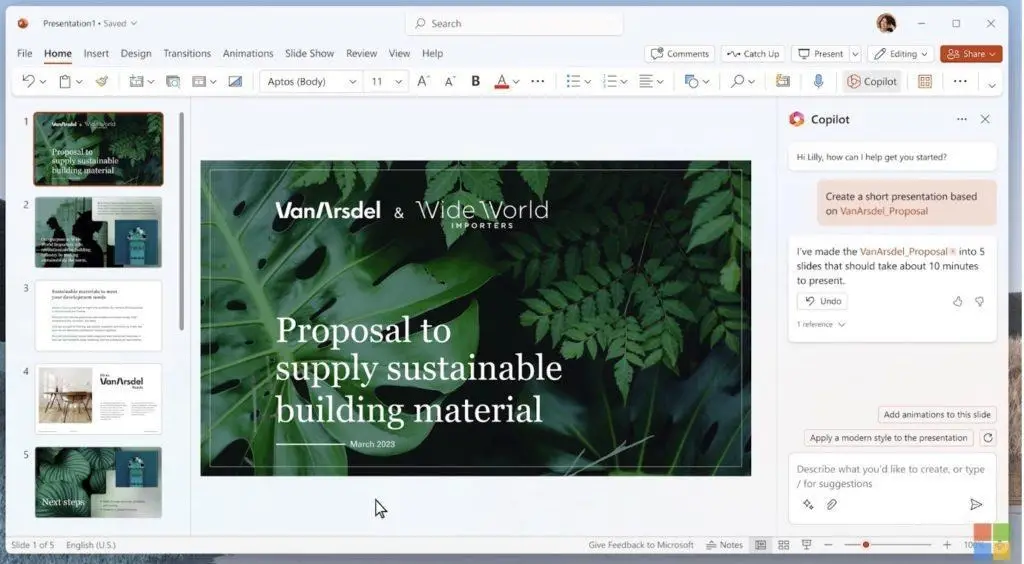
Integration is the headline benefit. Copilot pulls approved logos, fonts, and colour themes from your shared template library. No export–import gymnastics, no risk of off-brand slides. It can tap Excel data, turn the Q4 sheet into a chart for slide five, and refresh numbers later with one prompt.
Content help is strong, though verbose. Copilot drafts speaker notes, rewrites dense paragraphs, and proposes sharper headlines. You will still prune for brevity, but the heavy lift is done.
Security teams breathe easy. Processing stays within your Microsoft tenant, and data is not used to train external models.
According to Windows Central, Copilot is a premium add-on costing about 30 dollars per user per month on top of existing Microsoft 365 licences. For large sales teams, that line item grows quickly. Analytics are also missing; once you send the file, you lose sight of engagement unless you pair with a tracking tool.
Choose Copilot when standardisation and data residency matter more than budget and when your reps already spend their weeks inside Outlook, Teams, and PowerPoint. It is the closest thing to an in-house AI deck assistant that IT will sign off without debate.
Gemini gives you a low-friction upgrade inside Google Slides. Click “Help me create,” enter a topic and audience, and the assistant sketches a multi-slide outline with headlines, bullet points, and placeholder visuals. It is not the fastest generator here, but for Workspace shops the comfort of familiar menus outweighs raw speed.
Value rises when you connect Drive content. Gemini can pull charts from Sheets or summarise a linked Doc, dropping key numbers and quotes straight into the deck. That tight data loop keeps proposals current without late-night copy-paste marathons.
Design help is solid. Slides suggests colour-matched themes and auto-formats dense text, so sections rarely feel cramped. For global teams, one click translates the entire presentation, useful when a prospect in Madrid needs the deck in Spanish by morning.
Gemini is still maturing. Output often needs manual polish, and advanced analytics are missing. Pricing remains fluid; some enterprise tiers include Gemini at no extra charge, while others list it as a paid add-on. Check your admin console before rolling it out at scale.
If your sales team already lives in Gmail and Meet, Gemini is the quickest way to add generative help to pitch-deck workflows without a new login or training curve.

Finance teams overwhelmed by manual invoice entry, approvals, and ERP posting can use InvoiceAction to automate invoice capture, validation, and workflow routing. Reduce invoice turnaround time while improving AP accuracy and operational efficiency.
Prezi swaps linear slides for a single, infinite canvas. You plot big ideas as islands, then zoom in and out as the conversation flows. In a packed pitch schedule, that cinematic movement alone grabs attention and keeps executives off their inboxes.
The new AI assistant trims setup time. Describe your pitch goal and Prezi drafts a path with suggested subtopics and visuals. You still decide how far to zoom on each point, but the blank-canvas fear fades.
Storytelling flexibility pays off during discovery calls. If a prospect fixates on integrations, you can dive straight into that branch, then zoom back to ROI without shuffling slide order. Record the session with Prezi Video, and prospects receive a dynamic recap where your webcam floats beside each topic.
Export options cover PDF for procurement teams and video for async sends, yet much of the wow factor lives inside the interactive viewer. Prezi also rewards practice; presenters need to know the canvas well to avoid dizzy detours.
Pricing ranges from about 15 to 25 dollars per user each month, depending on features. Pick Prezi when you pitch complex solutions and need a visually memorable narrative that bends with the buyer’s curiosity.
No single platform covers every situation. Match each tool’s strength to the bottlenecks your reps feel most.
If brand control and design polish top your list, Beautiful.ai or Canva will save design hours and stop rogue fonts. When collaboration chaos slows momentum, Pitch live editing keeps everyone in sync and on message. Need raw speed and strict template loyalty inside PowerPoint or Slides? Plus AI meets both needs and passes the security audit. For interactive storytelling that grabs attention in email threads, Gamma and Prezi deliver experiences a static PDF cannot. If IT requires data to stay under the Microsoft or Google umbrella, Copilot or Gemini provide a safer, though currently less feature-rich, route.
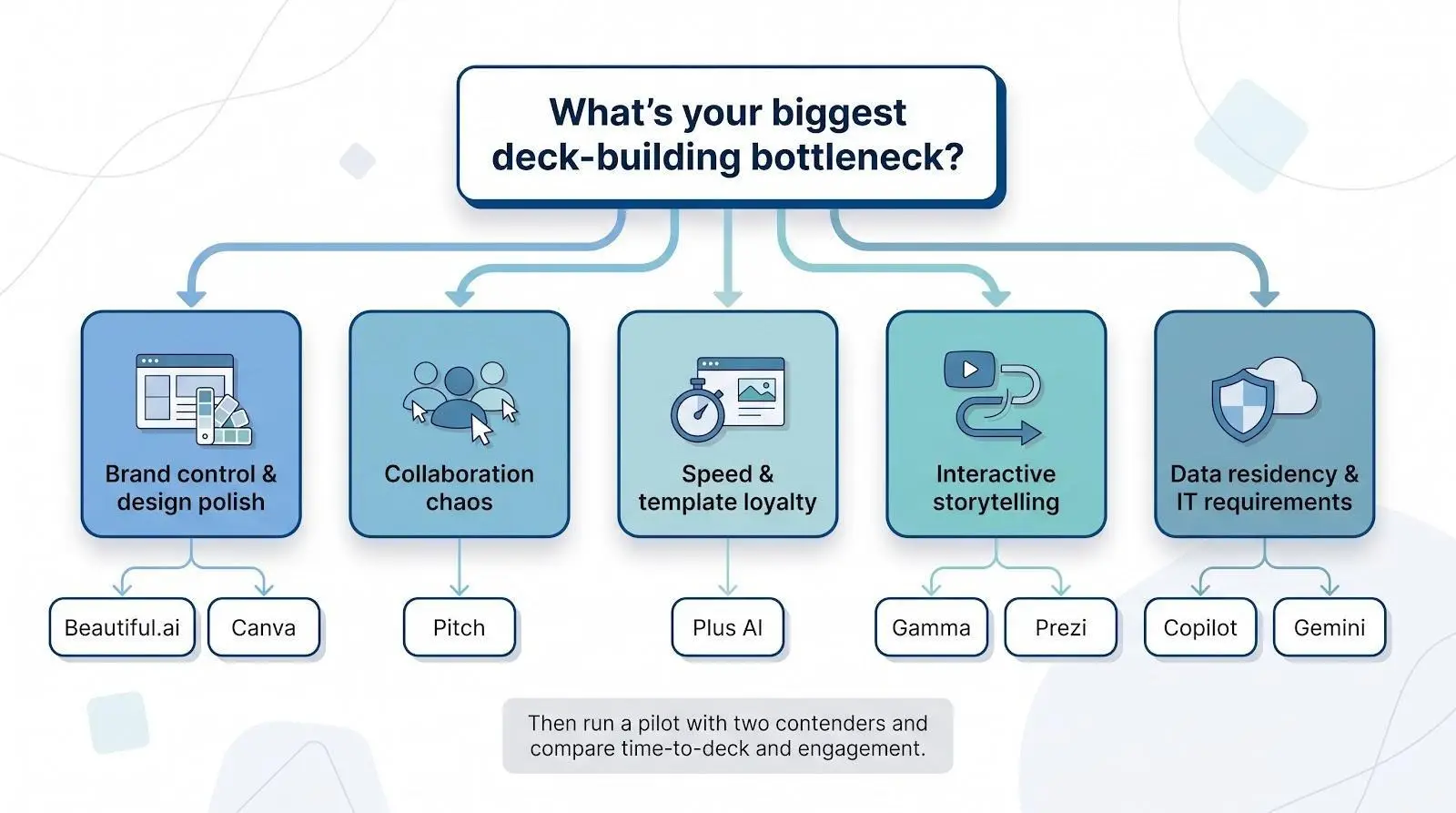
Run a pilot with two contenders. Time how long each takes to produce a prospect-ready deck, then measure engagement on the first five deals you send. The numbers will point to a clear winner faster than any feature list.
 AI Automation: Replace Your Team's Busywork, Not Jobs
 AI Automation: What It Is and How It Works in 2026
 B2B Outreach Strategies That Improve Sales Conversions
 How Voice Notes Are Transforming Modern Sales Strategies
 How Digital Sales Training Improves Seller Performance
 Smarter Content Workflows for Modern Marketing Teams
