Automating Business Visuals: How AI Image Tools Fit Into Document Workflows
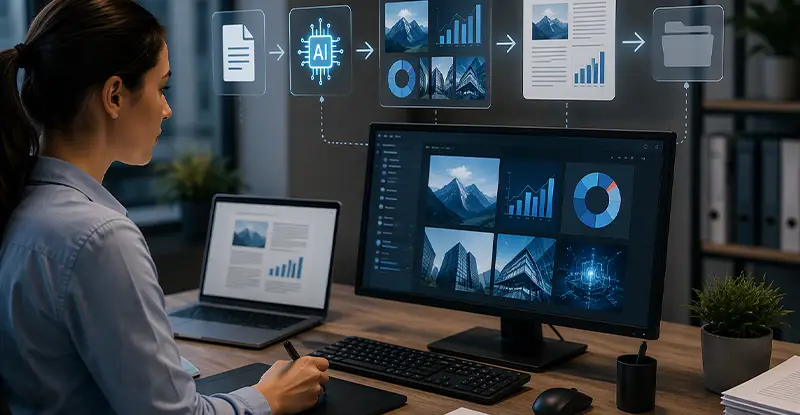
Published: August 18, 2026
An AI image generator turns a written description into a finished visual. You describe what you want, and the tool produces an image in seconds. Most platforms also include editing features such as background removal, object cleanup, and upscaling.
They add a visual-generation step to workflows that were previously limited to text and data. Instead of manually creating diagrams, product images, or report graphics, teams can generate consistent, on-brand visuals on demand as part of the document process.
Yes, provided you use a repeatable set of prompts and a defined style. Saving prompts that produce your brand's look and reusing them is what keeps imagery uniform across large document sets.
Each is built for a different priority. Midjourney is known for artistic style, DALL·E for prompt comprehension, and Adobe Firefly for fitting inside Adobe's creative suite. ImagineArt combines text-to-image generation with built-in editing - background removal, cleanup, and upscaling - in a single workflow, which suits business and document visuals.
Not for exact reproduction. These tools are excellent for conceptual and generic imagery but can't render a specific real SKU's precise packaging. For exact-accuracy needs, use AI generation to supplement photography rather than replace it.
No. The main skill is writing a clear, specific prompt - subject, setting, lighting, and framing - rather than operating design software, which makes these tools accessible to operations and process teams without a designer on hand.
Establish clear policies on usage rights, asset storage, and version control, and keep a human review step in the workflow. Treating generated visuals like any other governed automation keeps quality and compliance under control.
Begin with one recurring document type, prove the workflow, then expand. Focus early effort on building a prompt and style library, since consistent inputs are what produce consistent, reusable results.
Businesses have spent the better part of two decades automating the text and data inside their documents. Invoices get captured and routed without a human touching them, forms populate themselves, reports assemble from live data, approvals move through predefined paths. The structured, text-heavy side of document work has become genuinely hands-off.
The visual layer never caught up. The diagrams, product images, branded graphics, and process illustrations that live inside those same documents are still made the old way - one at a time, by hand, often by someone who has ten other things to do. That mismatch is where a lot of quiet friction hides. A new class of tools is starting to close it: the AI image generator has matured to the point where creating a visual can become a step in an automated workflow rather than a manual detour around it. This article looks at where that fits in document-heavy processes, and how to adopt it without disrupting what already works.

Extracting data manually from invoices, orders, forms, and other business documents consumes valuable staff time and introduces avoidable errors. docAlpha automates document classification, data extraction, validation, and workflow integration using AI-powered processing.
Create faster, more scalable document workflows while freeing employees to focus on higher-value work.
Document automation grew up around structured information. Optical character recognition, intelligent data capture, and templating engines got very good at reading, extracting, and reassembling text and numbers. If a piece of a document could be expressed as data, someone found a way to automate it.
Images sat outside that scope. The process diagram in a standard operating procedure, the product shot on a data sheet, the header graphic on a recurring report, the illustration in a training module - each one still required manual creation or a design request. The consequences are familiar to anyone who manages document-heavy work: bottlenecks when a designer is unavailable, visual inconsistency across documents that should look uniform, and version-control headaches when the same graphic exists in six slightly different forms. The visual layer became the part of the document that automation forgot.
Recommended reading: Document Automation Software: What Is it and How to Use
At a practical level, these tools do three things that matter for documents. They generate images from written descriptions, so a prompt becomes a finished graphic. They edit existing visuals - removing backgrounds, cleaning up unwanted objects, upscaling low-resolution assets. And through image-to-image capabilities, they can take a rough visual and refine it toward a polished result.
For document work specifically, the appeal isn't novelty - it's repeatability. A tool that can produce consistent, on-brand visuals on demand turns image creation from an unpredictable manual task into something dependable enough to build a process around. Once you can describe a visual in words and get a usable result in seconds, the mental model shifts: image generation stops being a creative side-quest and starts looking like another node in the pipeline, sitting alongside data capture and templating rather than bolted on afterward.
The clearest opportunities show up wherever visuals repeat at volume.
Standardized report and proposal graphics. Recurring documents need recurring visuals, and generating them on demand keeps every version on-brand without a manual design pass each time. For teams standardizing imagery across hundreds of documents, an ai image generator can produce consistent graphics from a written brief - combining text-to-image generation with quick editing so there's no shoot to schedule and no one-off design ticket for every asset.
Product and catalog documentation. Data sheets, spec pages, and listings all need clean, uniform product imagery. Generating and editing these in one place keeps the look consistent across an entire catalog.
Training and SOP materials. Some of the most useful applications are the least glamorous - illustrating a picking sequence, a safety scenario, or an approval workflow. These are hard to photograph but straightforward to generate as clear, consistent illustrations.
Localized document variants. Serving multiple regions or languages usually means swapping visuals for each. Producing regional variations from the same base prompt is far faster than re-commissioning them individually.
Manual invoice entry separates document processing from the financial workflow that follows. InvoiceAction automatically captures and validates invoice information and connects document data with approval and ERP processes.
Shorten invoice cycle times, improve data accuracy, and give finance teams greater control over AP operations.
The category has matured quickly, and the right choice depends more on your workflow than on any leaderboard. It helps to understand what each of the well-known options is actually built for.
Midjourney earned its reputation for striking, stylized, artistic output. OpenAI's DALL·E is known for strong prompt comprehension and integration with the broader OpenAI ecosystem. Adobe Firefly fits naturally for teams already living inside Adobe's creative suite. Imagine AI Art, which combines text-to-image generation with built-in editing tools like background removal, object cleanup, and upscaling in a single workflow, is oriented toward all-in-one, business-ready visuals - generate and refine in one place rather than moving assets between apps.
The practical takeaway: match the tool to where your own bottleneck sits. A team that needs artistic hero images has different needs from one standardizing product graphics across a document library, and the "best" tool is simply the one that removes your specific friction.
Recommended reading: What Types of Documents Benefit from Document Automation?
The teams that adopt this well tend to introduce it narrowly. Pick one document type - recurring reports are a strong candidate - and prove the workflow there before extending it across the business. Starting small lets you work out the review process and quality bar without betting a critical process on an unfamiliar tool.
Invest early in a prompt and style library. Once you find descriptions that reliably produce your brand's look, save and reuse them; consistency comes from repeatable inputs, not from getting lucky on each generation. Keep a human review and approval step inside the workflow, and set clear governance around usage rights, storage, and versioning of generated assets before you scale. Treating AI visuals as a managed part of the process - governed like any other automation - is what separates teams that get lasting value from those that create new problems.

Manual order entry slows the transition from customer document to executable sales order and increases the risk of costly mistakes. OrderAction applies AI-driven document capture and process automation to convert incoming purchase orders into structured order data.
Improve order accuracy, shorten processing time, and give customer service teams more time for customers instead of data entry.
None of this removes the need for judgment. These tools excel at plausible, conceptual, and generic imagery, but they can't reproduce the exact packaging of a specific real product or the precise likeness of a real person - so wherever exact accuracy is non-negotiable, AI generation should supplement photography, not replace it. And because output still needs a human check, this isn't a fully hands-off automation for high-stakes documents. Think of it as an accelerator inside the workflow rather than an autopilot, and it delivers speed without unpleasant surprises.
The text and data side of documents is already automated; the visual side is the next logical step, and AI image tools finally make it practical. Treated as a genuine workflow component - prompt-driven, reviewed, and governed like the rest of your document pipeline - visual generation brings the same speed and consistency to images that automation long ago brought to text. The teams building it in now are the ones who'll produce better-looking, more uniform documents at a fraction of the effort later.
Recommended reading: All About Intelligent Automation
 Top Benefits, Types, and Use Cases of AI Image Generators
 Top AI Image and Video Tools for Modern Marketing Teams
 The AI Revolution in Document Workflow Automation
 AI-Powered Document Processing For Smarter Workflows
 Intelligent Automation: Driving Digital Transformation
 AI and Automation: The Next Era of Document Processing
