From Paper Forms to CRM: Automating Customer Data Collection

Published: August 06, 2026
Paper forms still have their place. A customer filled one out at a trade show, in a clinic, at a sales counter, or after receiving a postcard. Someone collected the stack, typed the details into a spreadsheet, and later moved the data into a CRM. The process is simple enough in principle. Until names were misspelled, phone numbers were skipped, and half the leads sat untouched for a week.
That gap matters even more when offline campaigns drive responses. For example, businesses using direct mail marketing services often collect replies through postcards, forms, QR codes, coupons, call centers, and landing pages. If that customer data capture process still depends on manual entry, the campaign loses speed before sales even begin.
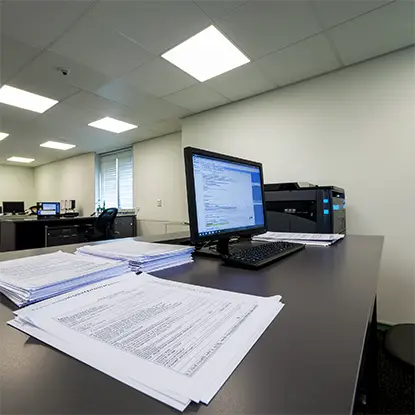
Paper forms slow customer response times and introduce costly manual errors. docAlpha captures, extracts, validates, and delivers customer data directly into your CRM using AI-powered document automation.
Accelerate lead processing while improving data accuracy and operational efficiency.
Manual entry creates three common problems: delay, errors, and poor visibility. A sales team can’t act on a lead it can’t see. Marketing can’t measure a campaign if response data lives in a folder. Customer service can’t personalize follow-up when important details are missing.
Small errors also add up. One wrong email address can block a nurture sequence. A misspelled company name can create duplicate CRM records. A missing ZIP code can weaken segmentation. Data quality isn’t a technical luxury. It affects revenue, reporting, and customer experience.
AI doesn’t make paper disappear overnight. It just removes the slowest part of the process: retyping the same information into another system. A team can scan a form, pull out the key details, check them for obvious mistakes, and move the record into the CRM with far less manual work.
OCR, or Optical Character Recognition, handles the first pass. It reads text from scanned forms, PDFs, photos, and image files. That may include typed fields, handwritten notes, checkboxes, dates, addresses, or customer comments. The scan doesn’t have to be perfect, which is helpful because real forms rarely are.
Intelligent Document Processing, or IDP, takes the process further. It looks at what the document means, not just what the letters say. It can spot a customer name, separate a billing address from a shipping address, flag missing fields, and send exceptions to a person for review. That’s the point where automation starts to feel useful instead of just impressive.
Recommended reading: Document Automation Software: What Is it and How to Use
The process starts wherever the customer response comes in. It might be a scanned form, a photo from a sales rep’s phone, an email attachment, a web form, or a mailed response card. Once the document lands in the system, OCR reads the text, and IDP figures out what each piece of information is. A phone number isn’t treated the same as a consent checkbox or a campaign code.
Before anything moves into the CRM, the data gets checked. Missing fields, duplicate contacts, odd formatting, and obvious errors can be flagged early. That step matters because one messy record can quickly turn into five messy records across sales and marketing tools.
Then CRM integration does the handoff. Clean records can flow into Salesforce, HubSpot, Zoho, or another CRM platform. A new lead can be created, an existing contact can be updated, a task can be assigned, and the right campaign source can stay attached for reporting.
Disconnected business processes create unnecessary manual work. InvoiceAction uses AI automation to capture invoice data, validate information, and automate approvals directly inside your ERP.
Improve financial accuracy while eliminating repetitive AP processing tasks.
Once the data reaches the CRM, workflow automation takes over. A new prospect can trigger a sales notification. A customer who requested pricing can enter a follow-up sequence. A high-value lead can be routed to a senior rep. A duplicate record can go to review instead of creating confusion.
This is where marketing automation becomes more useful. Clean CRM data supports better segmentation, timing, and personalization. A home services company might send different follow-ups to homeowners and property managers. This type of audience segmentation is an important part of effective home services marketing, but it depends on having clean, structured CRM data to work with. A healthcare provider might route inquiries by location.
When paper responses connect to CRM and marketing systems, campaign reporting becomes more effective. Teams can identify which lists, offers, locations, and messages produced leads. They can compare response rates against actual revenue, rather than just relying on rough counts.
This matters for direct mail, events, field sales, enrollment programs, and any process that starts offline. Offline data often disappears from digital reporting because the bridge is weak. AI, OCR, CRM integration, and IDP help build that bridge.
Recommended reading: What Types of Documents Benefit from Document Automation?
Start with the forms that create the most friction. Look for high volume, repeated layouts, frequent errors, or time-sensitive leads. Don’t try to automate every document on day one.
Good first candidates include lead cards, appointment requests, warranty registrations, event signups, service intake forms, and mailed response forms. These documents usually contain predictable fields and clear business value.

Every manually entered sales order introduces unnecessary risk. OrderAction extracts customer order information, validates data, and automates ERP order creation with intelligent workflows.
Increase operational efficiency while reducing costly order errors.
Moving from paper forms to CRM automation isn’t just an operations upgrade. It changes how quickly a business can respond to interest. A customer who raises a hand today should not wait until next week because their form is sitting in a tray.
AI-powered customer data capture, OCR, Intelligent Document Processing, CRM integration, workflow automation, and marketing automation work best when they serve a clear process. Capture the data, clean it, route it, act on it, and measure the results. Paper may still have a place in customer acquisition. Slow data entry doesn’t.
 OCR: What Optical Character Recognition Is?
 Intelligent Automation: Driving Digital Transformation
 Reduce Manual Data Entry: 7 Simple Fixes That Save Time
 Choosing a Data Capture Solution
 Predictive CRM: Next Evolution in Customer Relationship Management
 Moving to Intelligent Data Capture
