AI Works Better with Clean Data -
Whether It’s Documents or Images
Published: May 27, 2026
Ever since AI has entered our lives, we keep thinking that it’s all-powerful. Give it a prompt, upload a text or an image, wait for a couple of minutes, and AI will fulfill everything you asked it for, including deciphering a file or animating a still photo.
However, since expectations are so high, the disappointment hits harder than usual. More and more people discover that AI often fails to produce quality results, and they are torn between confusion and frustration. Why does it happen? What can they do differently?
The truth is, the output AI delivers directly depends on how clean your data is in the first place. Find out why it is important and how to prepare your files properly.
docAlpha combines intelligent OCR, AI-based extraction, and process automation to improve document readability and workflow consistency. Increase operational accuracy while accelerating enterprise document processing at scale.
AI works with patterns, structure, and all the elements it is capable of recognizing. If the input is confusing or of poor quality, it will inevitably be reflected in the output. Here are the core AI principles you need to understand:
So, the rules are simple. If you’re interested in accurate photo restoration that will add new colors to your images, emphasize details, and create an animation effect, you need to present comprehensive photos first. If they are blurred beyond the point of recognition, a big part of them is missing, or the quality is simply bad, professional services will still be able to help, but the results will be just as ambiguous.
Recommended reading: How AI Automation Works and Why Businesses Are Adopting It
As we’ve established, the cleaner the document you give to AI, the higher quality you can expect as a result. Here is how you can prepare your files:
There are other techniques you can implement, such as normalizing the layout and taking care of resolution issues in advance. As you remember, the less AI has to correct, the more efficient it will be at focusing on relevant parts and fulfilling your ultimate request.
Poor Invoice Data Leads to Expensive AP Errors
InvoiceAction uses AI-driven invoice capture, validation, and automation to process cleaner financial data directly into ERP systems. Reduce manual corrections while improving AP speed, visibility, and processing accuracy.
Book a demo now
Now, what should you do about images? Of course, you can try giving them to AI in the format you have and hope for the best. If the results aren’t satisfying, do the preliminary cleanup and try again. Platforms such as Renew Photo are often used to restore damaged or faded pictures before applying additional AI enhancements.
This is what you must consider doing:
Improve your image as much as you can before sending it to AI and asking it to process it.
Recommended reading: Discover How AI Is Transforming Modern Financial Institutions
Document automation and image restoration represent different fields of work, but they rely on the same rules. Let’s consider them closely.
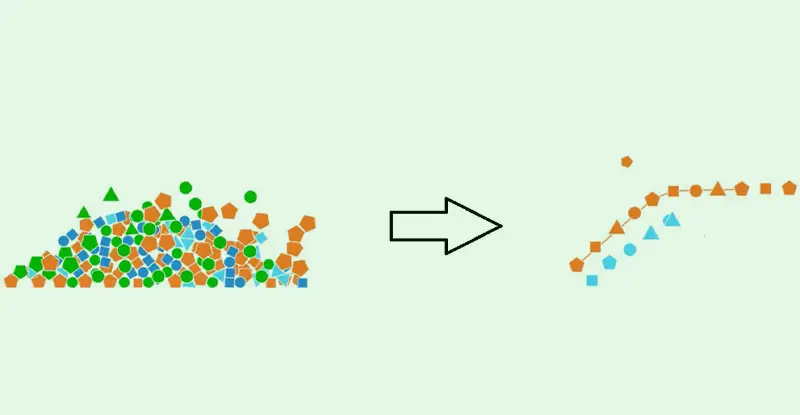
When working with documents and images, you need to provide clean and comprehensive data to AI. Remove all the noise before the AI analysis begins.
In documents, this noise includes stains, scan shadows, handwritten marks, etc. They all interfere with OCR and extraction accuracy, which harms the final output. In images, clutter is present in the form of grains, scratches, blurring, and distortion. Without them, AI can work far more efficiently and accurately.
It’s better to enhance every document and image you intend to let AI work with in advance. Wondering why? Here is your answer:
Enhance every text and picture before allowing AI to rework them.

OrderAction automatically validates quantities, SKUs, pricing, and customer information before orders enter ERP workflows. Strengthen fulfillment efficiency while reducing downstream correction and customer service issues.
This is one of the biggest advantages of using clean data with AI. If your input has poor quality, document automation systems will misread dates, numbers, letters, etc. In turn, image-based AI tools will produce unrealistic, weird-looking outputs that won’t satisfy you in the least. Beyond improving input quality, organizations working with AI-generated or edited visual content may also use an AI image detector to help verify whether an image has been generated or manipulated using artificial intelligence.
In these cases, you’ll have to apply a lot of effort to correct and reprocess everything. By cleaning your data early and giving it to AI, you’ll save a ton of your time and energy. It’s always better to get results on your first try rather than torturing AI and yourself again and again with poor-quality inputs and outputs.
Recommended reading: Learn How AI Algorithms Improve Intelligent Business Automation
Now you know how vital preprocessing is when it comes to feeding data to AI. Sure, no matter how blurred or pale your files or photos are, AI will be able to improve them, turning texts into readable images or animating your pics; however, the quality of its work will depend on your initial input.
The cleaner and the more structured the data you provide, the better outcomes AI will deliver. So, before rushing to automate anything, make sure to improve your files. Clean them up step by step; if you’re using AI for it, give it separate improvement-focused tasks.
Once the texts or photos are ready, input them again and make your final request. The difference in quality is bound to amaze you.
 OCR: What Optical Character Recognition Is?
 Simplifying Accounting Operations in Logistics: Leveraging OCR for Document Automation
 OCR Automation in the Digital Age
 Data Extraction with OCR: Extracting Data from Invoices, Forms, Receipts
 PDF OCR Conversion
 Cognitive Capture: How AI Goes Beyond Traditional OCR
